2 min read

Designing Vianova’s remote monitoring for patients at home

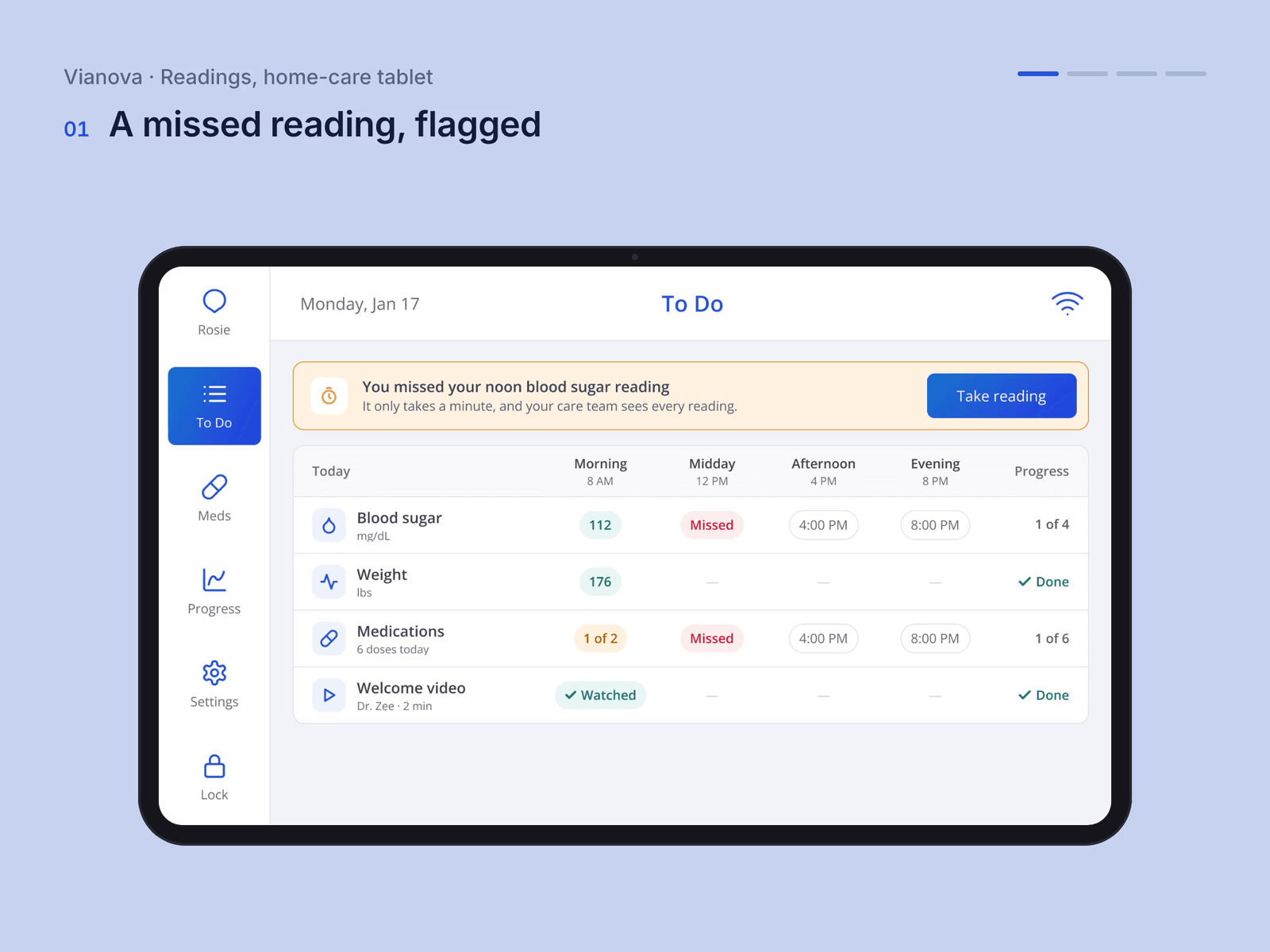
Vianova is a remote patient-monitoring programme, diabetes first: a tablet at home, a connected meter and a care team on the other end. Its patients were often older and rarely used a smartphone. I led the design of the patient tablet from zero, starting with interviews with patients and doctors, around a lock screen that reminds, a guided morning check-in, readings from the meter and the care team one tap away.

Company
Vianova, a Zombie Soup client
Role
Design lead, from zero: research, flows and UI
Platform
Patient tablet
Team
Founders, product managers, engineers and clinicians
Status
Shipped
Vianova tablet: Rosie’s morning check-in with one-tap answers, then the day’s plan

01Problem

Every day, on a device they didn’t choose.

The patients I interviewed rarely used a smartphone for anything but calls; the doctors wanted readings they could trust. The tablet had to be on all day, ask little and never make anyone feel watched.
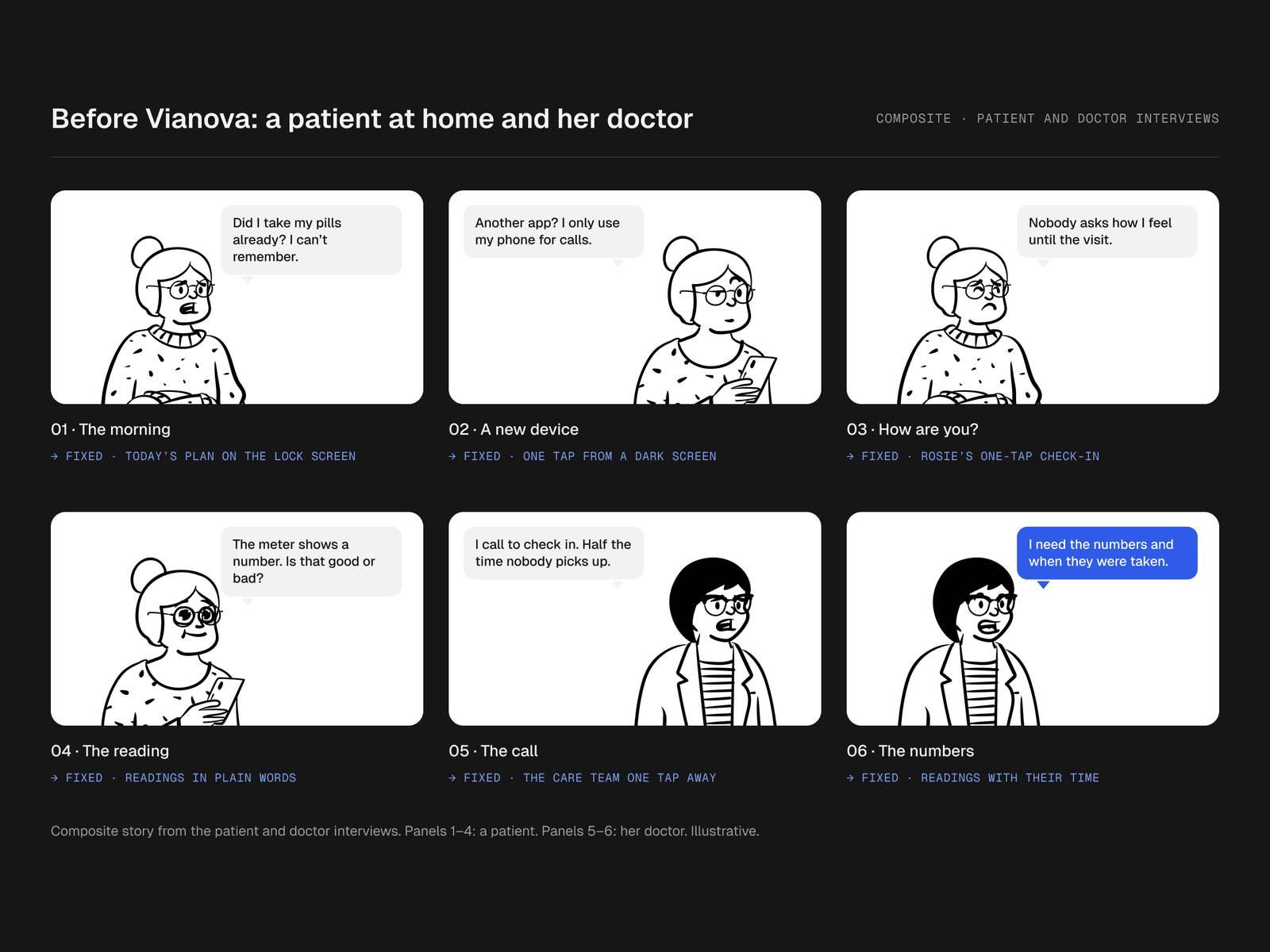
Storyboard, before Vianova: a patient at home and her doctor. 1 The morning: “Did I take my pills already? I can’t remember.” (fixed · today’s plan on the lock screen); 2 A new device: “Another app? I only use my phone for calls.” (fixed · one tap from a dark screen); 3 How are you?: “Nobody asks how I feel until the visit.” (fixed · rosie’s one-tap check-in); 4 The reading: “The meter shows a number. Is that good or bad?” (fixed · readings in plain words); 5 The call: “I call to check in. Half the time nobody picks up.” (fixed · the care team one tap away); 6 The numbers: “I need the numbers and when they were taken.” (fixed · readings with their time).
Before Vianova: a patient at home and her doctor, and what fixed each moment.

02Decision

The lock screen is the product.

Today’s plan and the reminder sit on the lock screen with the answer on the card, so the most common action of the day is one tap from a dark screen.
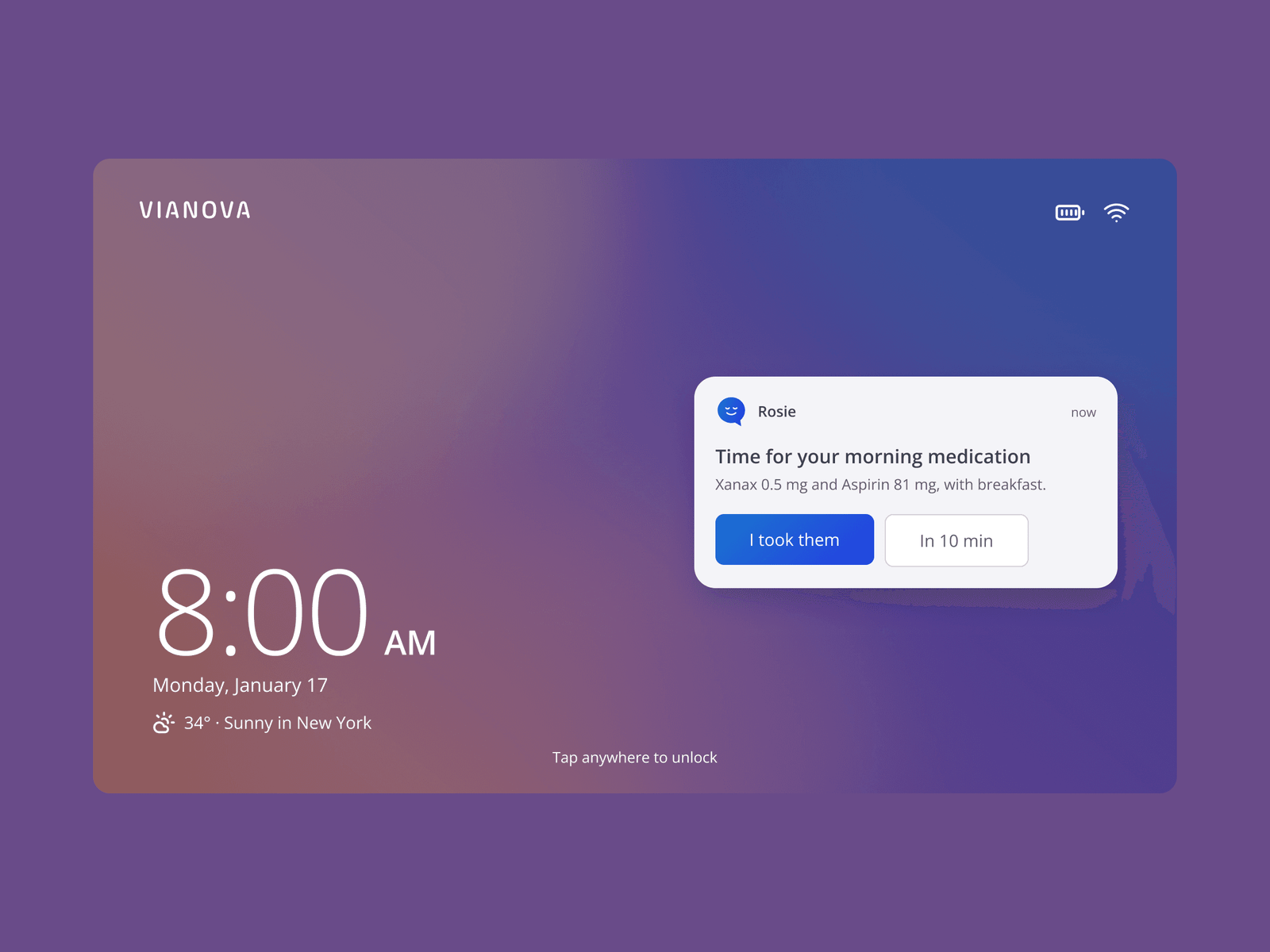
The Vianova lock screen at 8:00 AM with the date and weather, and a reminder from Rosie for the morning medication with “I took them” and “In 10 min”
The lock screen, with the medication reminder and the answer on the card.

03Decision

The check-in has a face and one-tap answers.

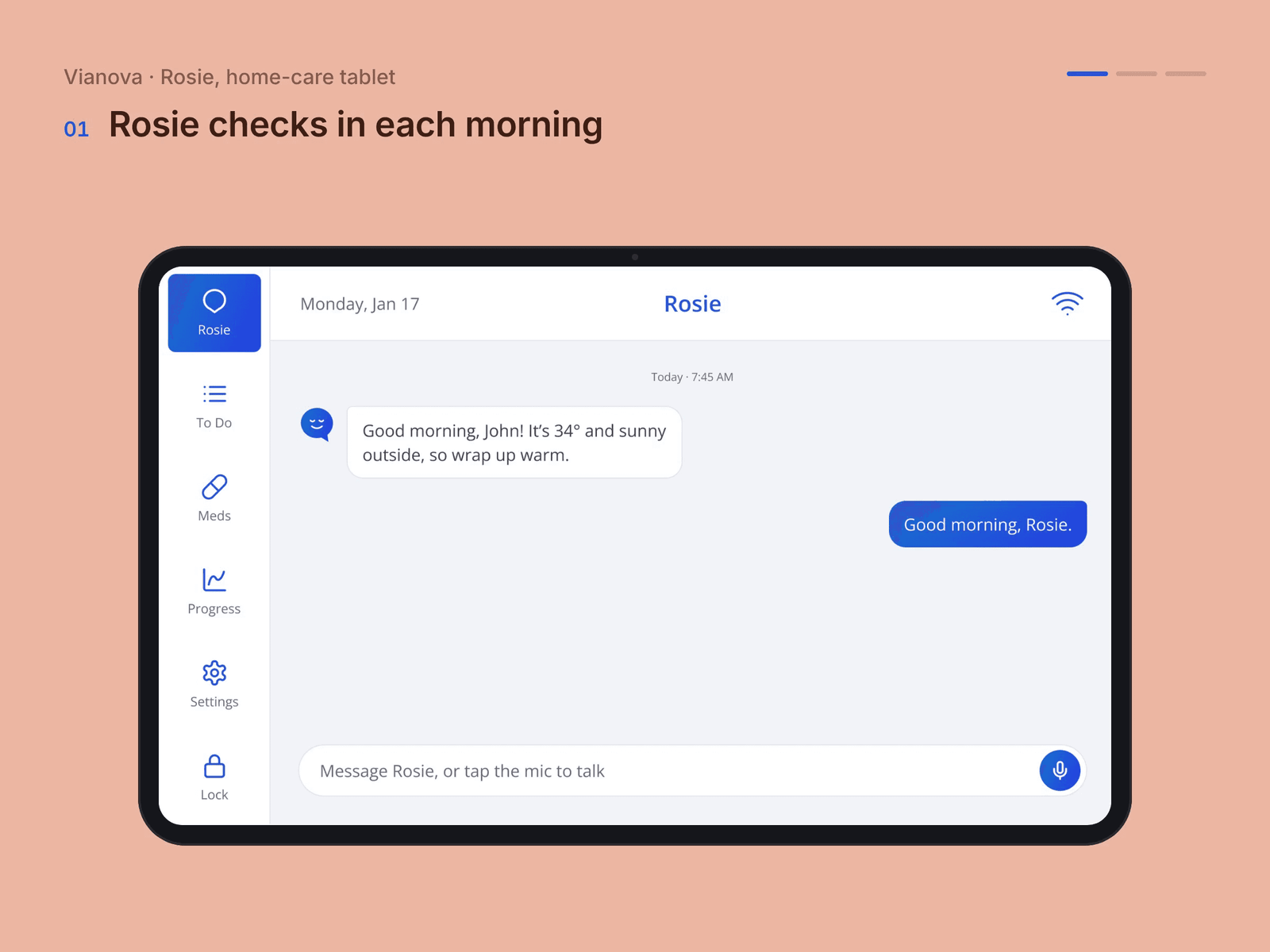
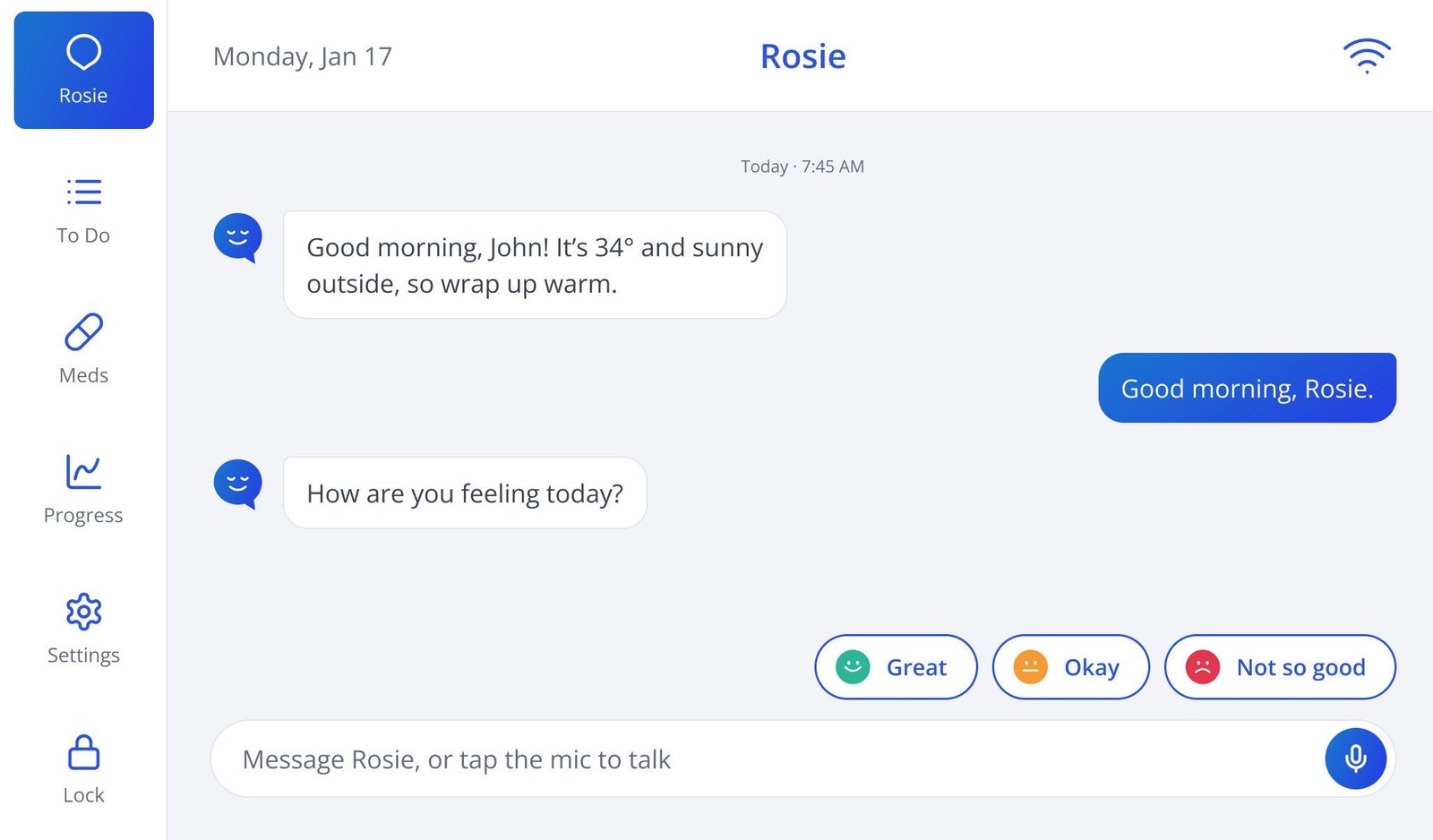
Rosie, the care assistant, asks how you’re feeling and offers a few one-tap replies. Anything more is a card, not a conversation, and Rosie hands over to the nurse rather than pretending to be one.
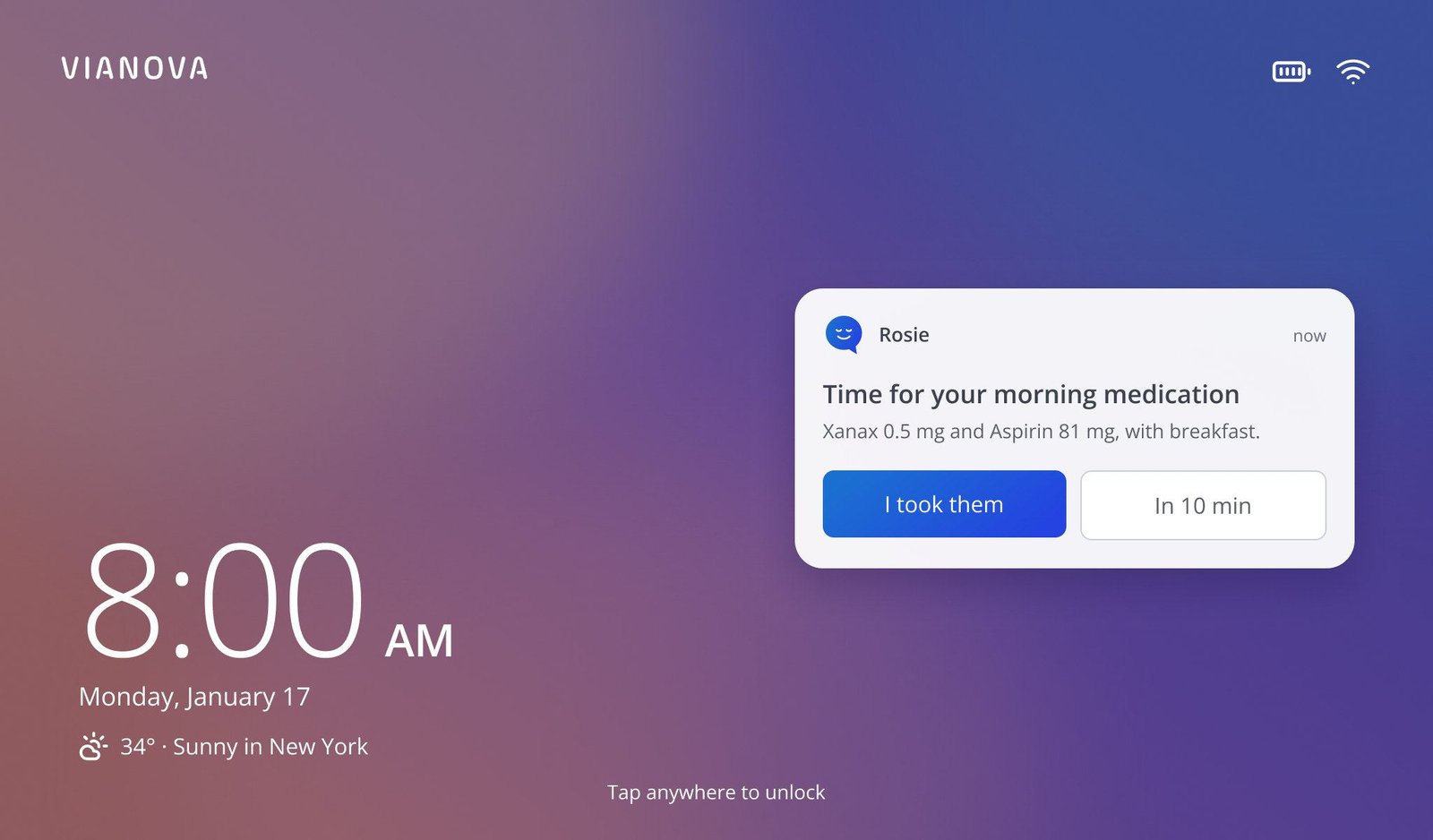
Lock screen: time for your morning medication, with I took them and In 10 min
Rosie: good morning, how are you feeling, with three replies
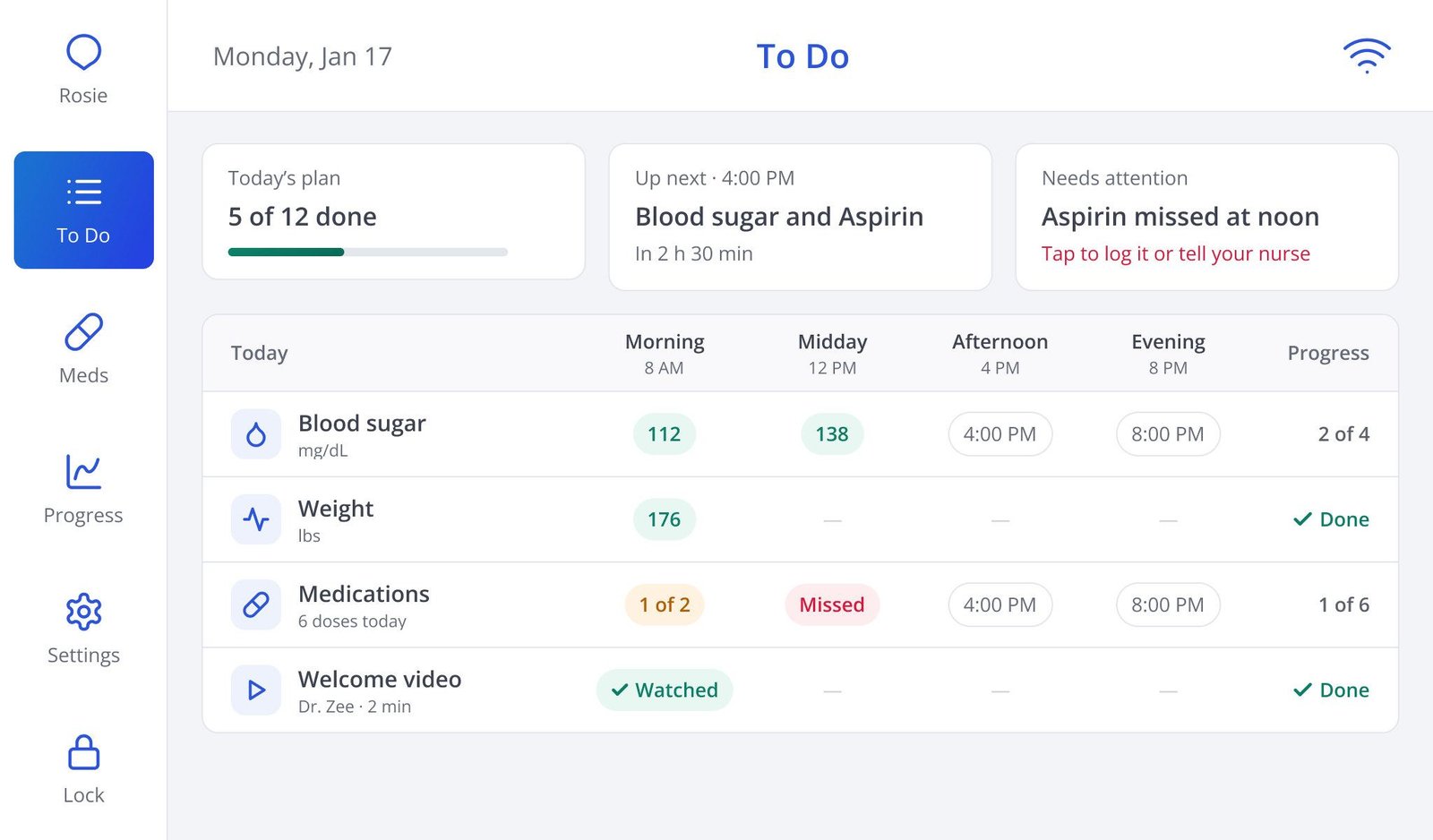
To Do: five of twelve done, blood sugar and Aspirin up next
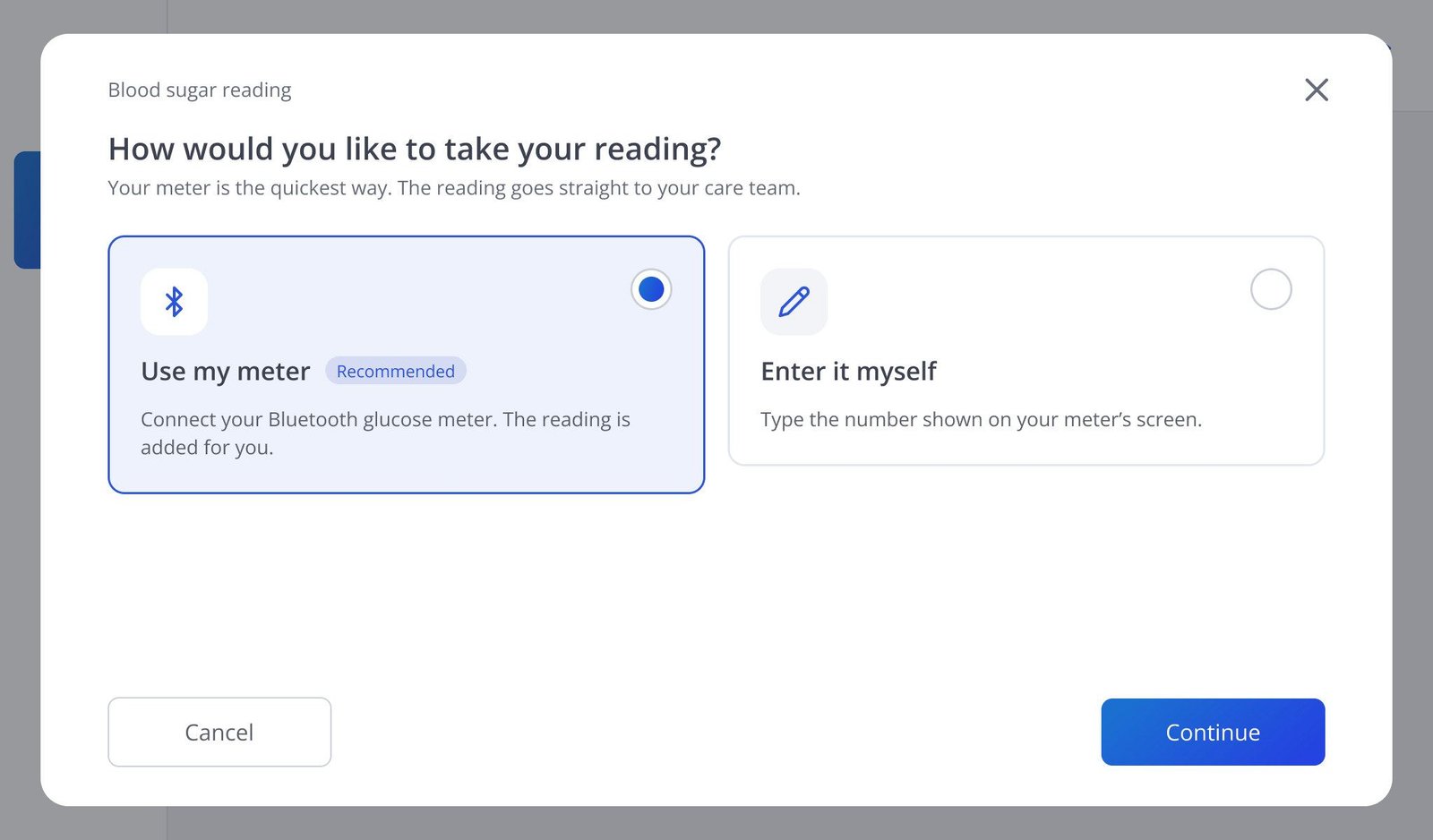
Blood sugar reading: use my meter, or enter it myself
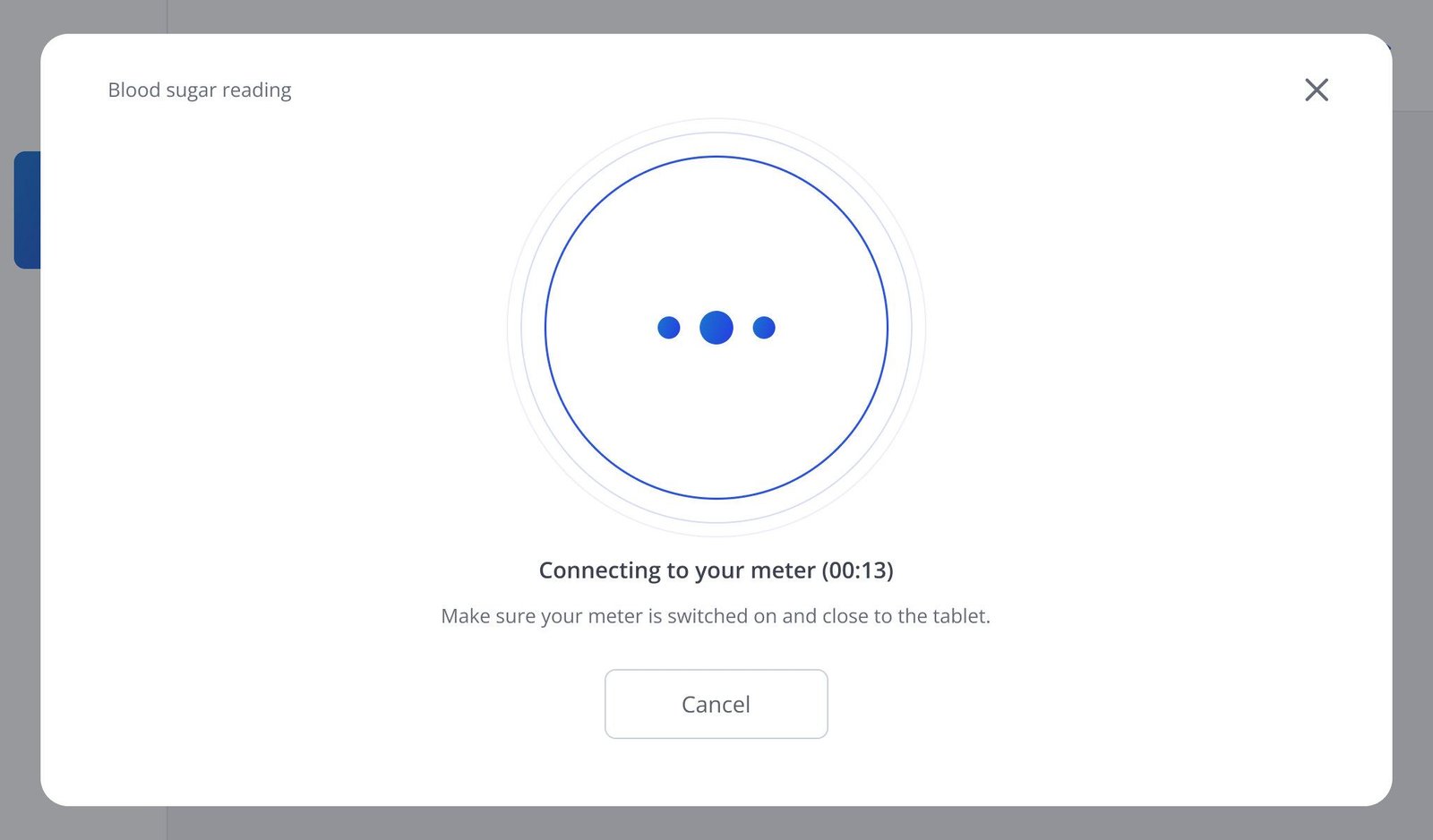
Connecting to your meter
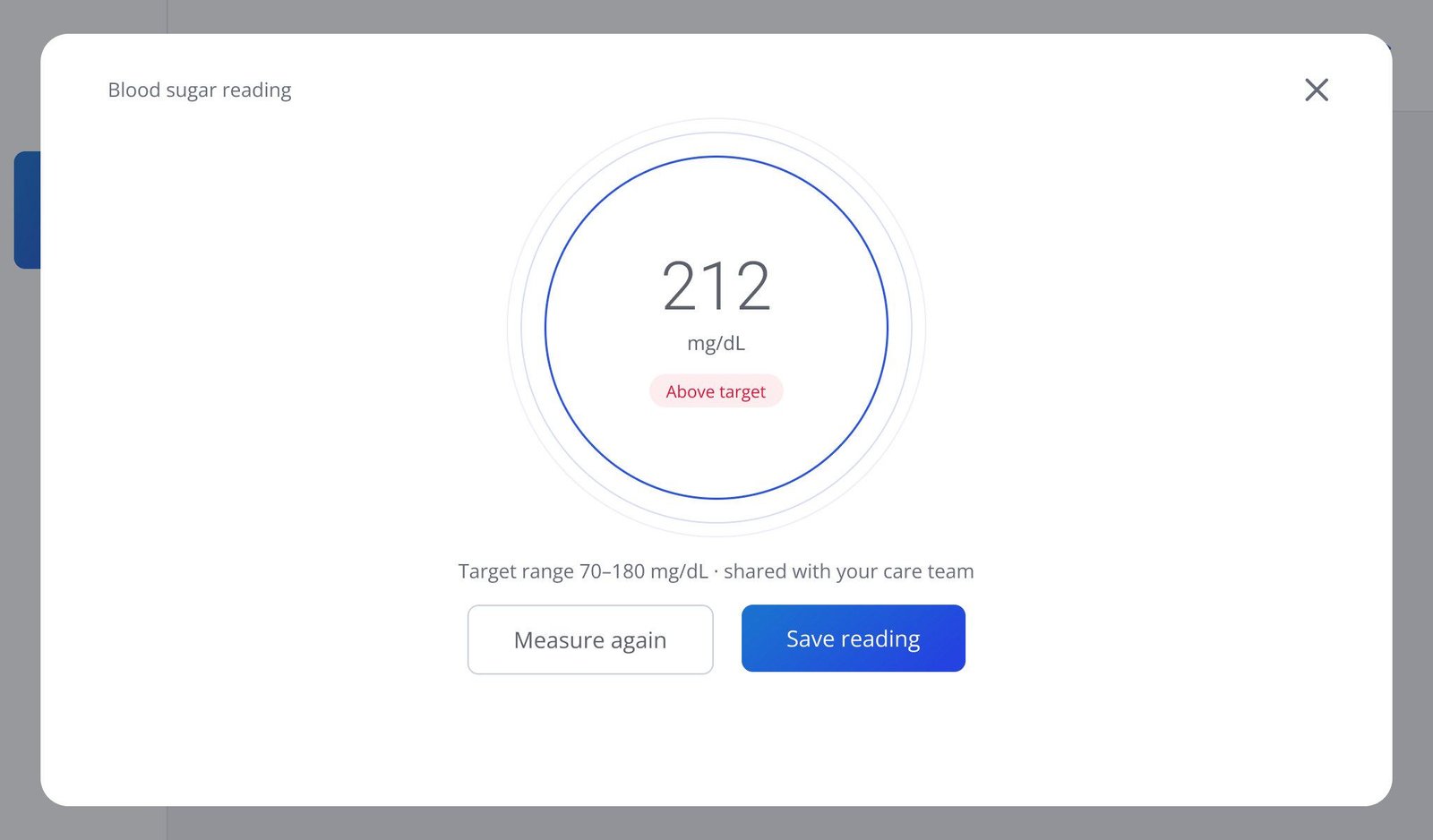
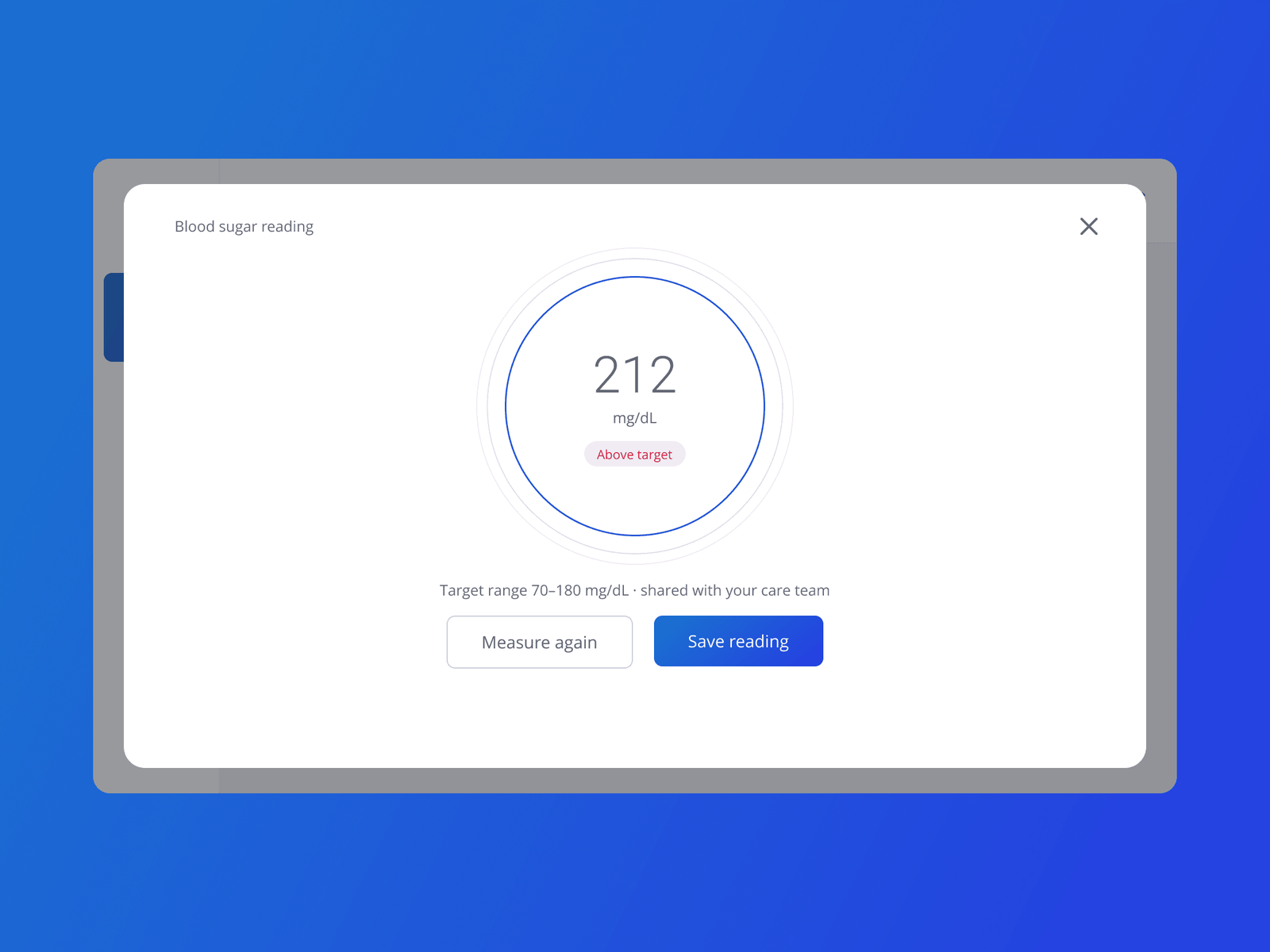
Reading: 212 mg/dL, above target, shared with your care team
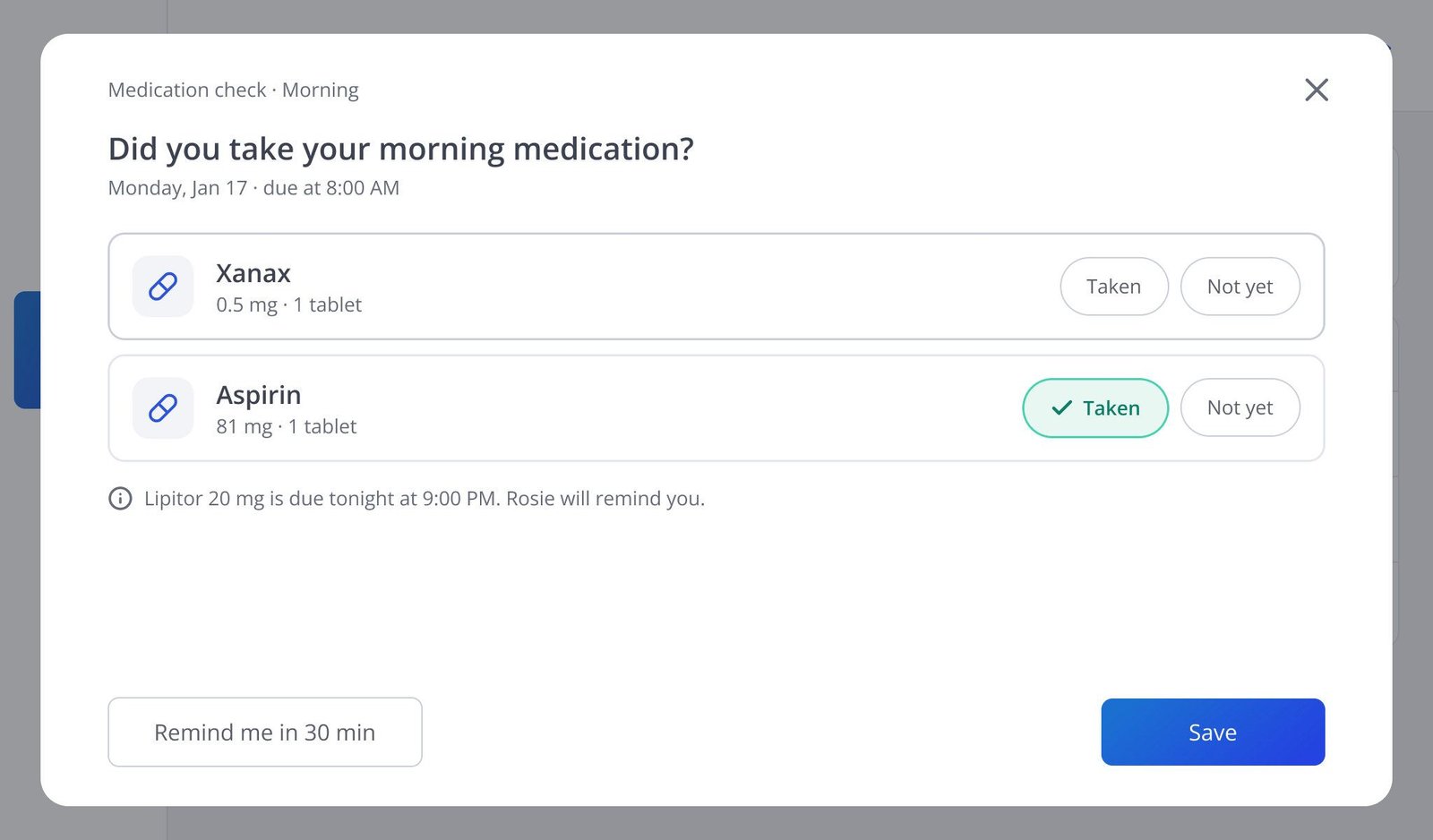
Did you take your morning medication? Taken or not yet, per pill
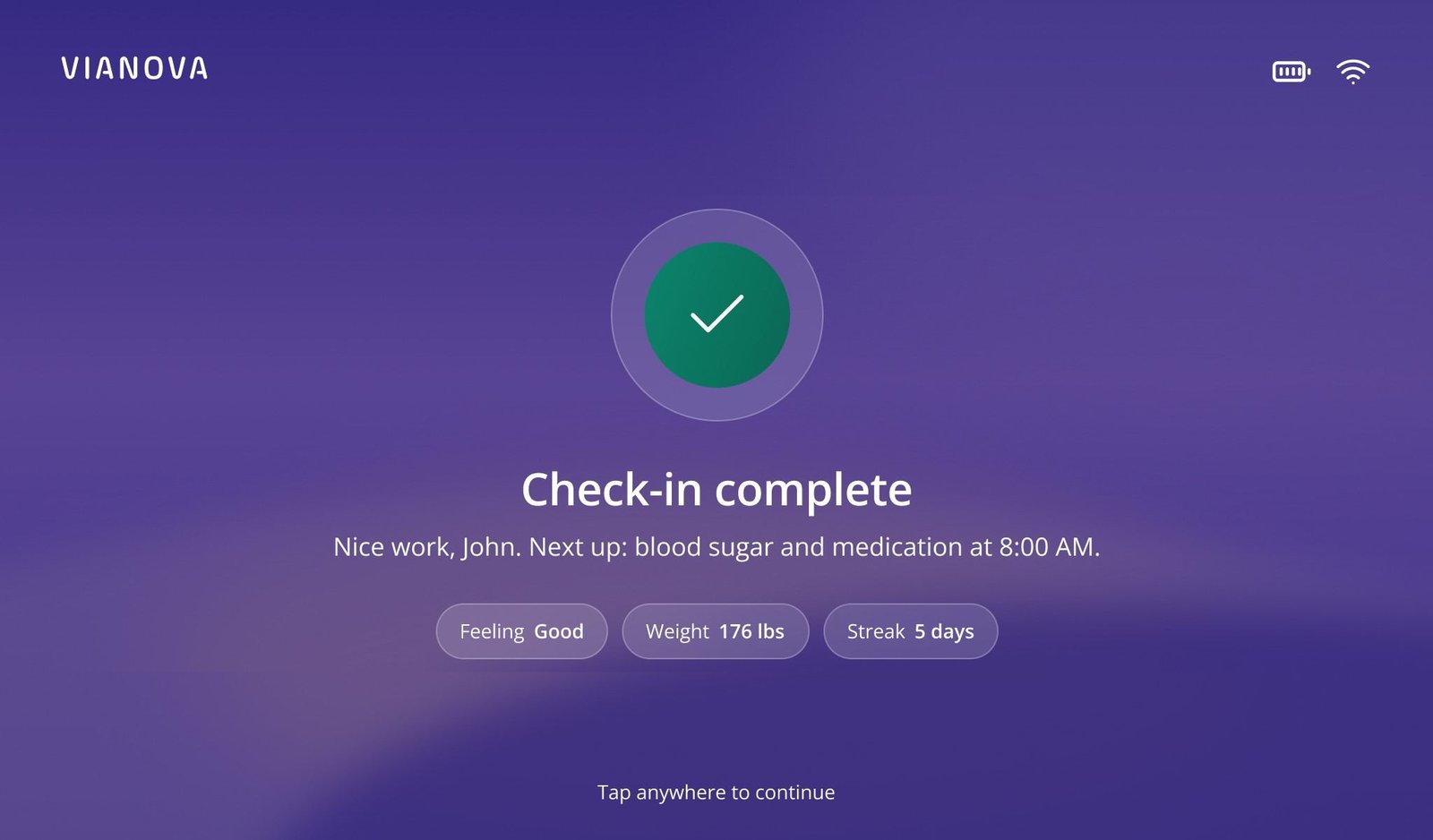
Check-in complete

A morning check-in, as it plays

All patient data is synthetic.
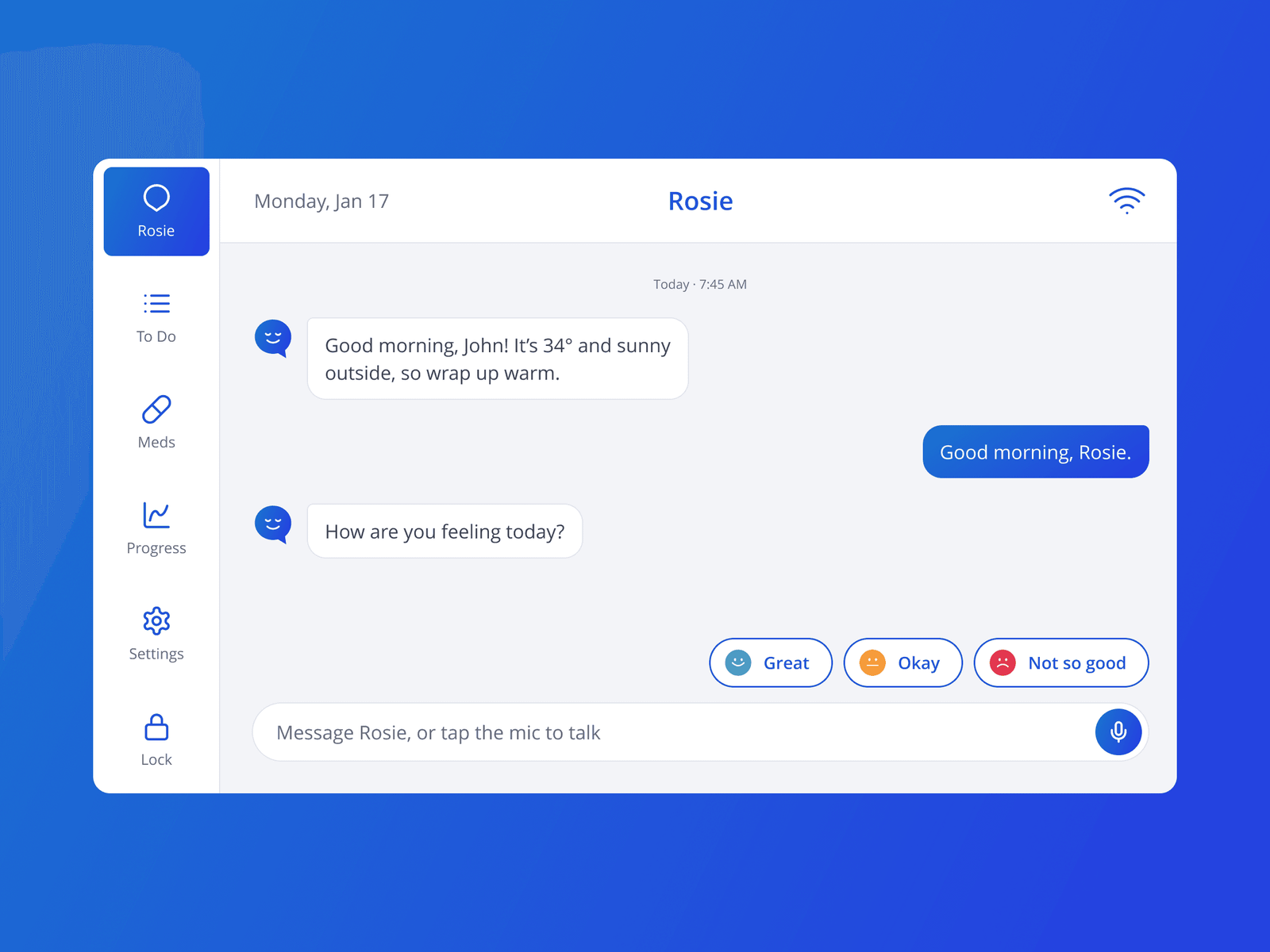
Vianova on a tablet: Rosie’s morning check-in at 7:45 AM, greeting John with the weather and asking how he feels, with Great, Okay and Not so good as replies
The morning check-in with Rosie: one-tap answers.

04Decision

Readings come from the meter and say what they mean.

The meter is the default: connect, read, confirm, and the reading arrives with its time and, in plain words, whether it’s above target. A large keypad covers the day the meter is in another room.
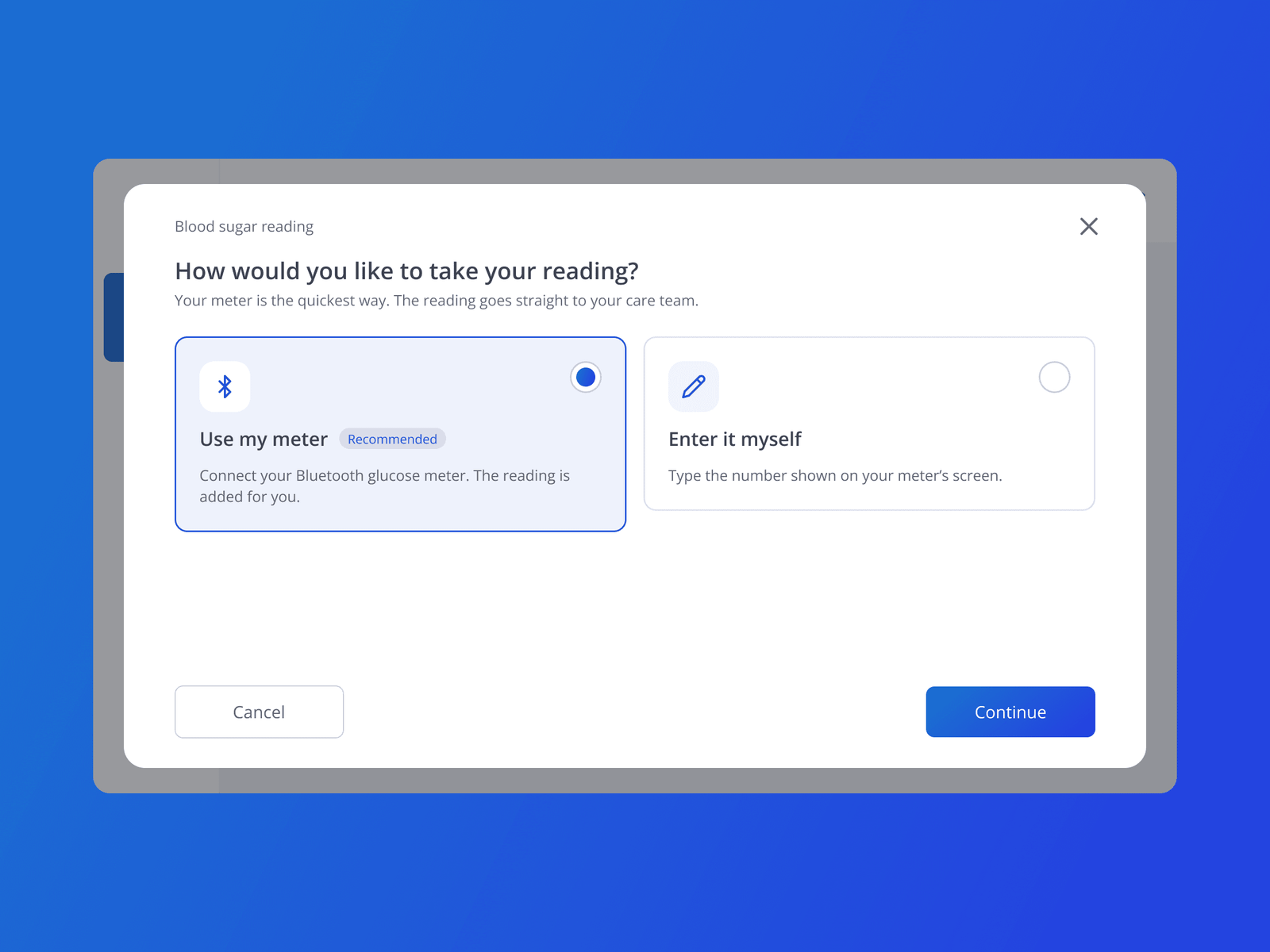
Vianova on a tablet: the blood sugar reading dialog asking how to take the reading, with “Use my meter” over Bluetooth recommended and “Enter it myself”
Taking a reading: the meter by default, or enter it yourself.
A Vianova blood sugar reading on a tablet: 212 mg/dL, marked above the 70–180 mg/dL target range, with Measure again and Save reading
The reading, and in plain words whether it’s above target.

05Decision

The care team is one tap away.

A call from the care team shows who is calling and their role, with two big buttons; video works the same way. After a visit, a short feedback card asks how it went.
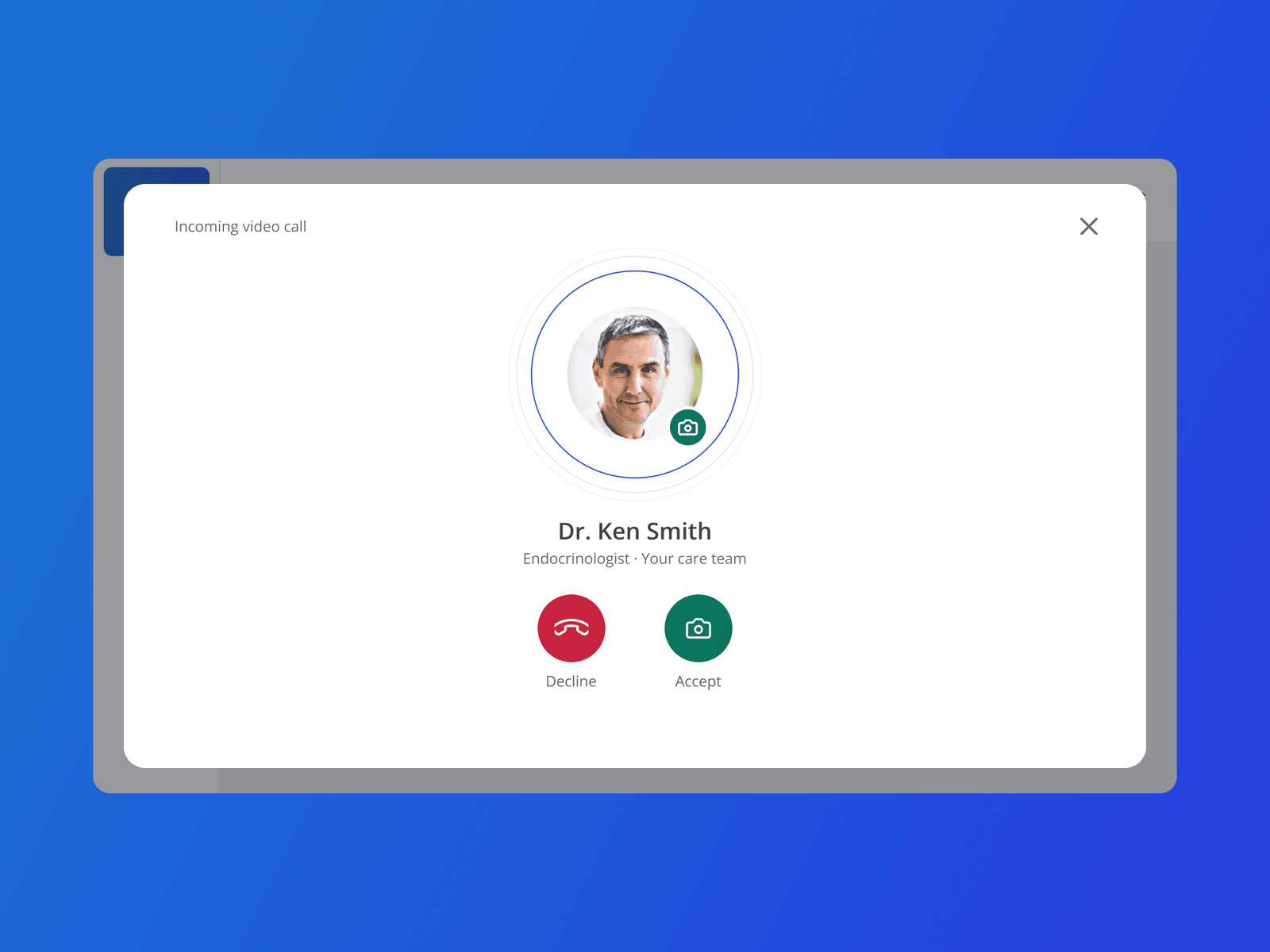
Vianova on a tablet: an incoming video call from Dr. Ken Smith, endocrinologist on the care team, with Decline and Accept buttons
An incoming call: who is calling, their role, and two big buttons.

06Result

Shipped as the patient side of the programme.

The tablet shipped with Rosie, readings, medications and calls.
Design: Ditbardh Uka (lead). With the founders, product managers, engineers and clinicians.