2 min read

Running RecycleGO’s pickups on one record

RecycleGO picks up recyclables from New York businesses and pays them a share of what the material earns, so every pickup has to be weighed, photographed and signed for at the curb. Dispatchers, drivers and the truck all needed the same job at once, and none of it existed yet. I designed the driver app, the truck-cab tablet and the dispatch console on one work-order record, plus the website.

Company
RecycleGO, New York · a Zombie Soup client
Role
Product designer, end to end
Platform
Driver app, truck tablet, web console
Status
Shipped
Screens
Recreated in 2026 from screenshots
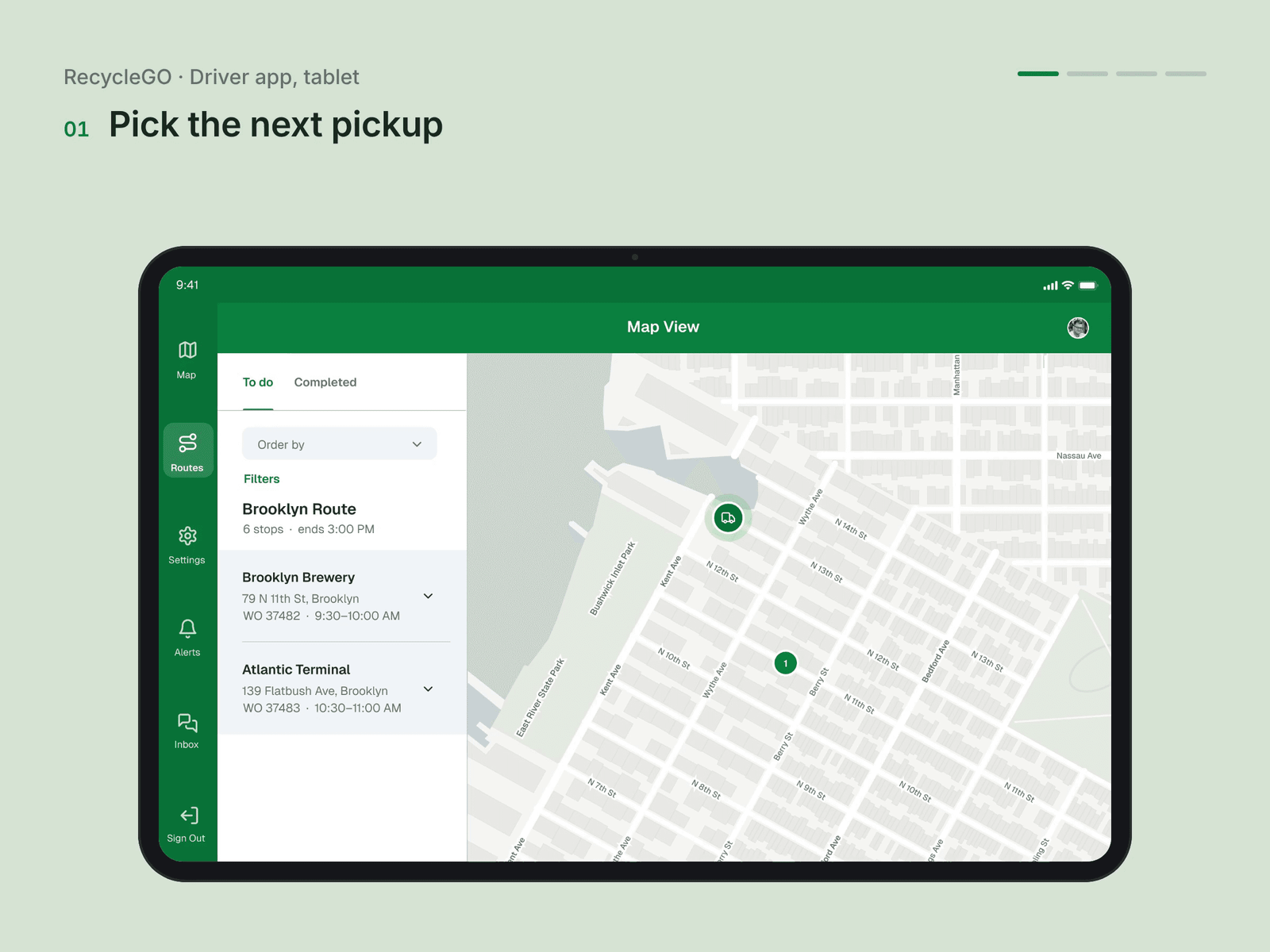
RecycleGO driver tablet: picking the next pickup from the route list beside the map

01Decision

One work order on every surface.

The work order is the unit: customer, site, service, window, truck and driver, then weight, materials, photos and signature. Every surface shows the same fields in the same order, so what the driver closes is what the customer is paid on.
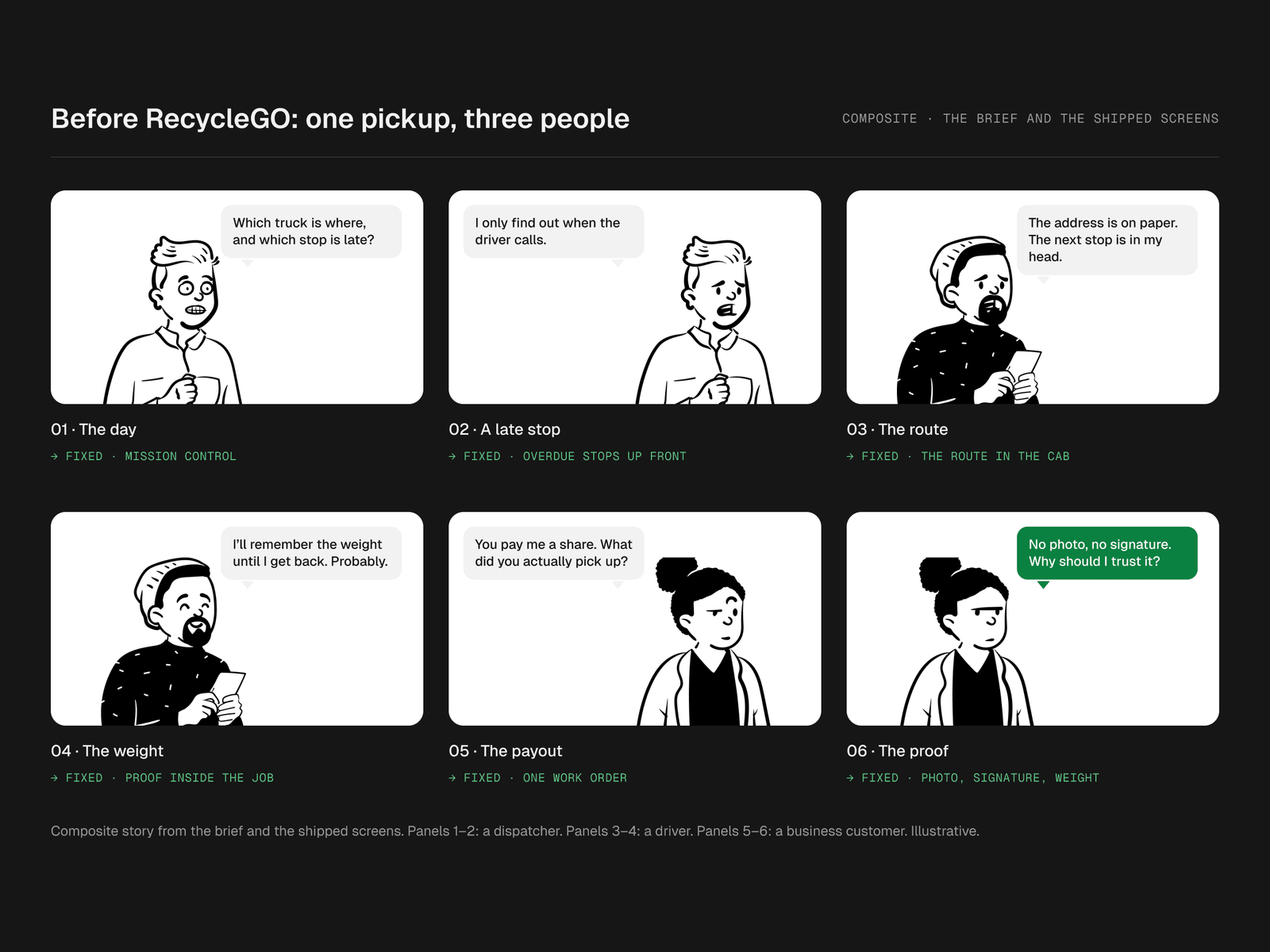
Storyboard, before RecycleGO: one pickup, three people. 1 The day: “Which truck is where, and which stop is late?” (fixed · mission control); 2 A late stop: “I only find out when the driver calls.” (fixed · overdue stops up front); 3 The route: “The address is on paper. The next stop is in my head.” (fixed · the route in the cab); 4 The weight: “I’ll remember the weight until I get back. Probably.” (fixed · proof inside the job); 5 The payout: “You pay me a share. What did you actually pick up?” (fixed · one work order); 6 The proof: “No photo, no signature. Why should I trust it?” (fixed · photo, signature, weight).
Before RecycleGO: a dispatcher, a driver and a business customer on one pickup, and what fixed each moment.
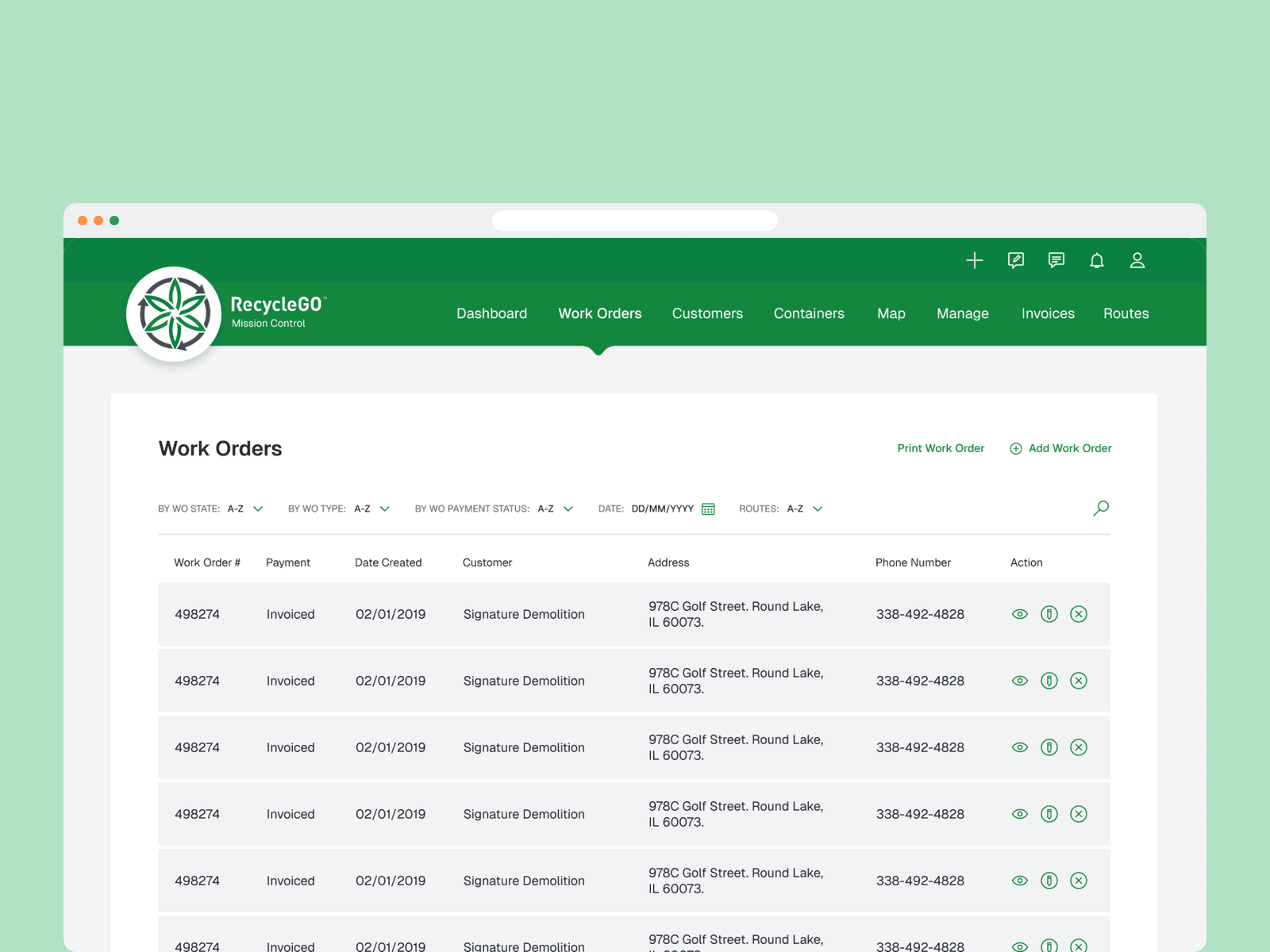
RecycleGO Mission Control in a browser: the Work Orders table with filters and columns for number, payment, date, customer, address, phone and actions
The work-order list in Mission Control.

02Decision

The driver’s day, with the proof inside the job.

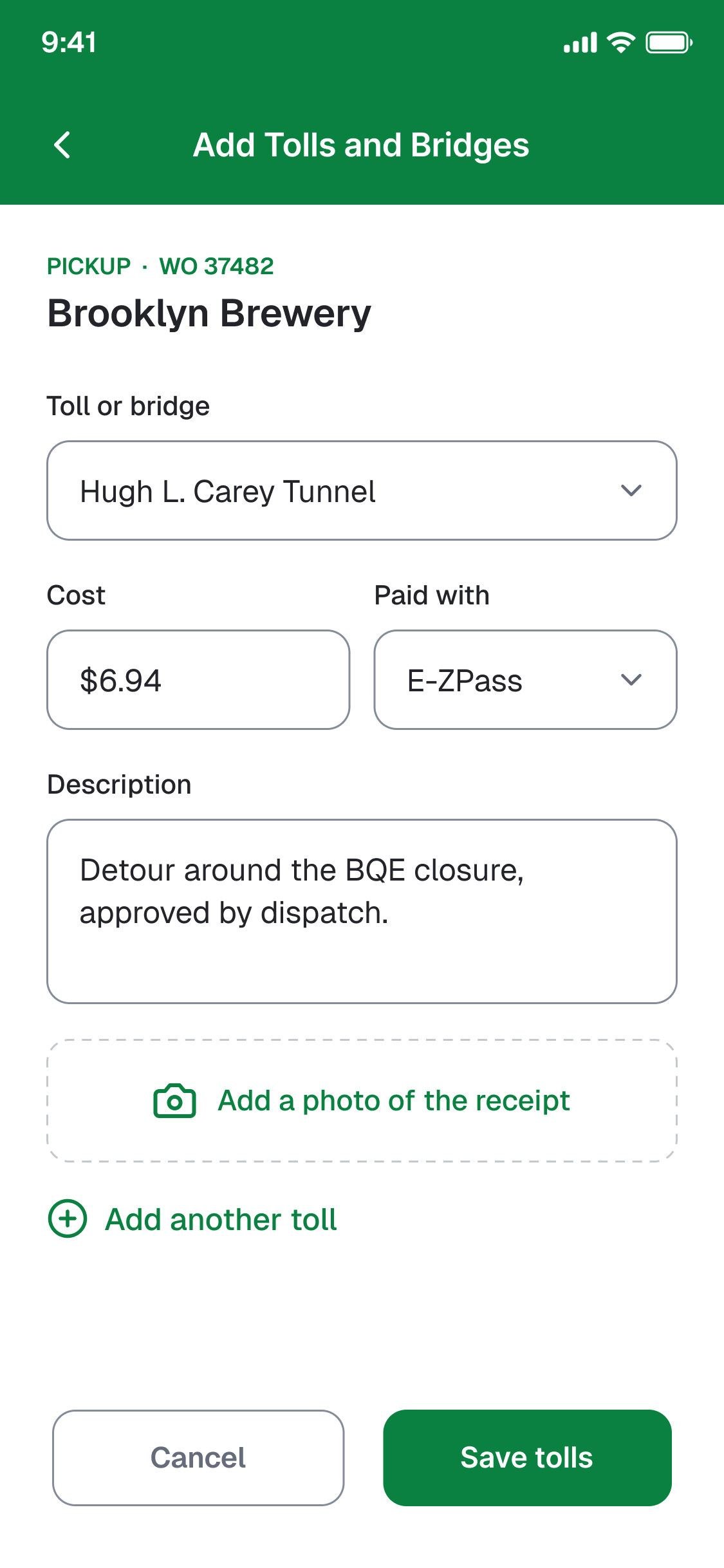
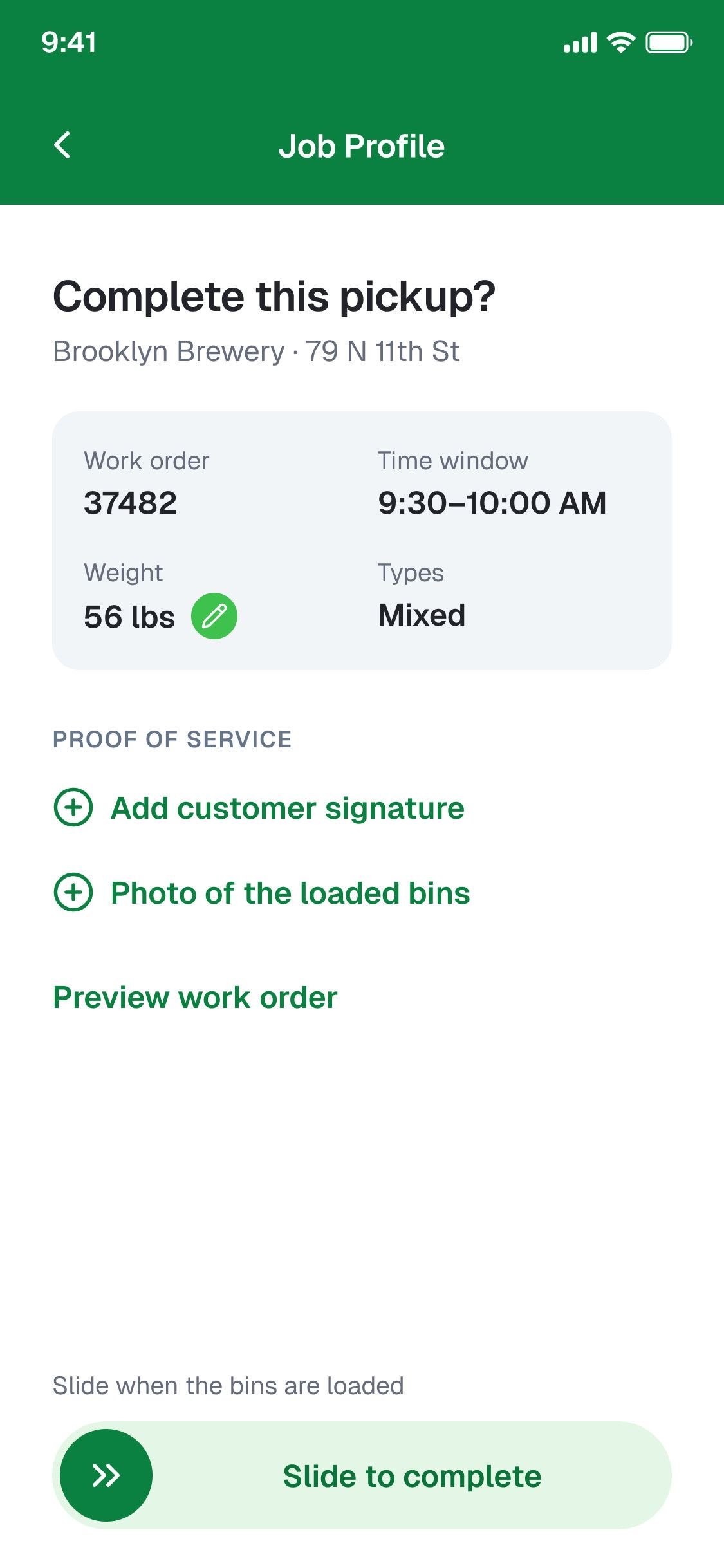
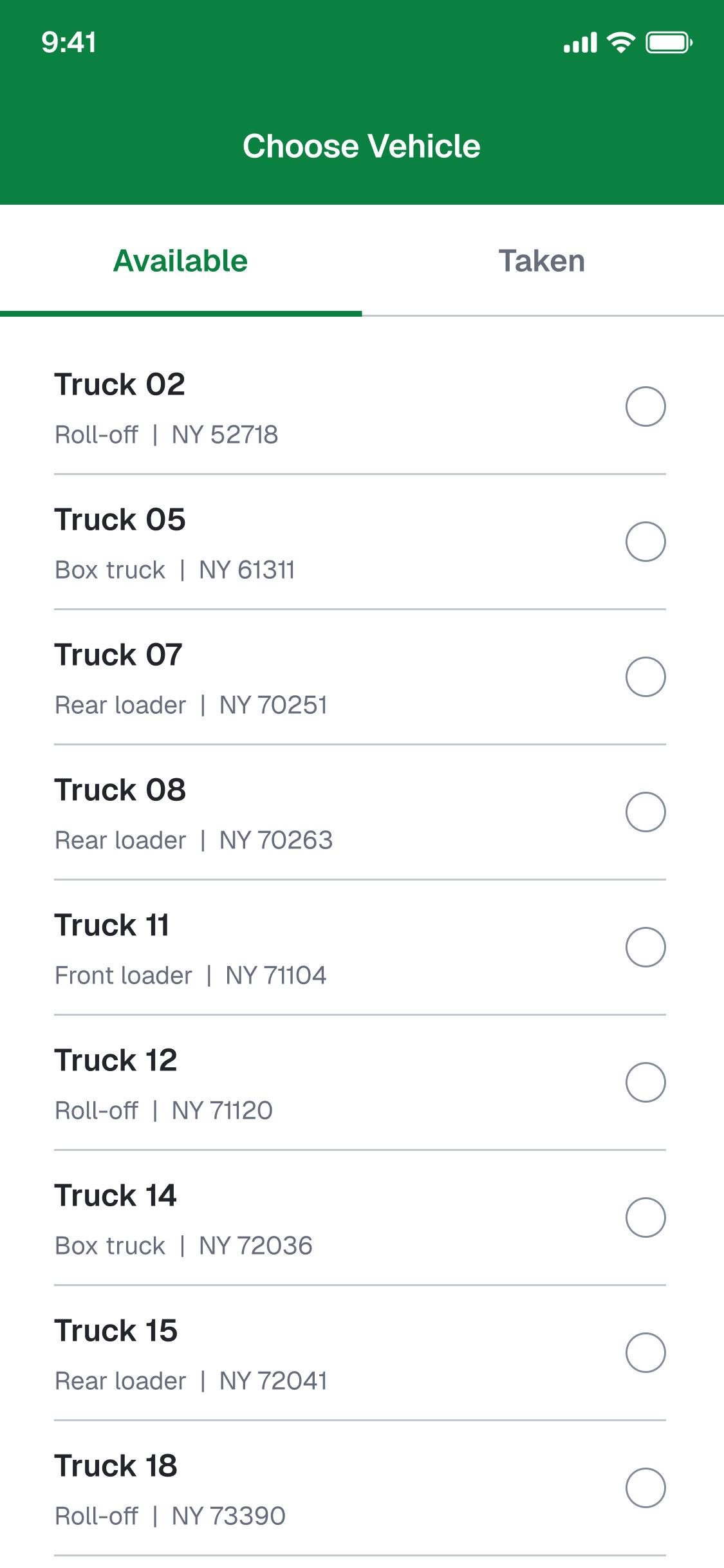
Sign in, pick a truck, see the route, work the job, close it. Closing a pickup asks for what the payout depends on, a signature and a photo of the loaded bins, then a slide to confirm.
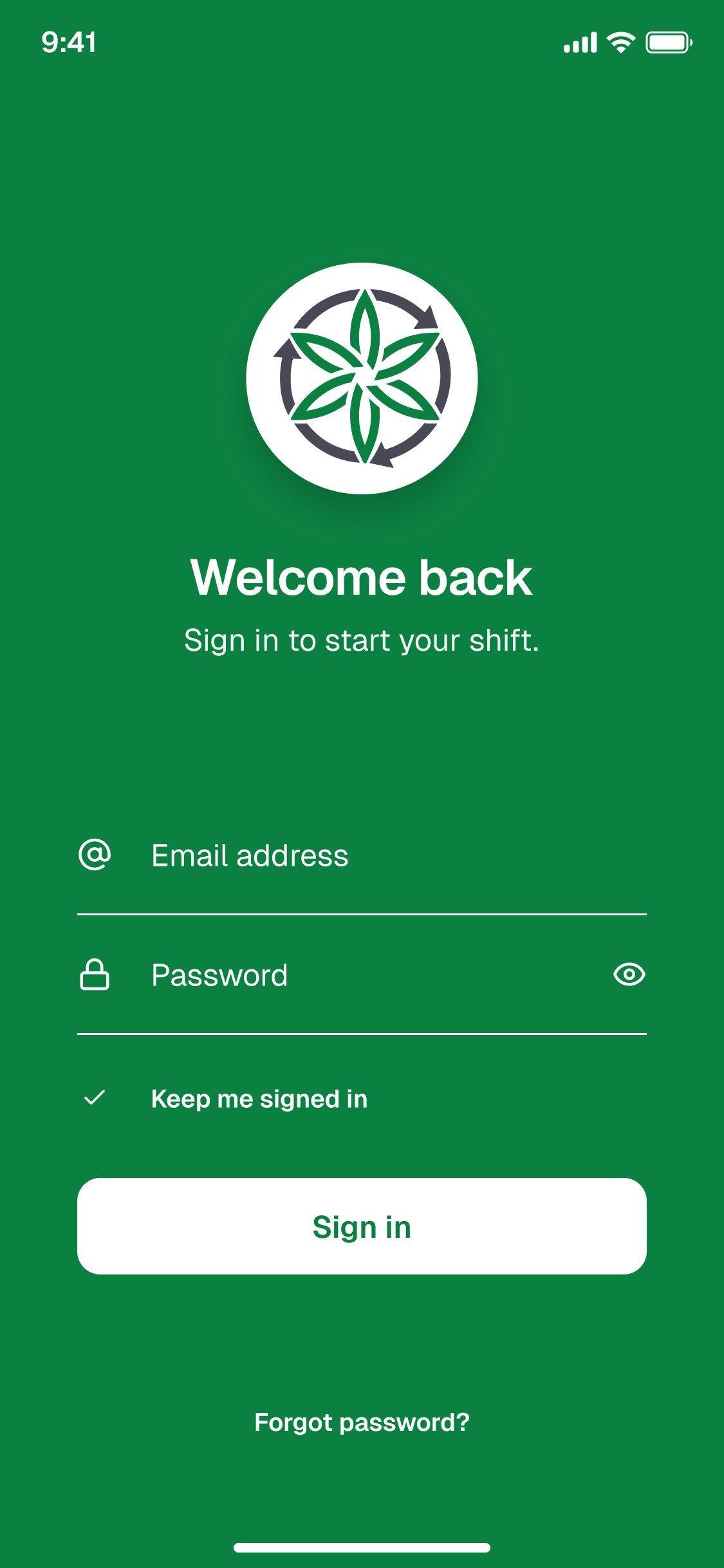
Sign in
Choose a truck: available and taken
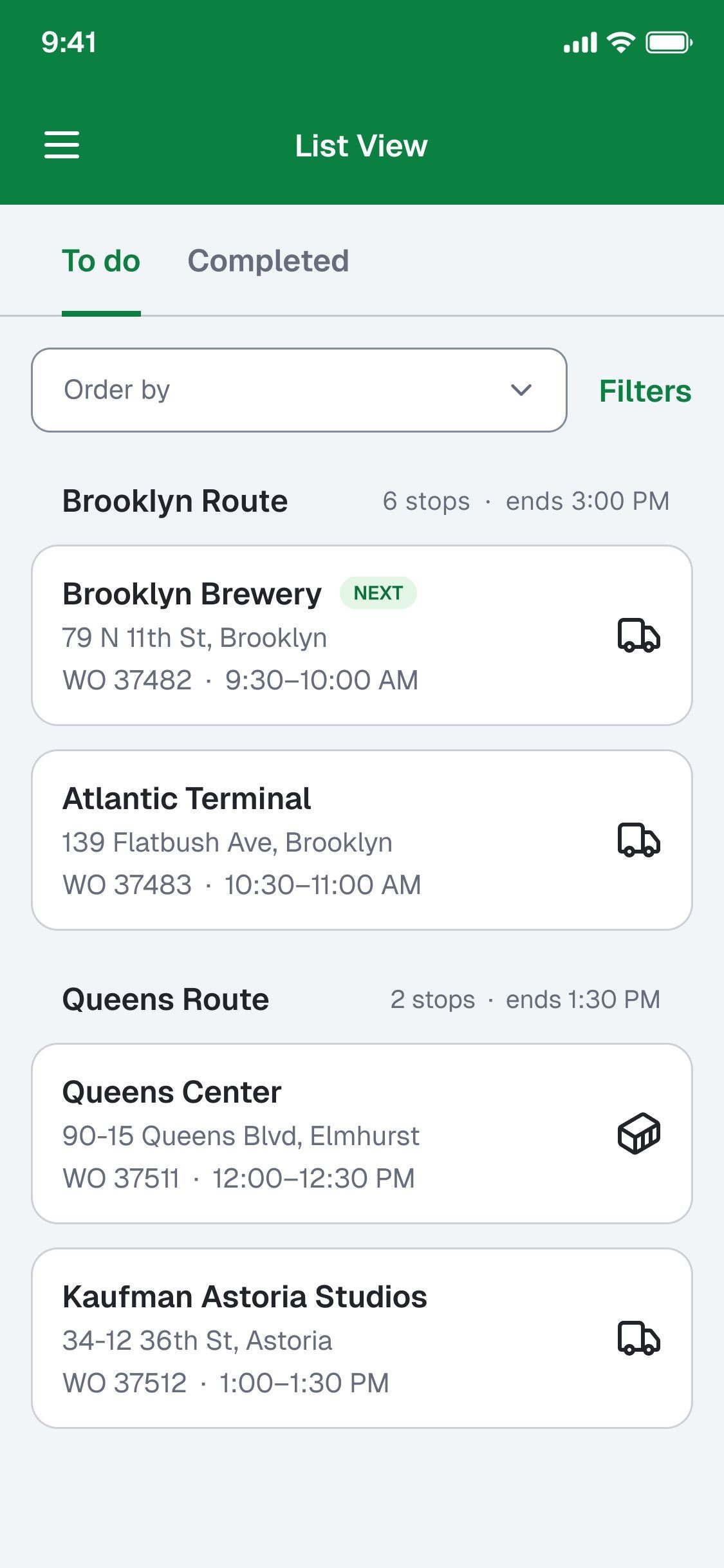
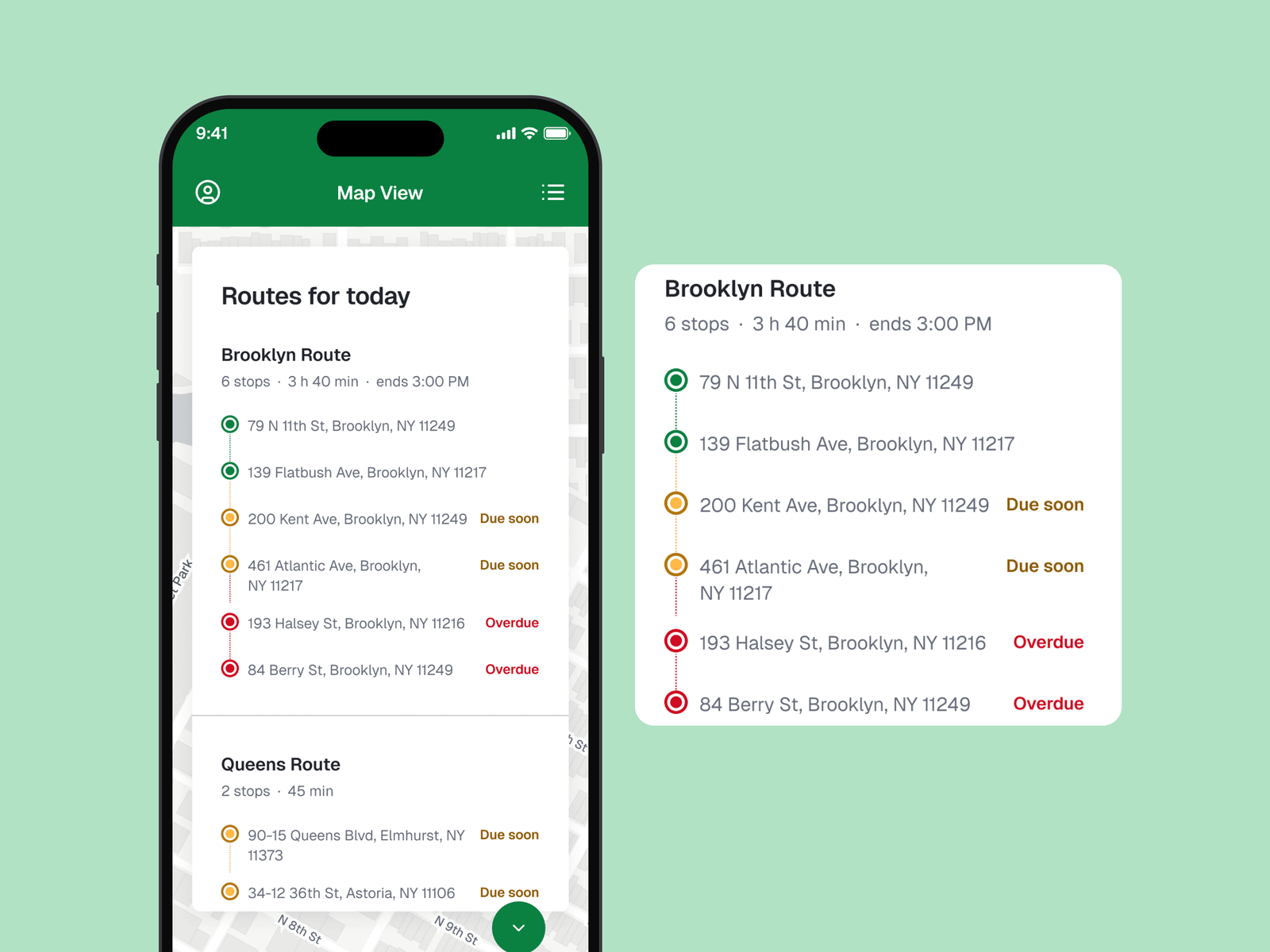
Today’s route as a list
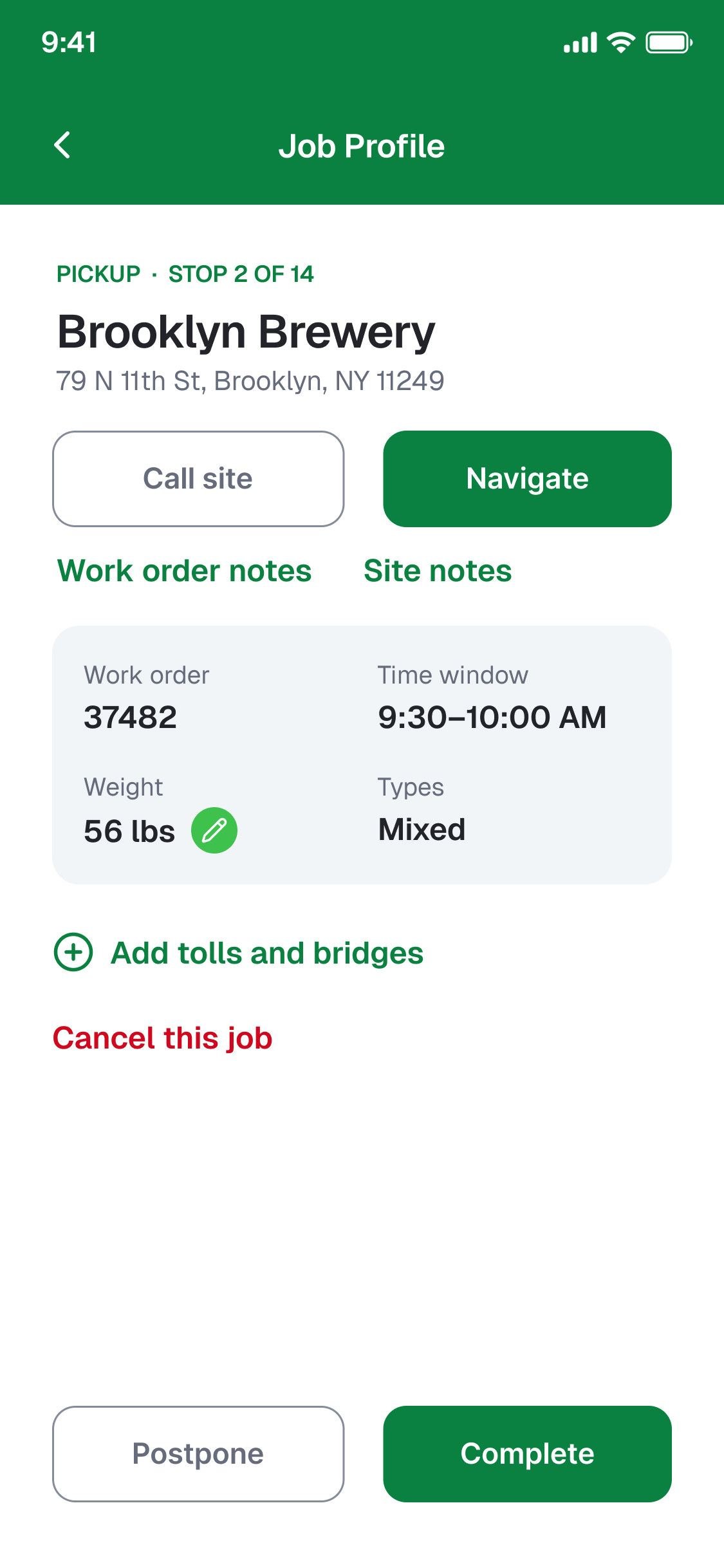
The job profile: call, navigate, notes, weight, types
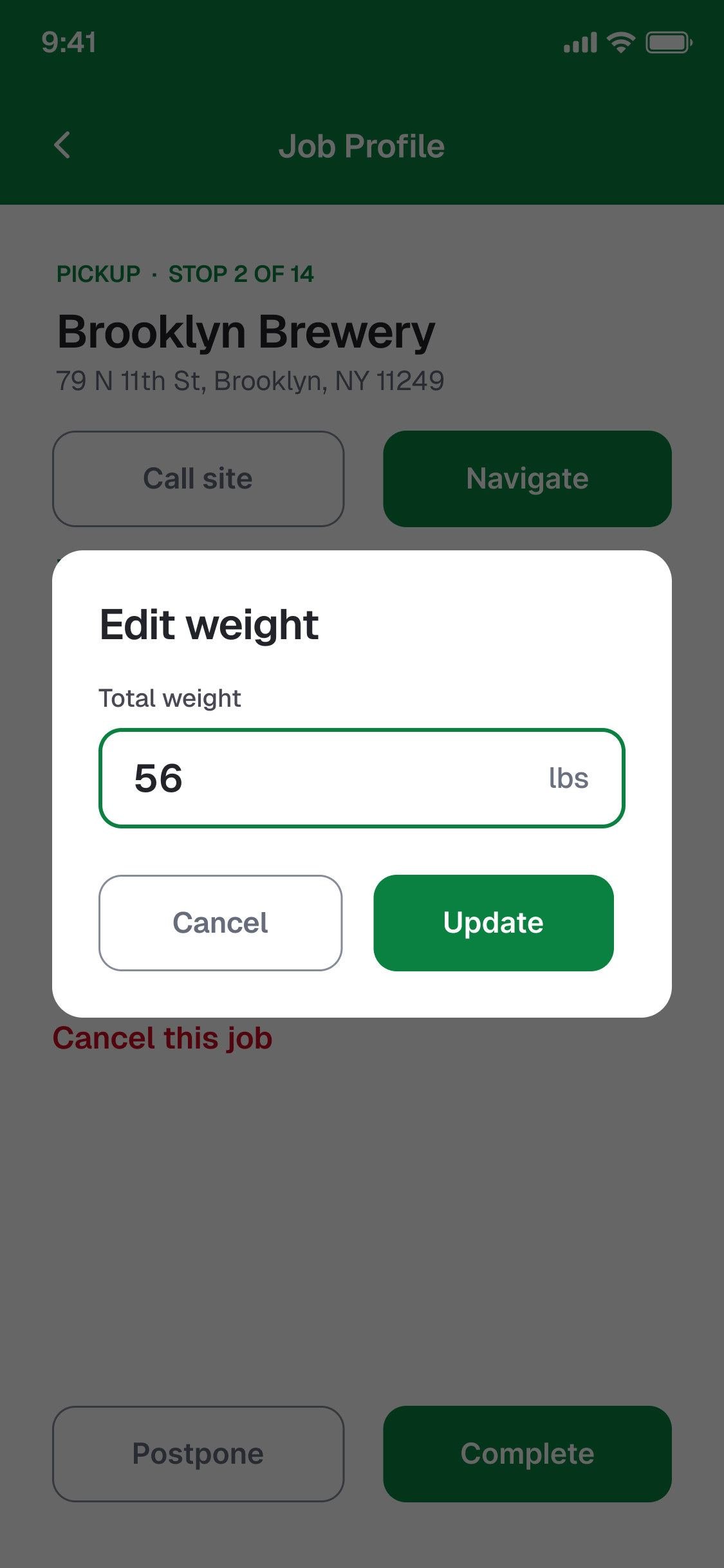
Edit weight, in pounds
Add tolls and bridges
Complete this pickup: signature, photo, preview, slide to confirm
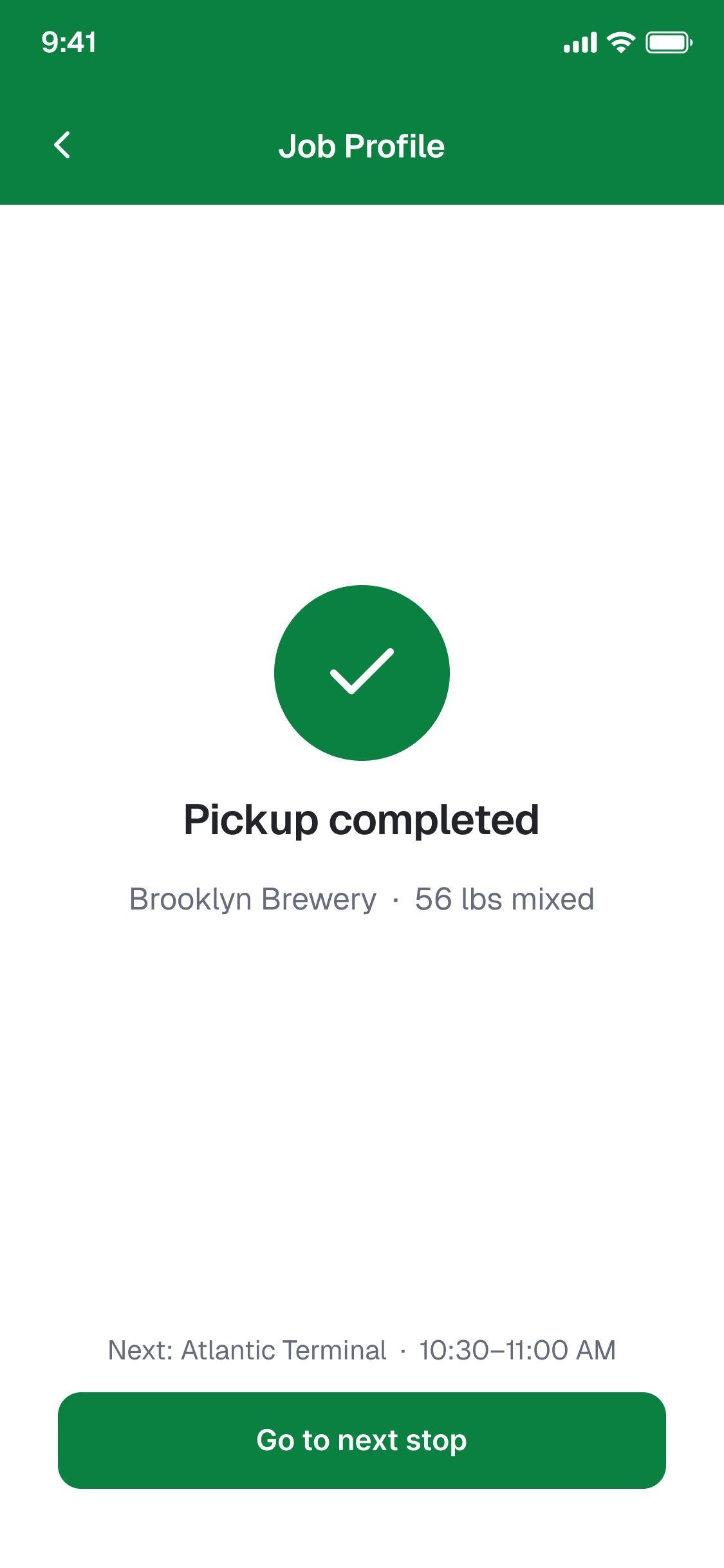
Pickup completed

A pickup, as it plays

The RecycleGO driver app on a phone with today’s Brooklyn and Queens routes, beside an enlarged Brooklyn route list with stops done, due soon and overdue
Today’s list, the job, the weight, and the pickup completed.

03Decision

The cab gets a wider view, not a different app.

The tablet shows the route list beside the map and switches to turn-by-turn once the truck moves. The job is the phone’s, in landscape.
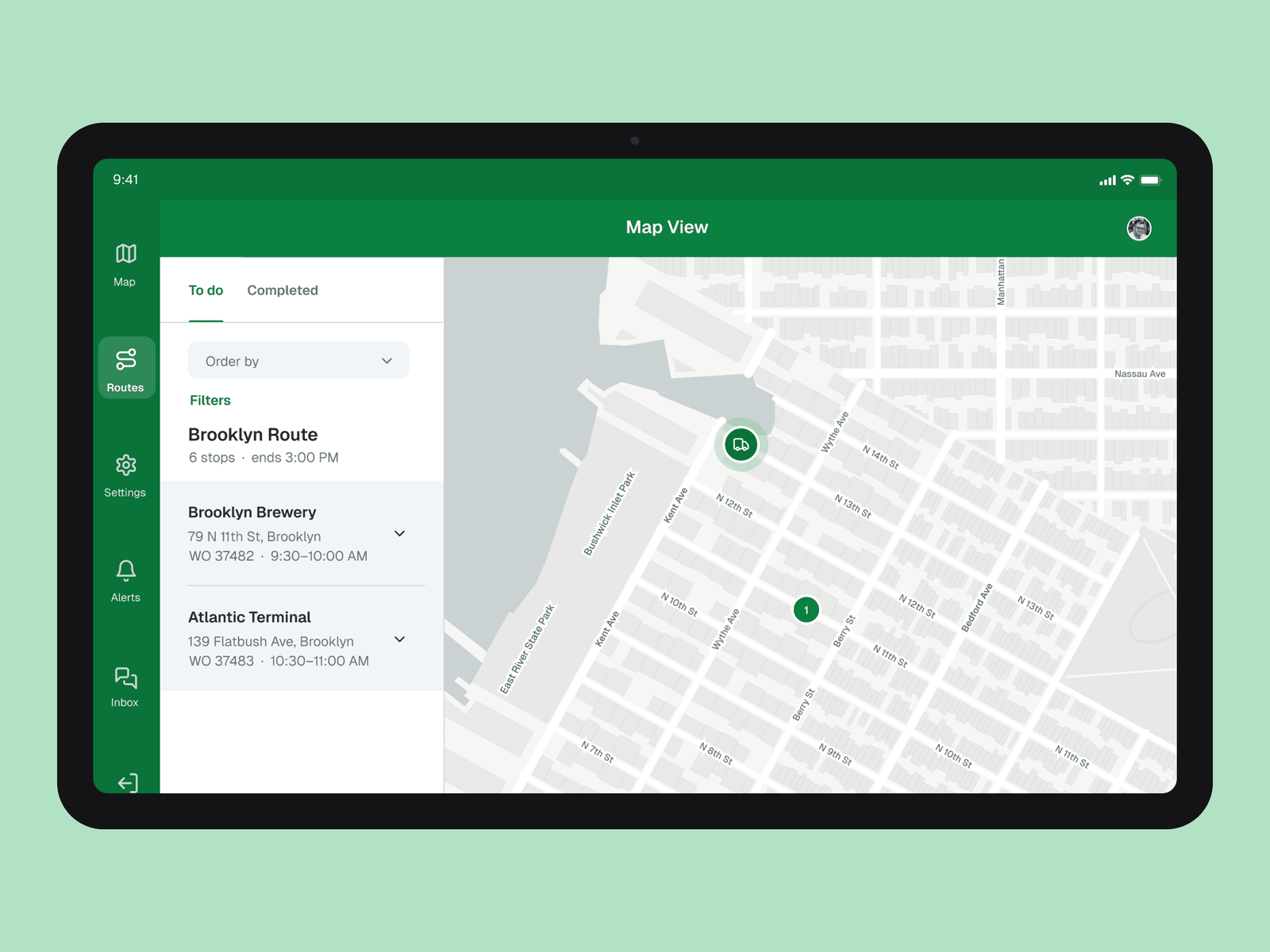
The RecycleGO driver app on a tablet: the Brooklyn route’s to-do list with Brooklyn Brewery and Atlantic Terminal, beside a map of the area with the truck’s position
Route list and map side by side, then turn-by-turn once moving.

04Decision

Dispatch sees what needs a decision.

Mission Control opens on the state of the day, with critical alerts and overdue stops up front.
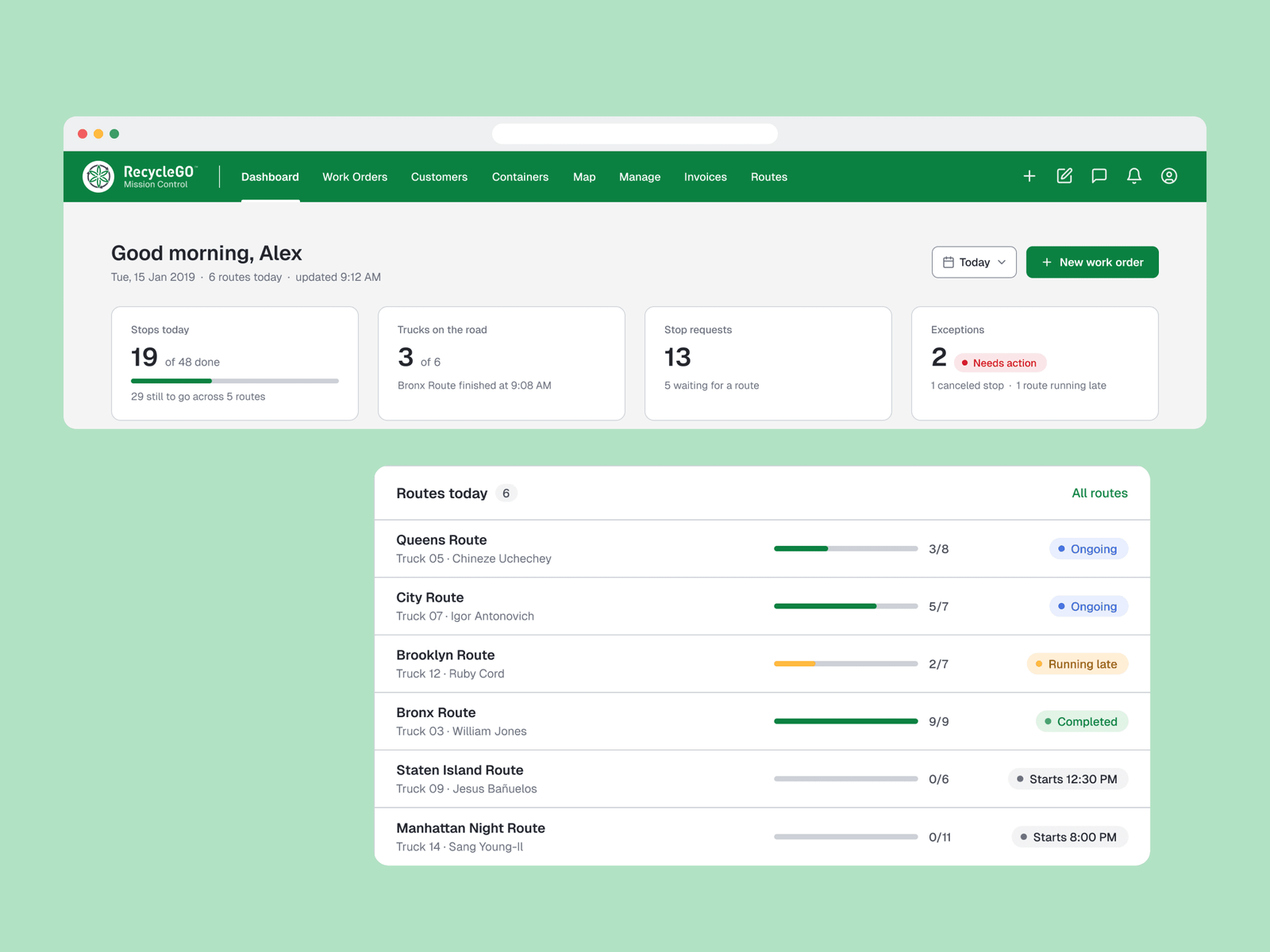
RecycleGO Mission Control in a browser: “Good morning, Alex” with stops, trucks, stop requests and exceptions, and today’s six routes with their progress and status
The day at a glance, routes with progress, and “Needs attention” with next actions.
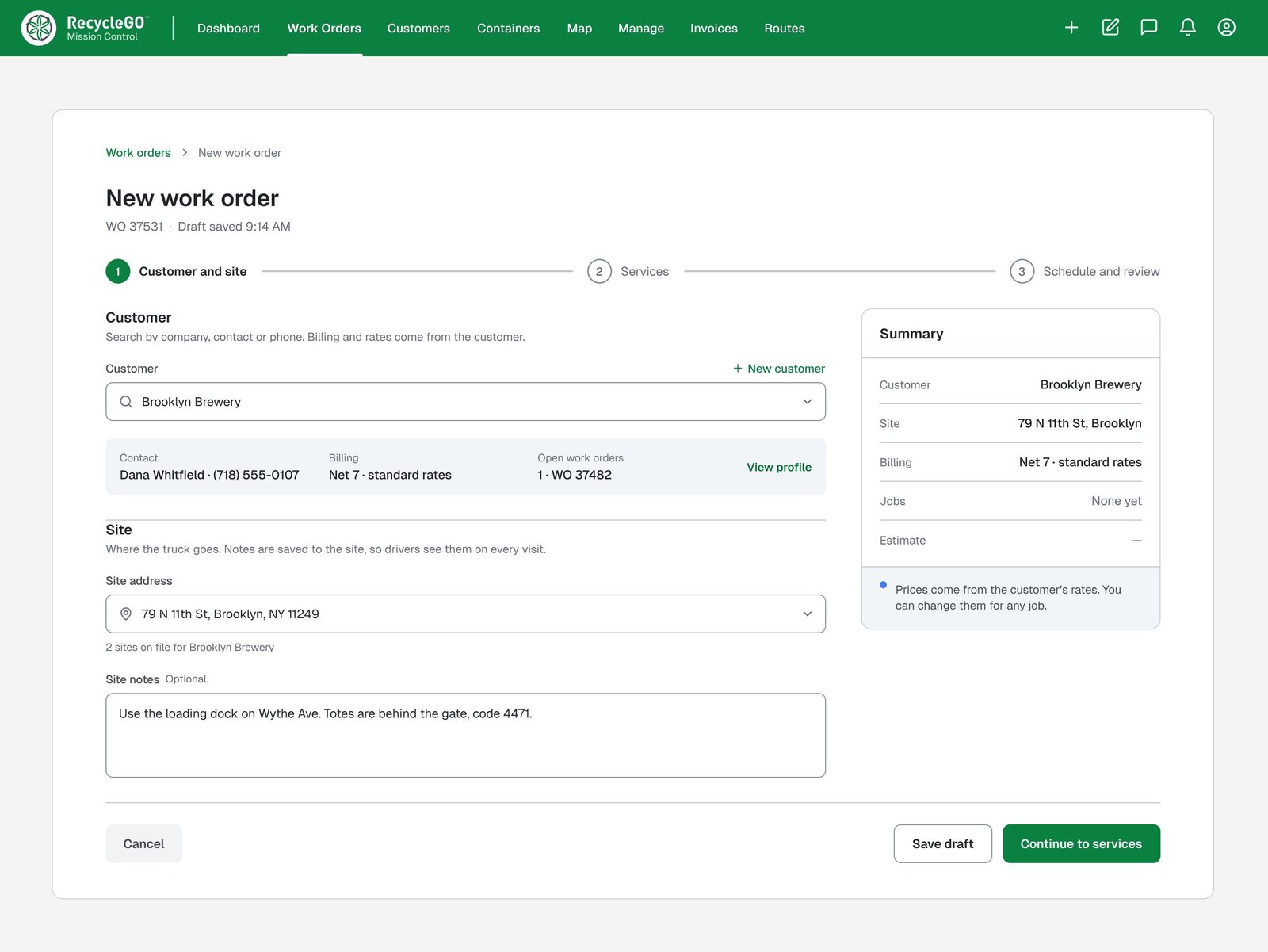
New work order, step 1: customer and site
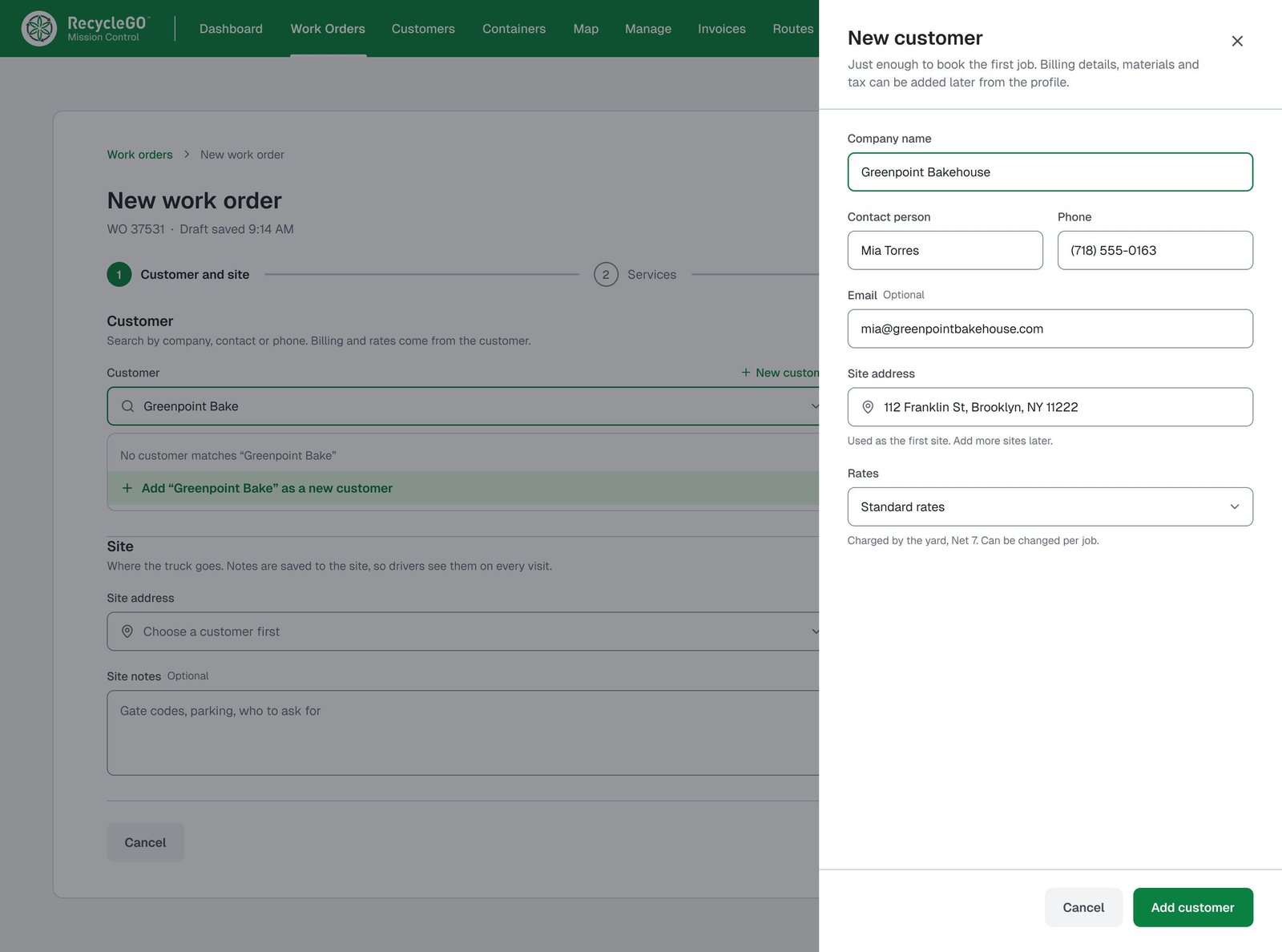
New customer sheet
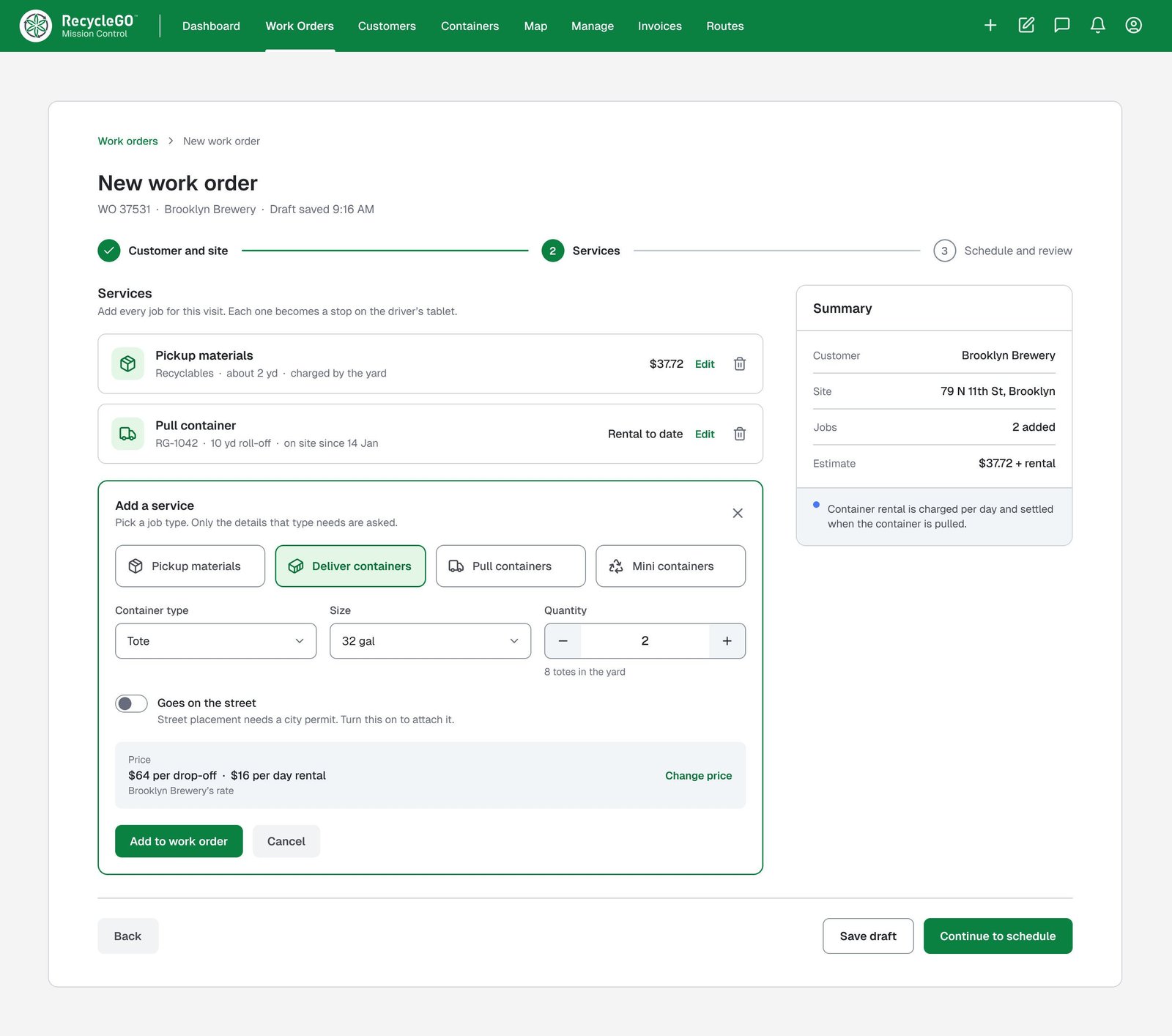
New work order, step 2: services
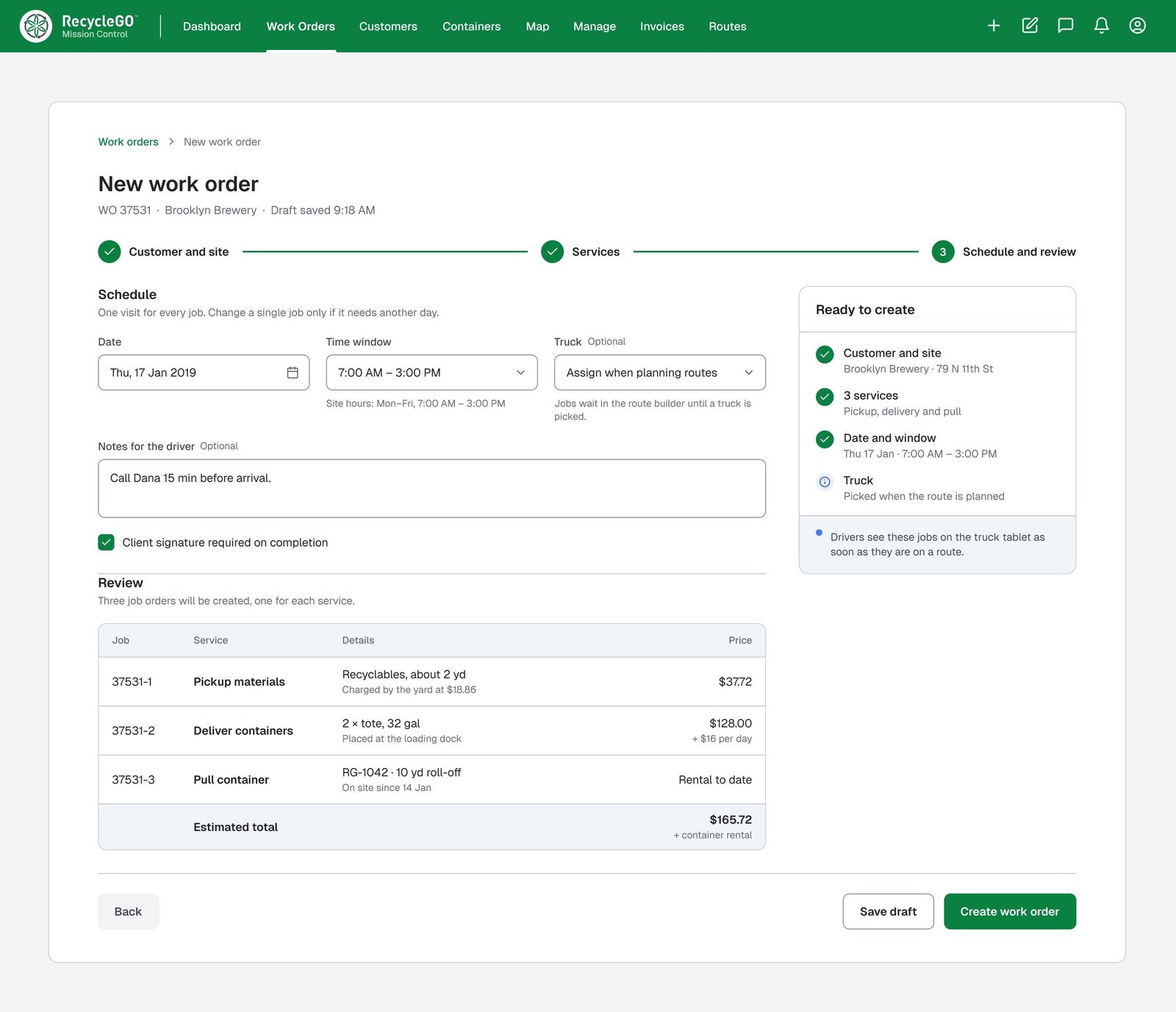
New work order, step 3: schedule and review
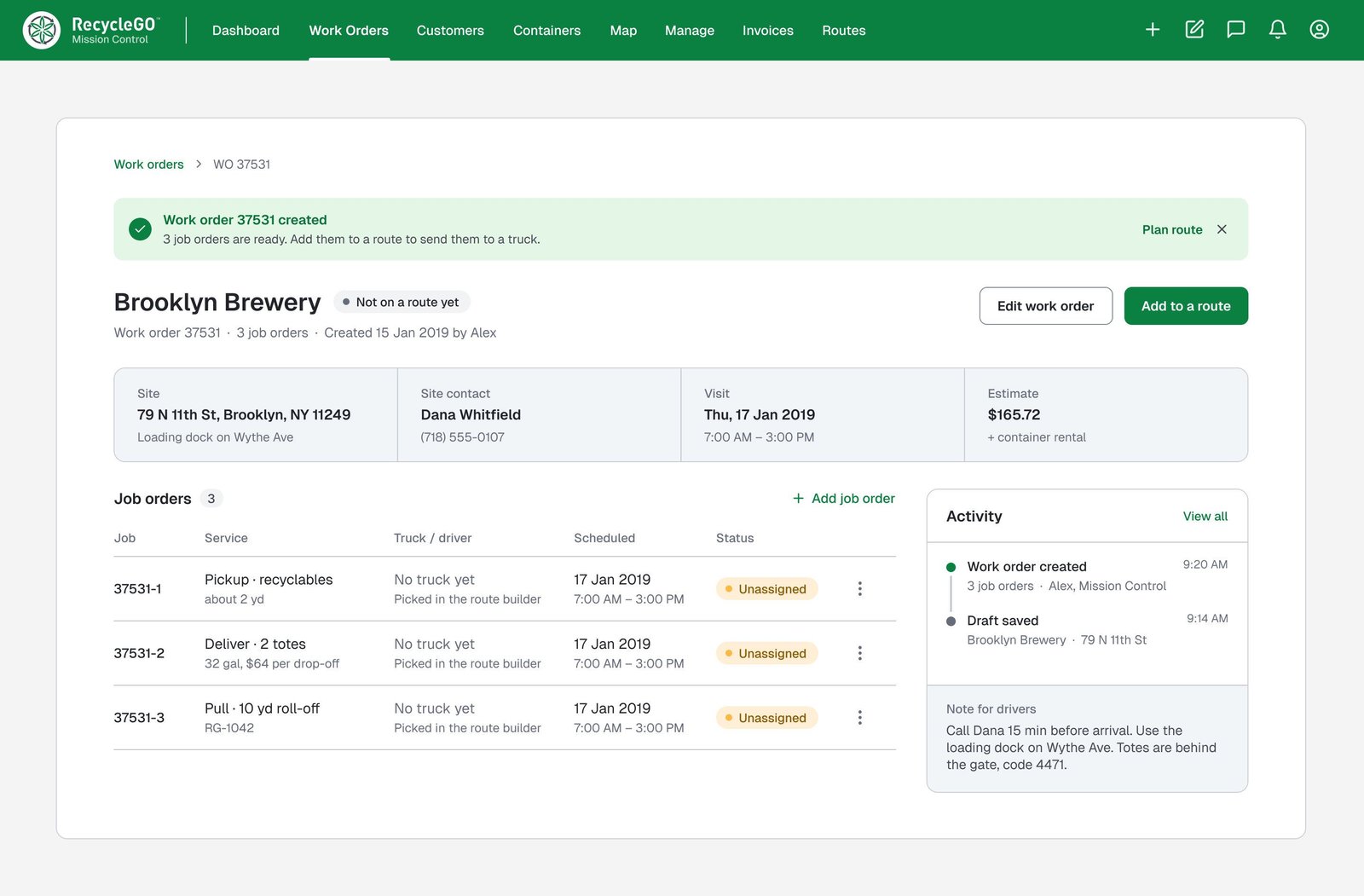
Work order created

Creating a work order, as it plays

05Result

Shipped as the system RecycleGO ran its pickups on.

The driver app, the tablet and Mission Control shipped together, with the website selling the service.