ForcaLog: a gym log, from Figma to TestFlight.
ForcaLog is my own gym log for iPhone. I design it in Figma, Claude Code writes the React Native code, and I train with what comes out: programs, a rest timer on the Lock Screen and progress on a muscle map.
- Role
- Design and build
- Built with
- Figma, Claude Code, React Native (Expo)
- Runs on
- iPhone
- Status
- On phones through TestFlight · 1.1.0
01Today
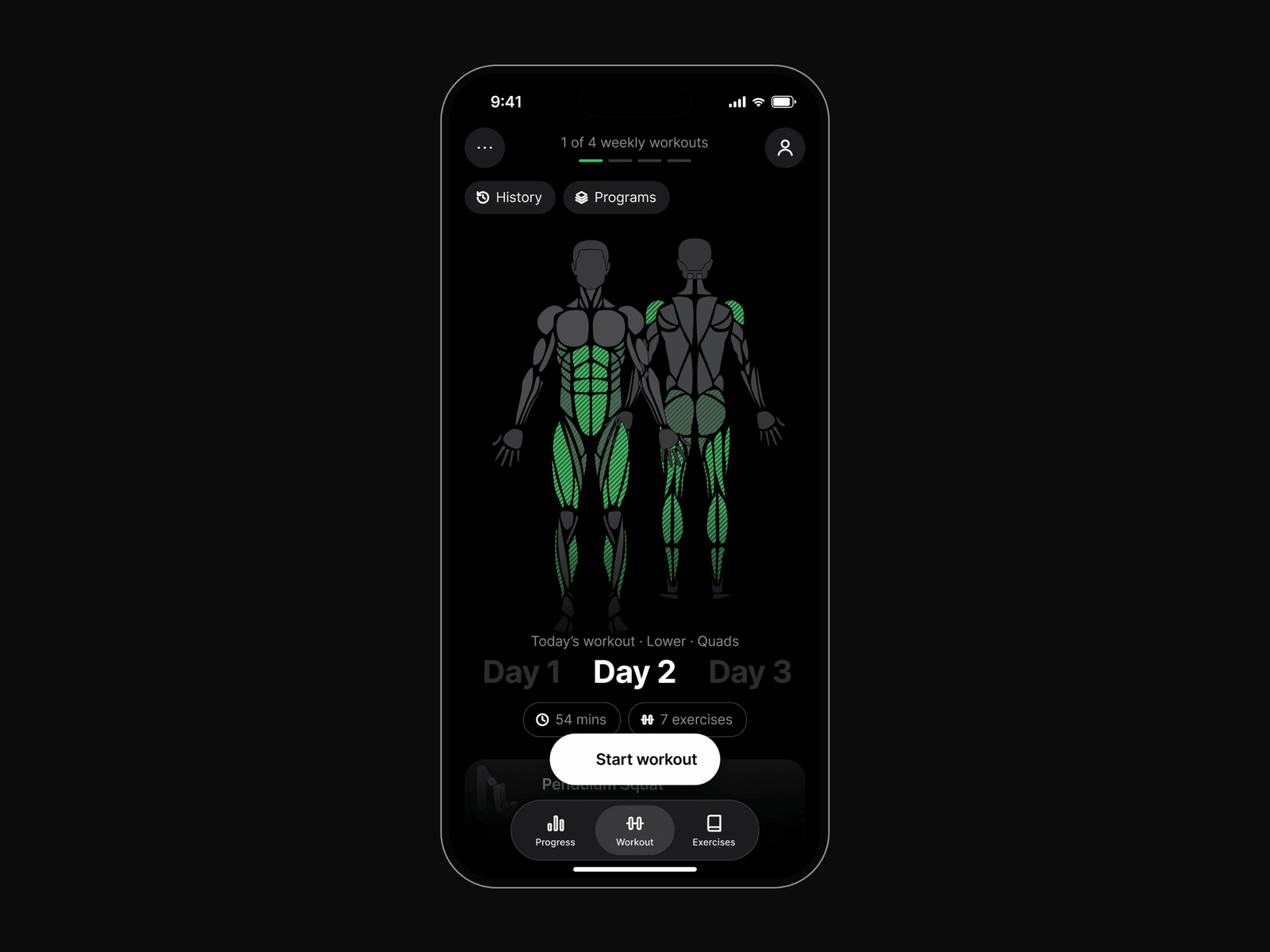
The day opens on the muscles it trains.
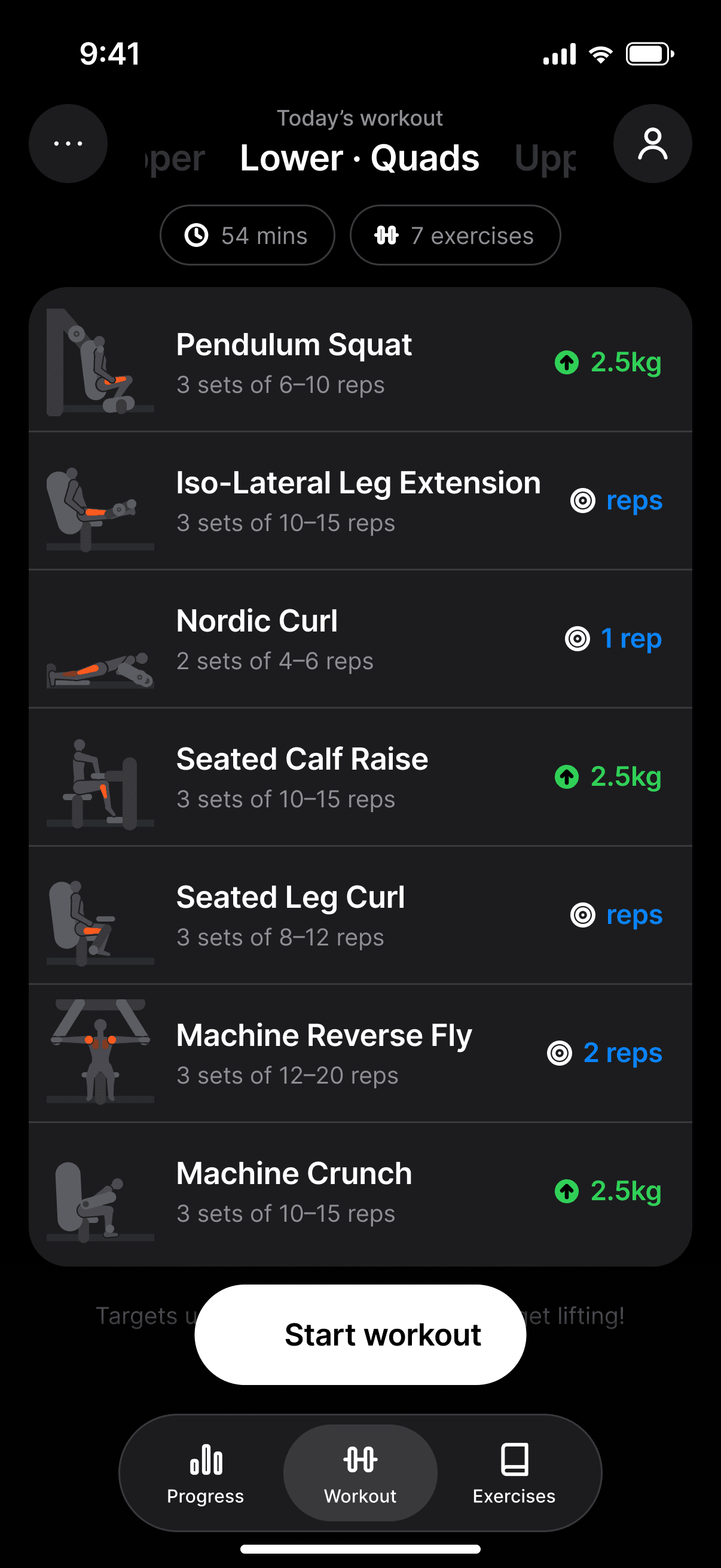
The first screen draws today’s muscles on a body map, and a pager moves between the days of the program. Each exercise in the list carries its target for next time: more weight or more reps.
-
-
02Logging
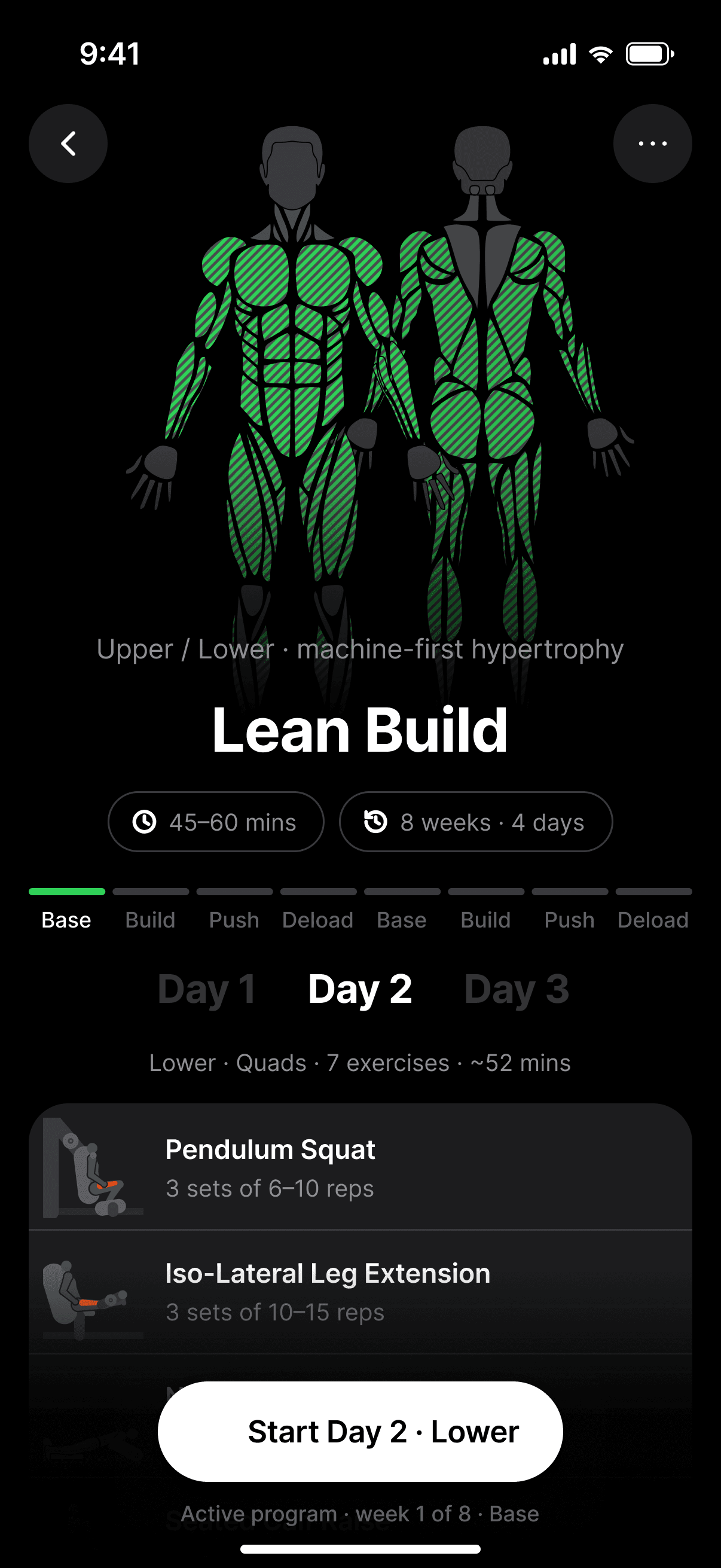
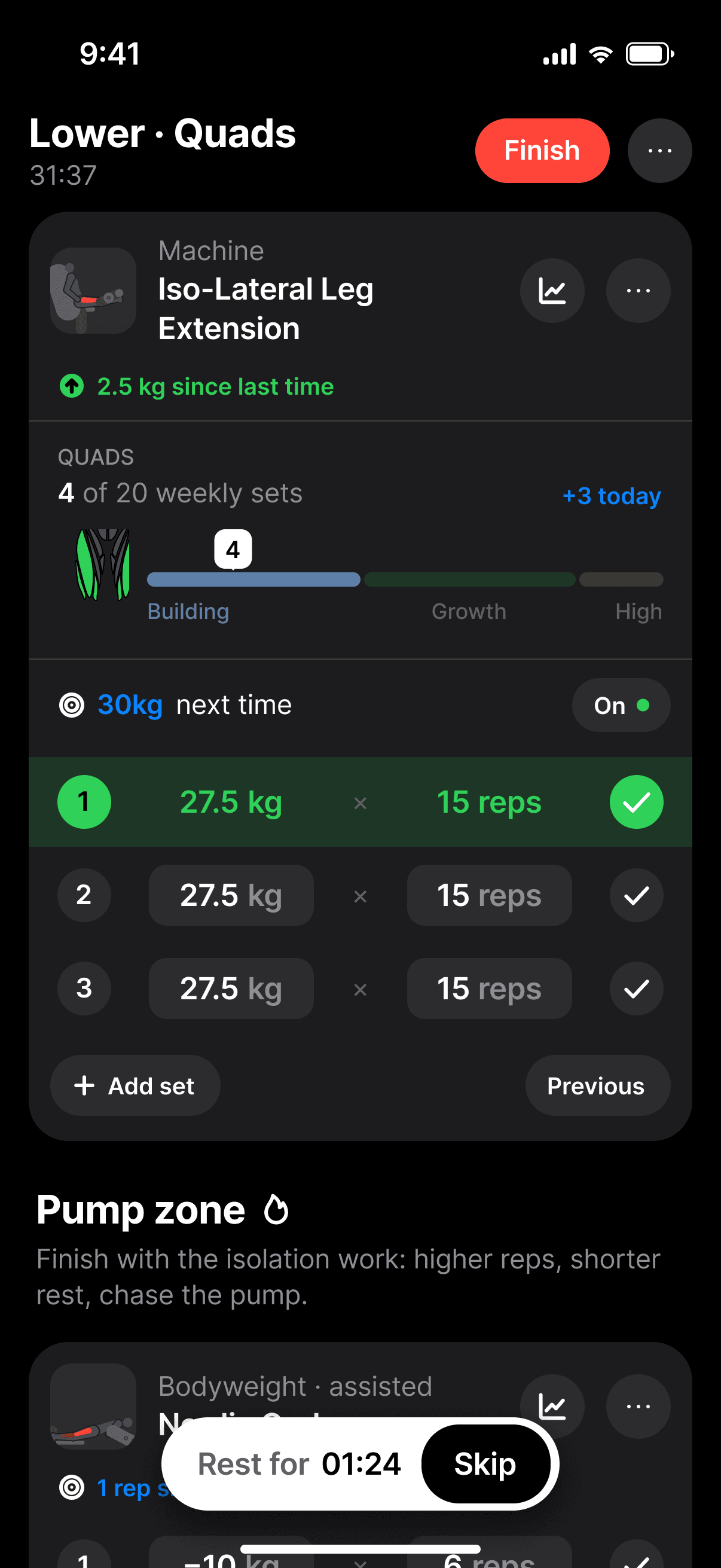
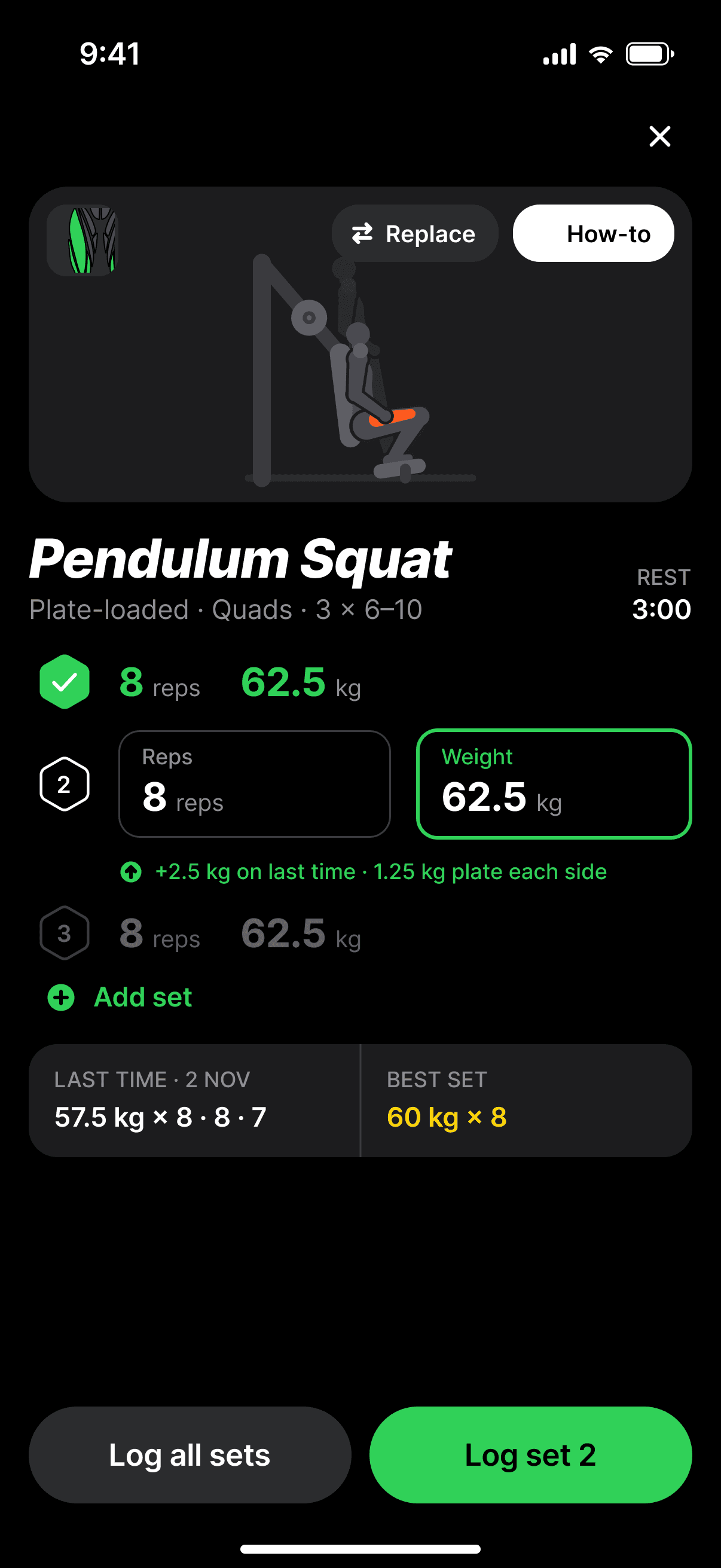
A set is one tap.
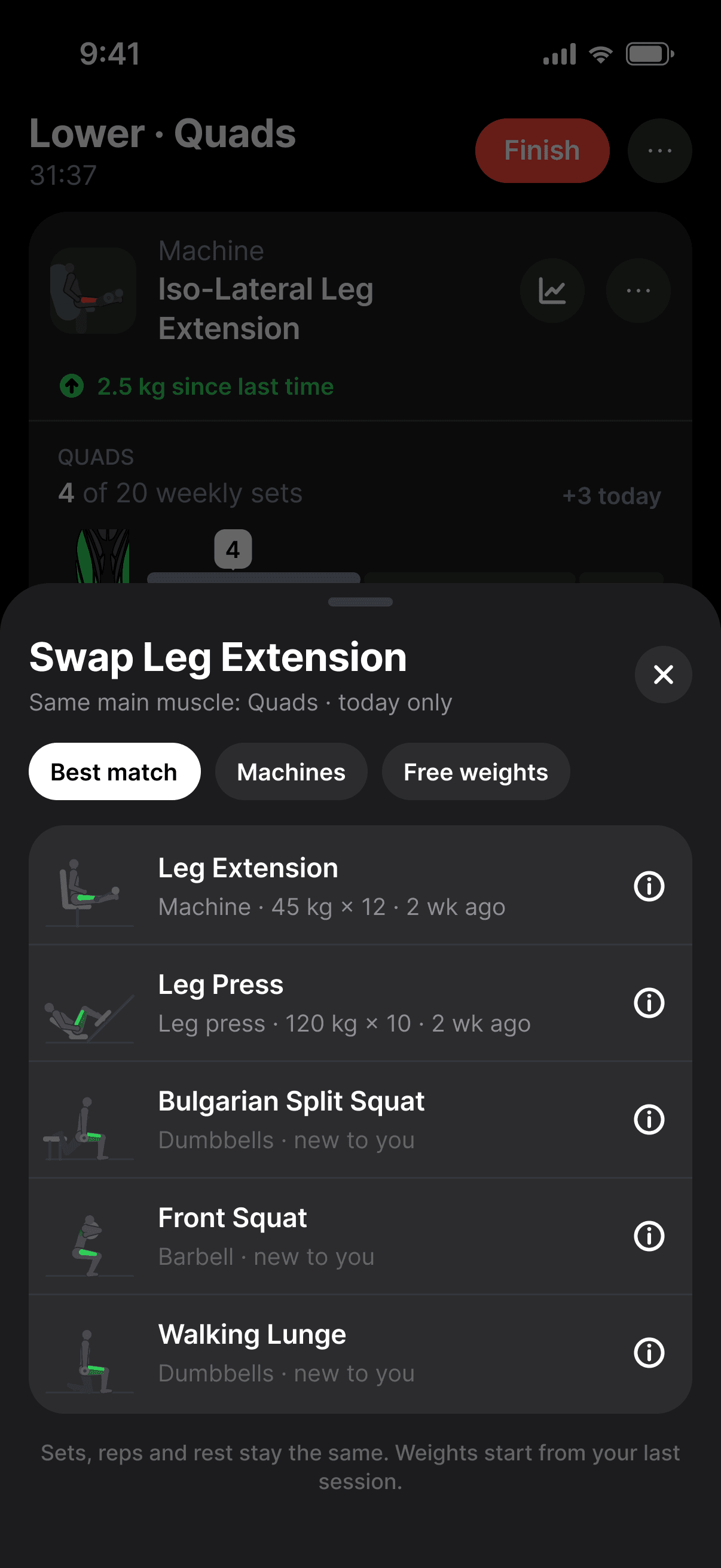
A tap on the check logs the set, and the rest timer counts down to the next one. The card shows where the muscle stands in the week’s sets, and a swap replaces an exercise for today with another for the same muscle.
-
-
-
03Rest timer
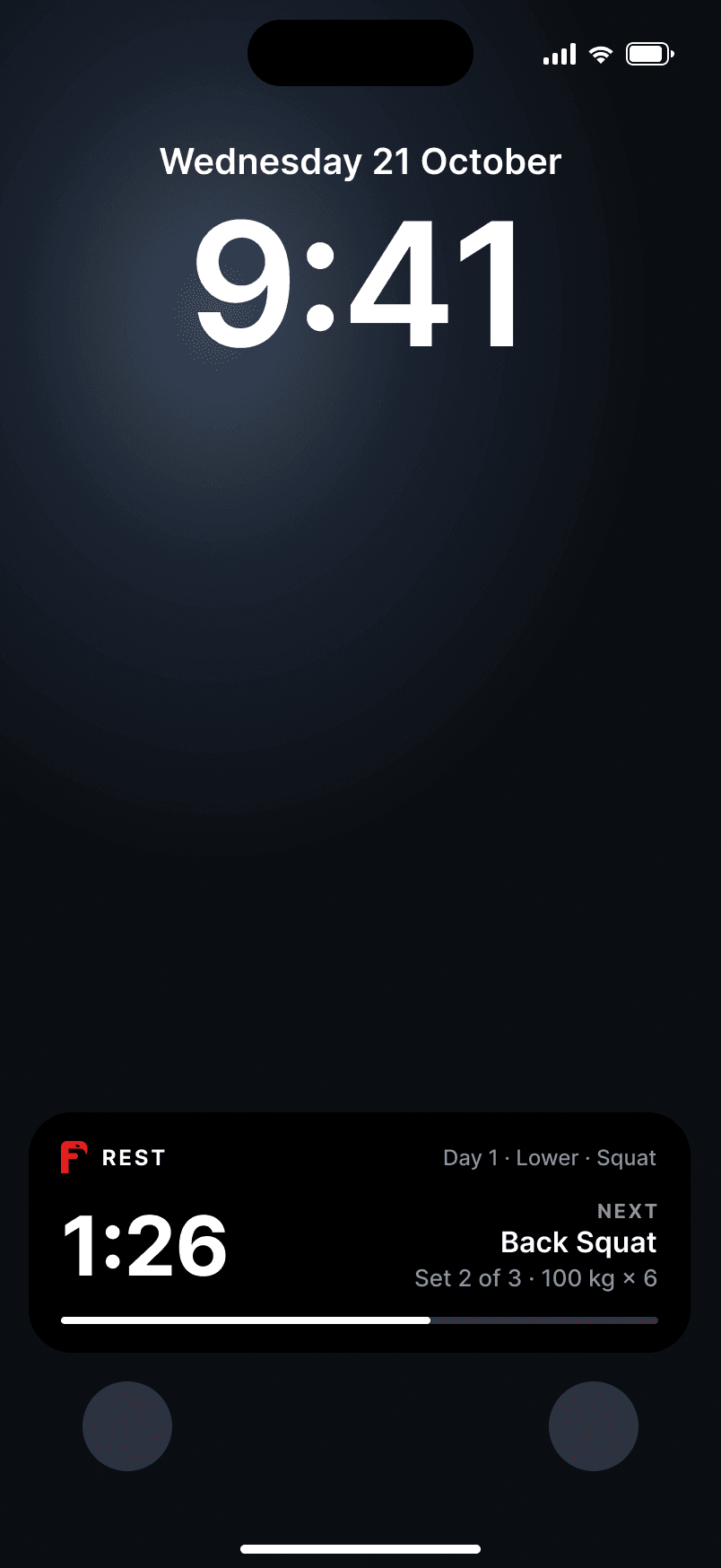
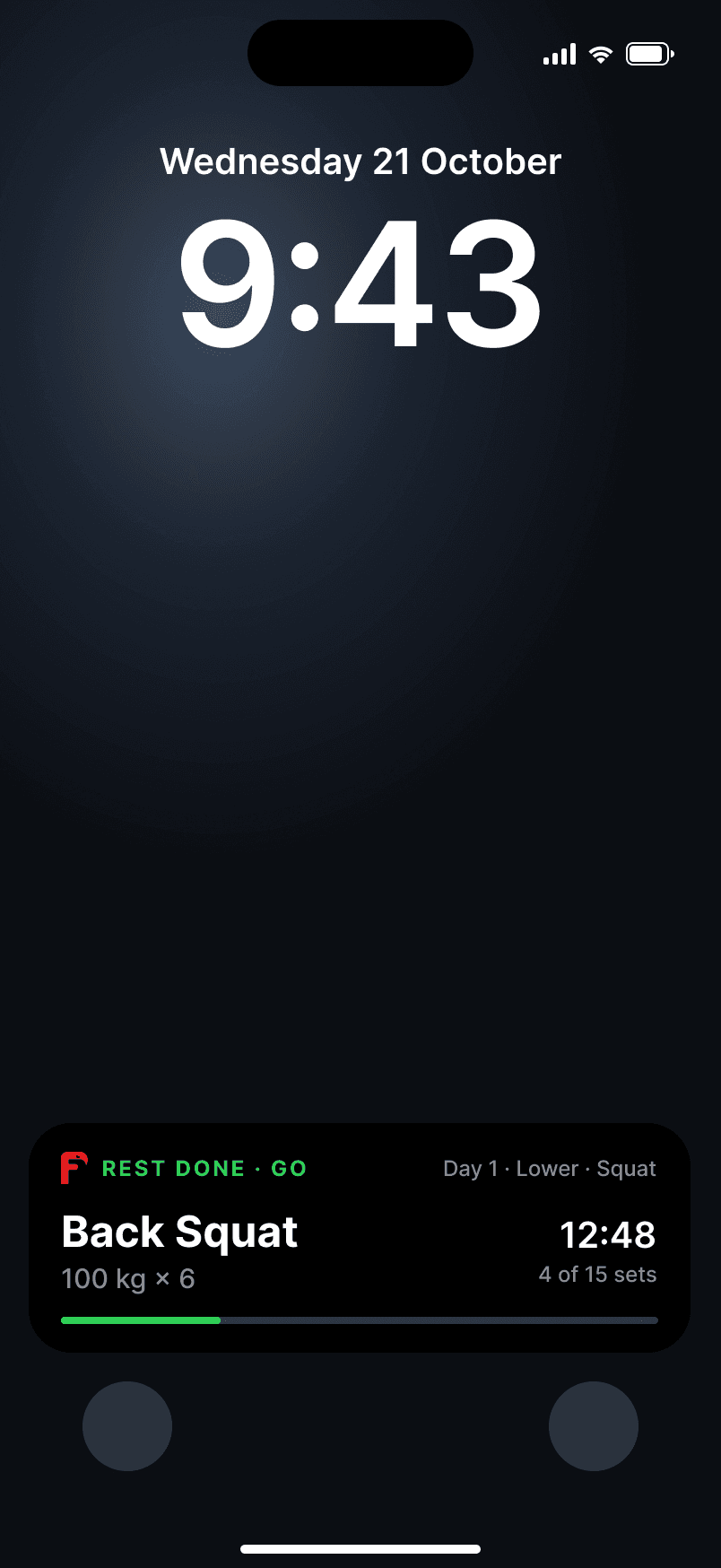
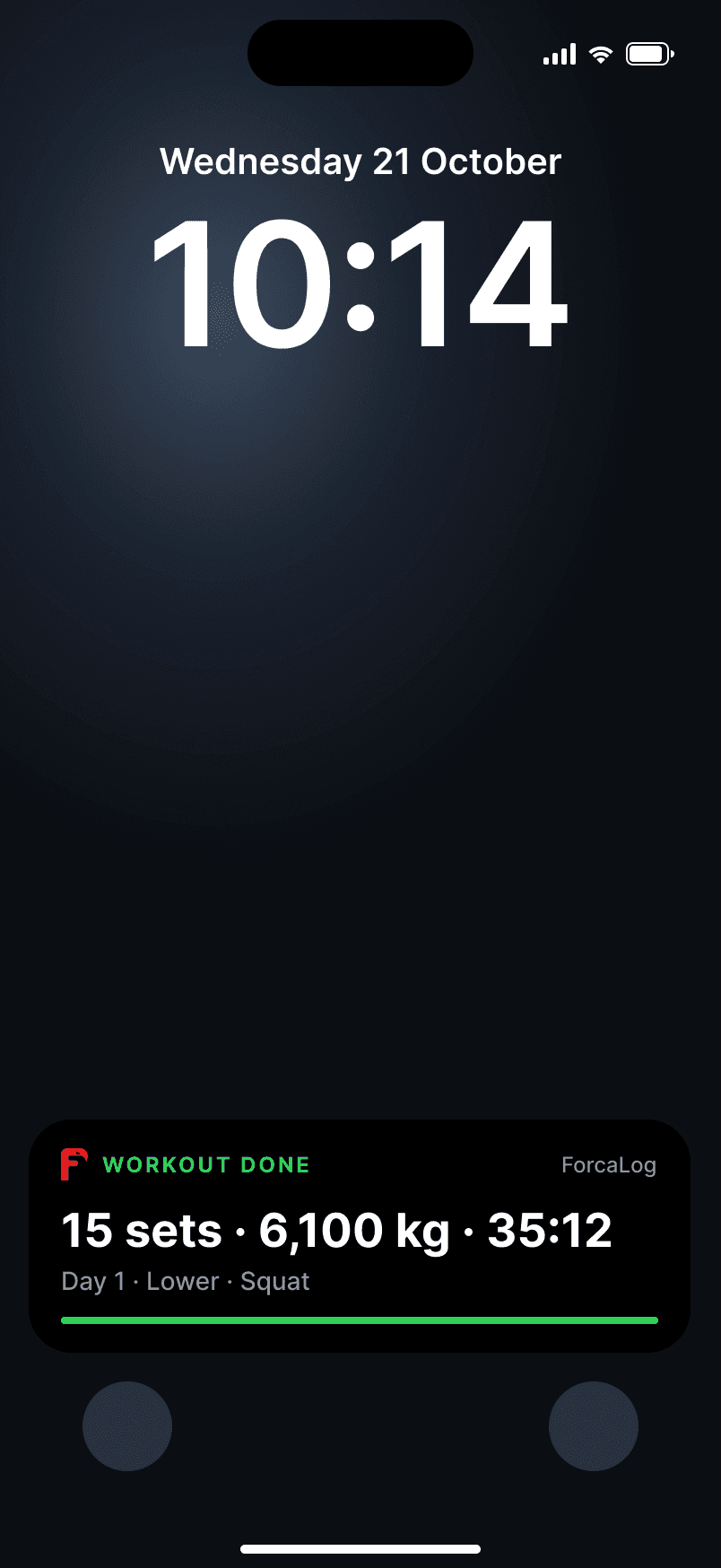
The rest keeps counting on the Lock Screen.
Between sets the timer shows on the Lock Screen as a Live Activity. The countdown runs on iOS itself, so it keeps counting with the app asleep. When the rest is over the card turns to Go, and after the last set it shows the session’s totals.
-
-
-
04Progress
Progress is read per muscle.
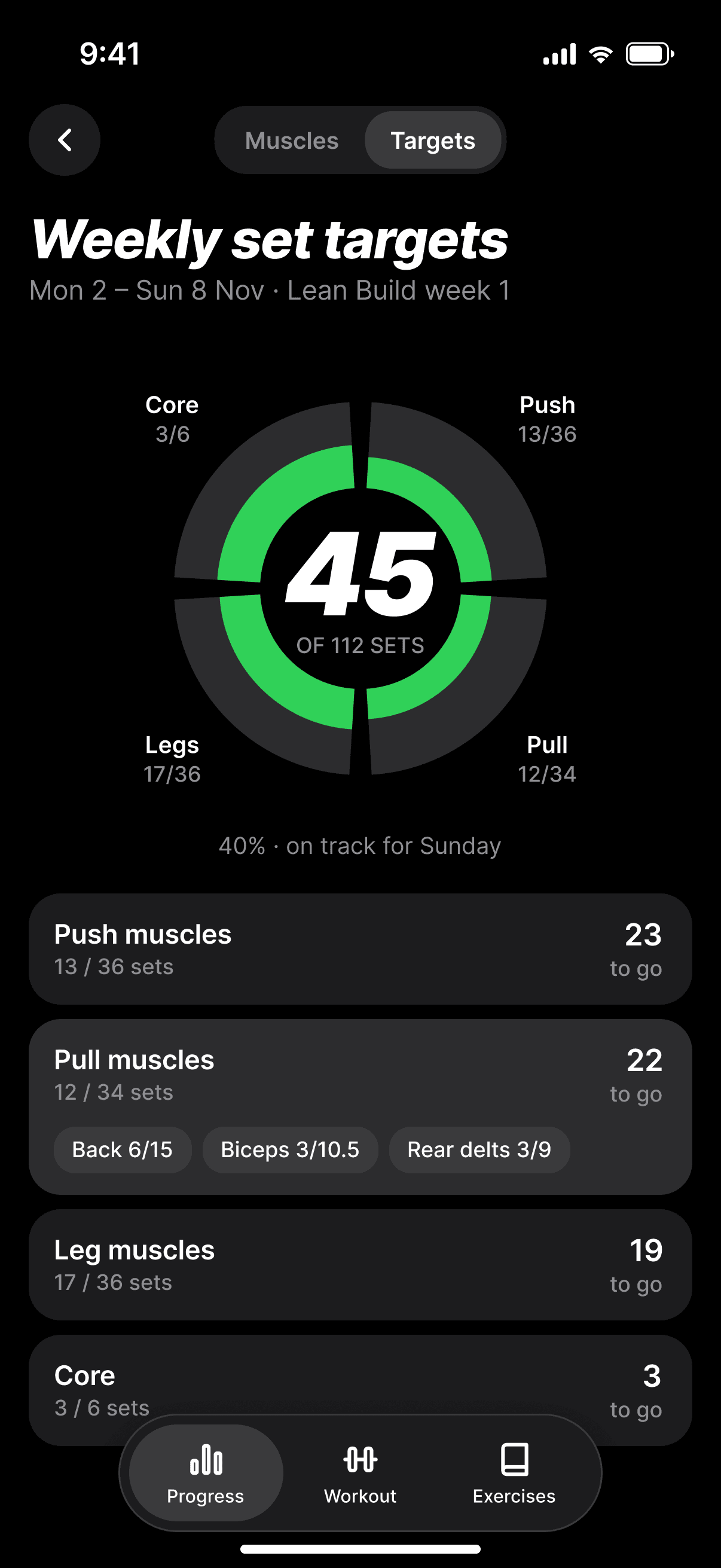
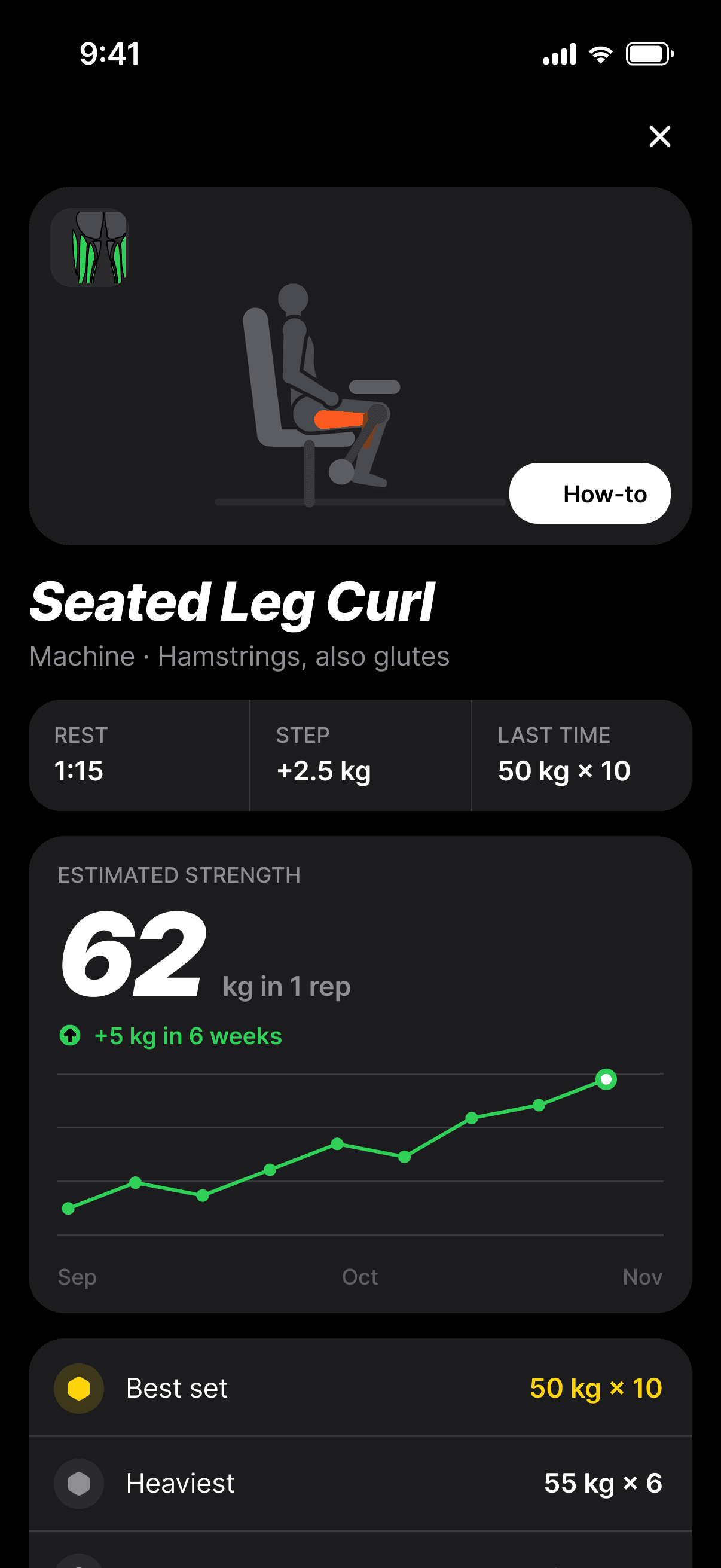
Each muscle’s weekly sets fall in a range: building, growth or high. A wheel sets the week’s sets against the target for push, pull, legs and core, and a new best gets a screen of its own.
-
-
-

05Tested in the gym
Every session in the gym is a test.
I train with ForcaLog, and what goes wrong in a session comes back as the next fix. These five came from my own workouts, and each went out as an over-the-air update.
- Found in the gym: Ticking a set in a superset jumped to the other exercise, with a set still left.
- Changed: Cards show the round, and a hand-off pill names the exercise the logger moves to.
- Found in the gym: Done on the summary led back into the workout, in a loop.
- Changed: Done returns to the tabs, and a finished workout can’t be finished twice.
- Found in the gym: “Rest is over” notifications piled up, also with the app open.
- Changed: They stay silent in the app and clear with the next set. With the phone locked they still arrive.
- Found in the gym: The gym has no standing calf machine.
- Changed: Leg Press Calf Raise took its place in every program, and the next program was built from photos of the machines the gym has.
- Found in the gym: Finish sat in the top corner, behind a question.
- Changed: Once every set is logged, a Finish workout button shows at the bottom and finishes without asking.
06Claude
Claude reads the log. I decide what changes.
ForcaLog has its own connector for Claude. Claude can read the program, the workouts, the week’s sets per muscle and the records, and propose changes to the program. Nothing changes until I review a proposal and apply it in the app.
- 01Claude reads
The program, the next workout, the history, weekly sets per muscle, records.
- 02Claude proposes
Replace, add or remove an exercise; change its sets, reps or rest.
- 03I apply
Reviewed in the app. Nothing changes until then.
07How it is built
Figma in, a build on my phone out.
I design every screen in Figma. Claude Code writes the code and I review what comes out on my own phone, round after round, until it is right. Builds go out through TestFlight, and updates in between ship over the air.
Under the hood
Hexagons are drawn with react-native-svg, motion runs on Reanimated and haptics on expo-haptics. The exercise pictures are the app’s own animations, not photos or videos.
- 01 Figma Done
- 02 Build Done
- 03 On phones Now
- 04 App Store Next