← Work / Shedwool
Shedwool · Senior Product Designer · [NEED: years, employer or client]
Four roles, one schedule
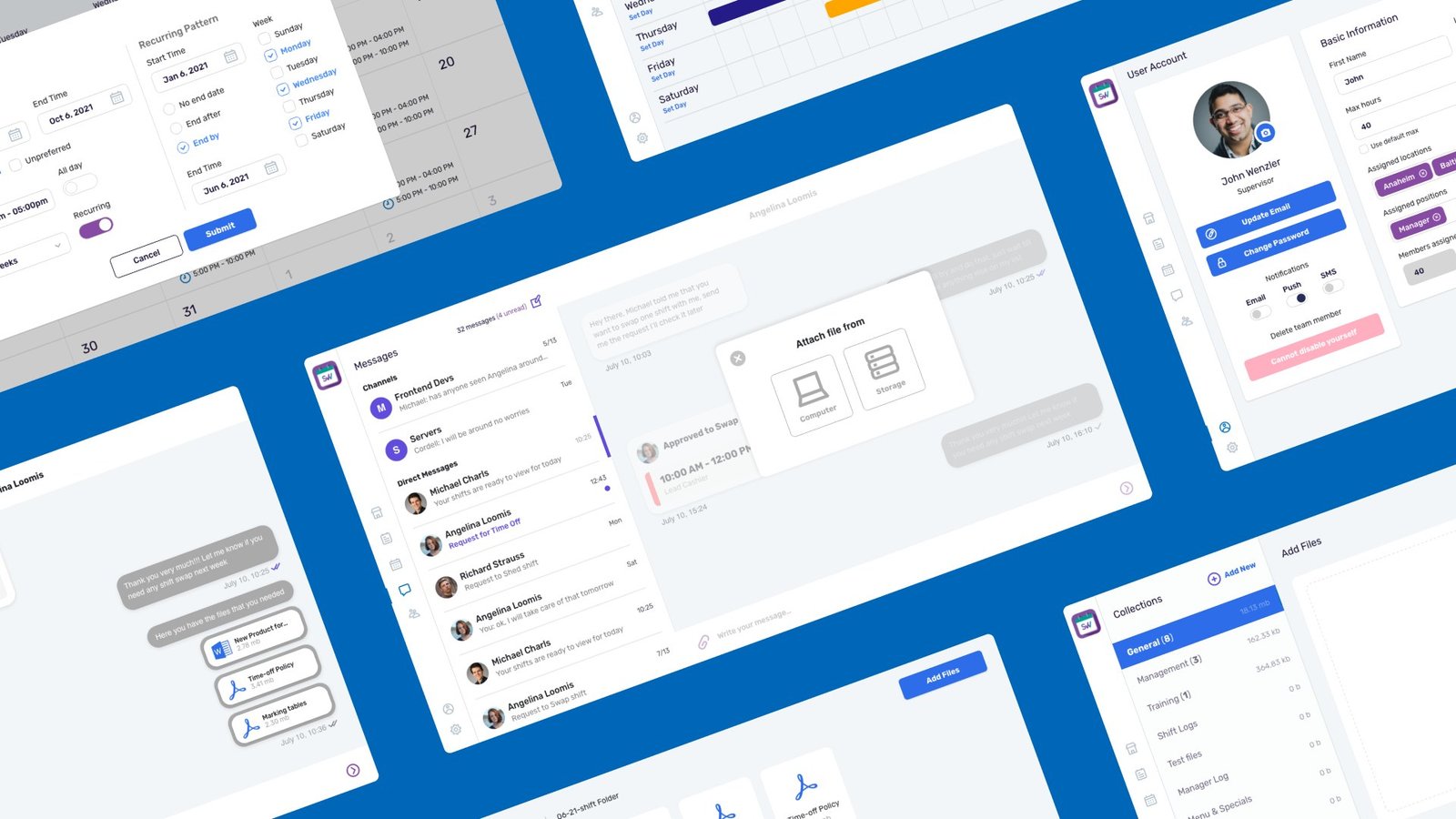
Shedwool schedules shifts for food tech, e-commerce and local service businesses. I led the complete redesign of its web dashboard and mobile app around four roles, then added a setup wizard after launch, when setup turned out to be the top complaint.
Role
Team
Timeline
Status
≈50%
fewer tickets on scheduling, swaps and onboarding [VERIFY]
4
roles: owners, partners, supervisors, associates
7
setup steps, added after launch
01 — Problem
Every role started from the same crowded schedule.
Business owners, partners, supervisors and associates all landed on one dense weekly grid. Feedback named the pain: time off was hard to request, people got lost in colours and icons, and associates who don't read email couldn't get messages.
Before the redesign: an owner and an associate
1 · Day oneWe signed up! So... where do I start?Fixed by Decision 04
2 · The scheduleSo many colours. Whose shift is whose?Fixed by Decision 02
3 · Calling supportHi, support? How do I even create a shift?Fixed by Decision 04
4 · Can't make FridayI can't make Friday. Who do I ask to swap?Fixed by Decision 03
5 · A day offWhy is asking for a day off this hard?Fixed by Decision 05
6 · Missed itMy shift changed? I never check my email.Fixed by Decision 05
Composite story from customer feedback. Panels 1–3: a business owner. Panels 4–6: an associate. Illustrative.
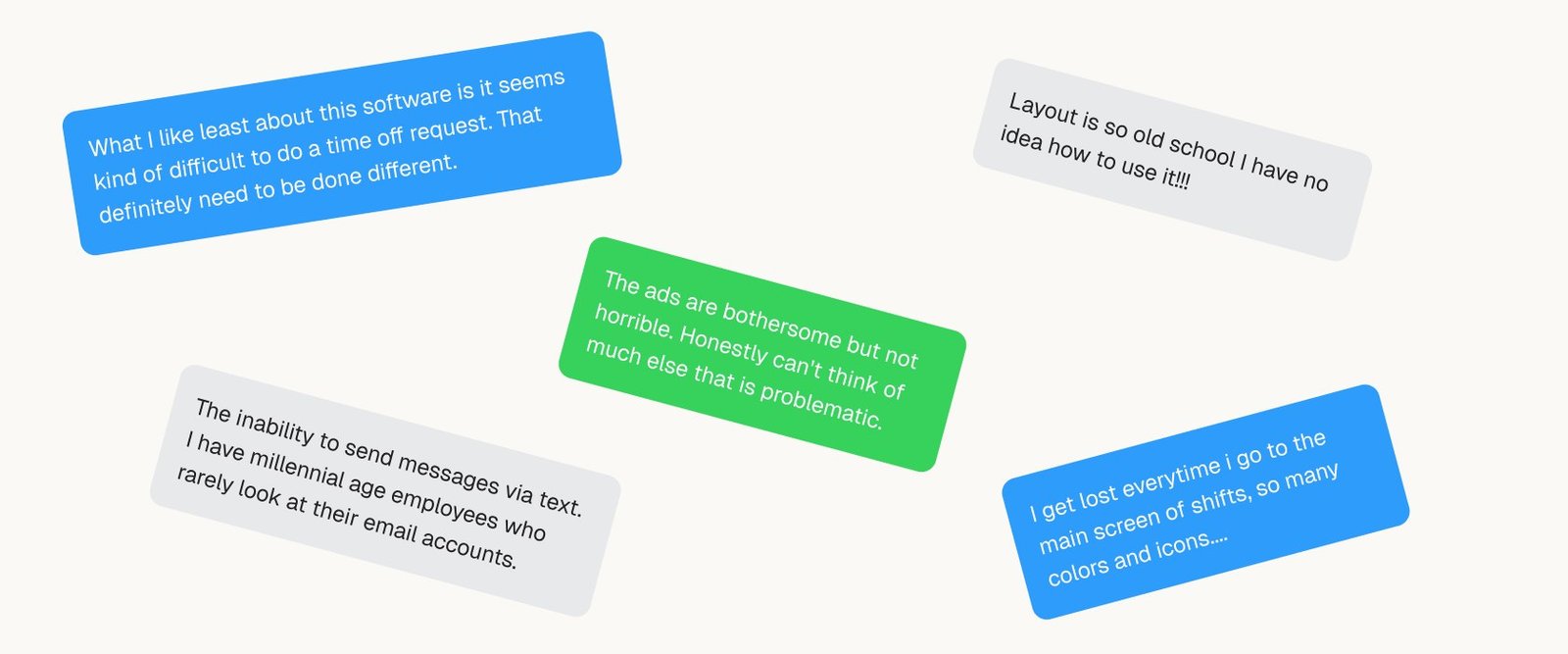
What customers said about the old product: time off, colours and icons, and messages that never arrived.
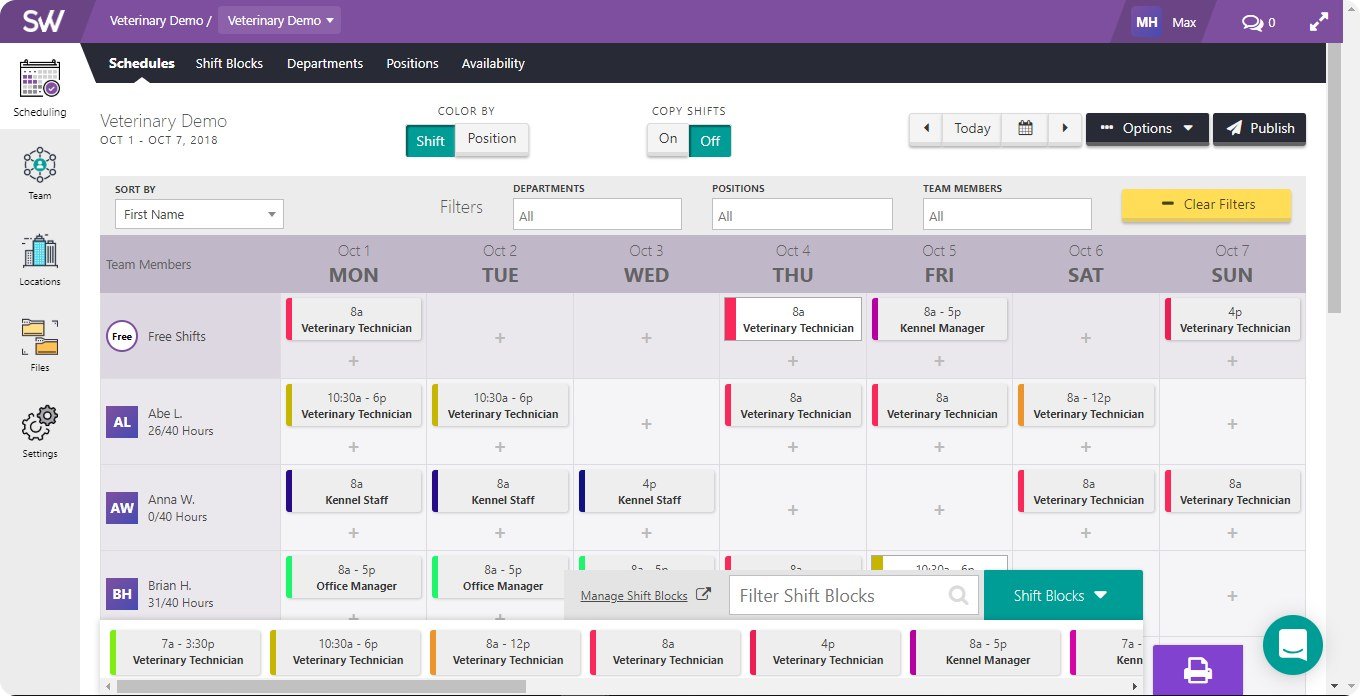
Before: one dense weekly grid for every role.
02 — Decision
Each role sees its own numbers first.
Associates, partners and managers each open on the numbers they act on, in the same layout.
What I decided not to do
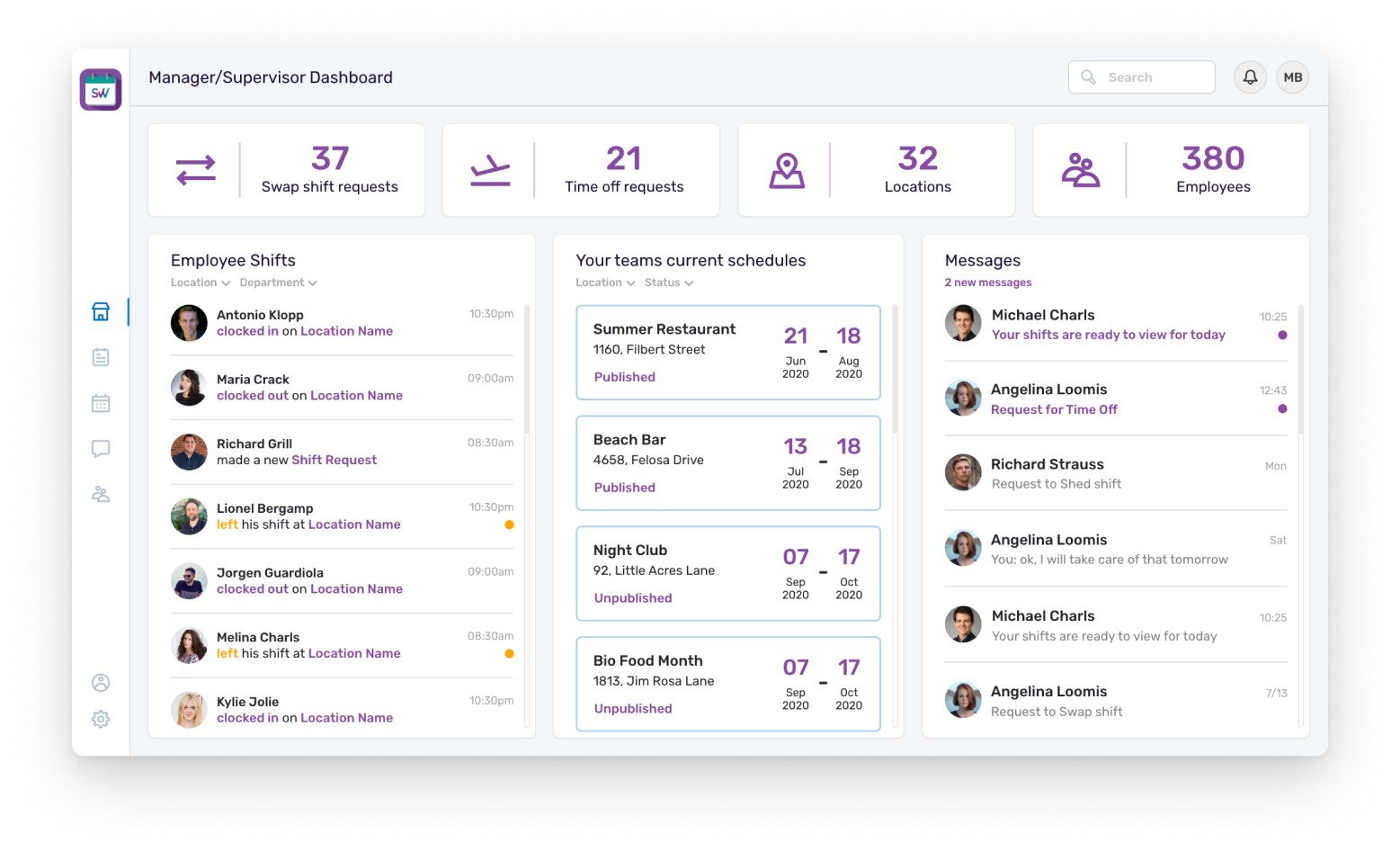
Manager dashboard: requests on top, live attendance and schedule status below.
1. The same frame, different numbers. Four counters, a main panel and messages on every dashboard. [CONFIRM: so moving between roles doesn't mean relearning the screen]
2. Associates: total shifts, swap requests, time-off requests and assigned locations, above a list or calendar of their week.
3. Partners: tenants, active and expired subscriptions and locations, with a subscription chart and a tenant list.
4. Managers and supervisors: swap and time-off requests, locations and employees; a live feed of clock-ins, clock-outs and shift requests; and which team schedules are still unpublished.
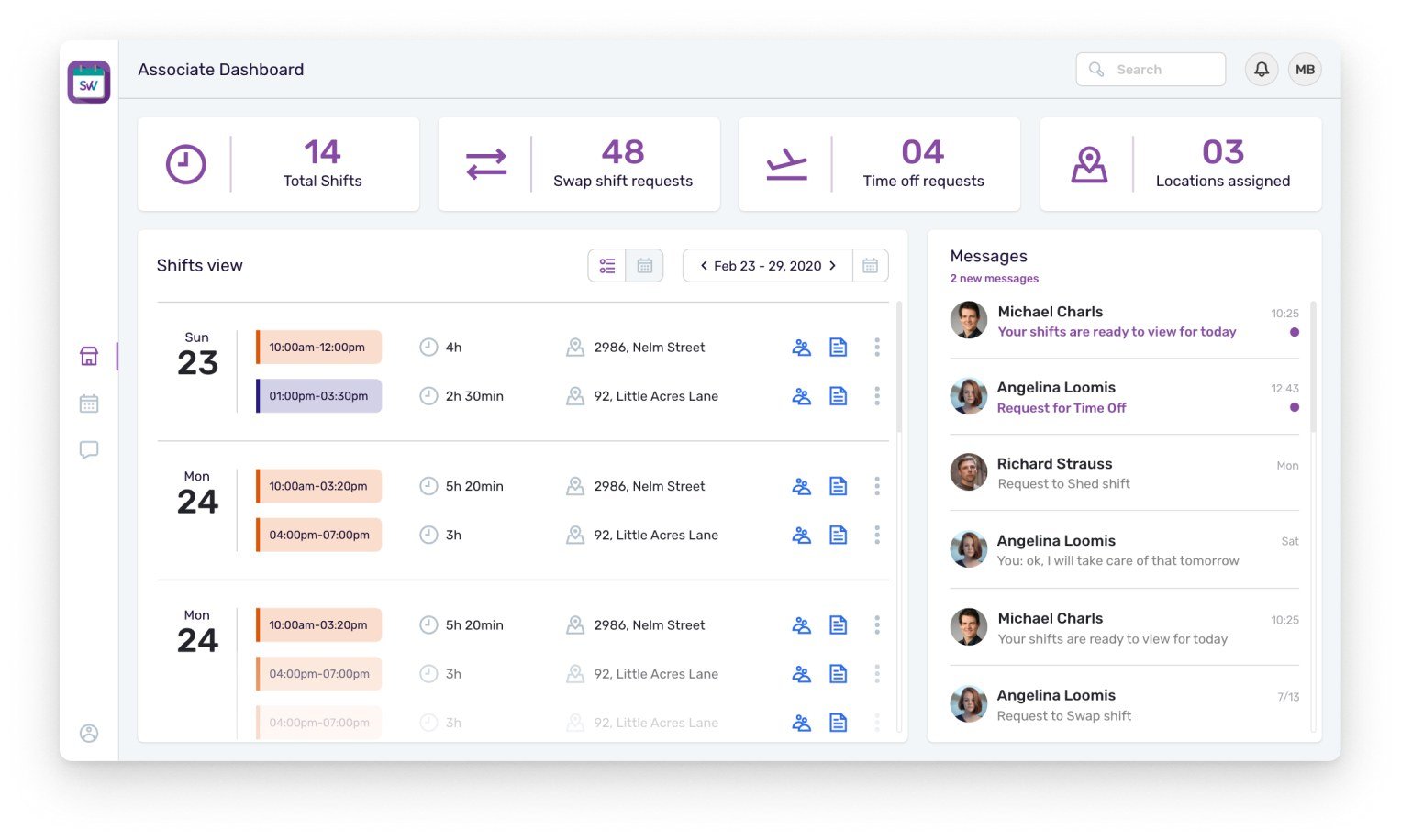
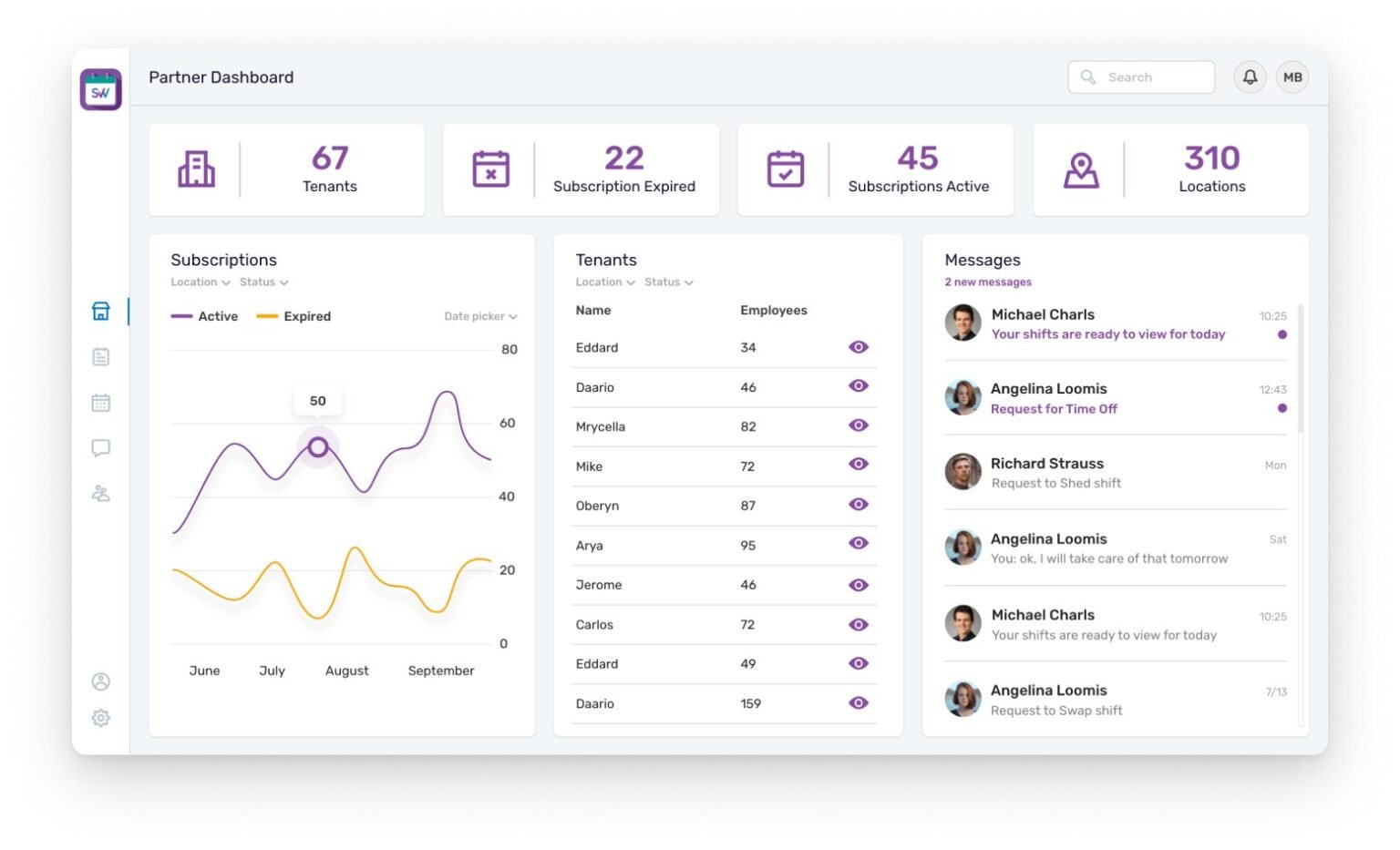
Associate and partner dashboards: same layout, different numbers.
Signal: [VERIFY: 82% customer satisfaction after the redesign (S33)]
03 — Decision
Swaps start from the shift, and a manager still approves.
Associates asked for a way to swap shifts with each other. A swap starts from the shift itself; a colleague accepts, and the manager still has the final say.
What I decided not to do
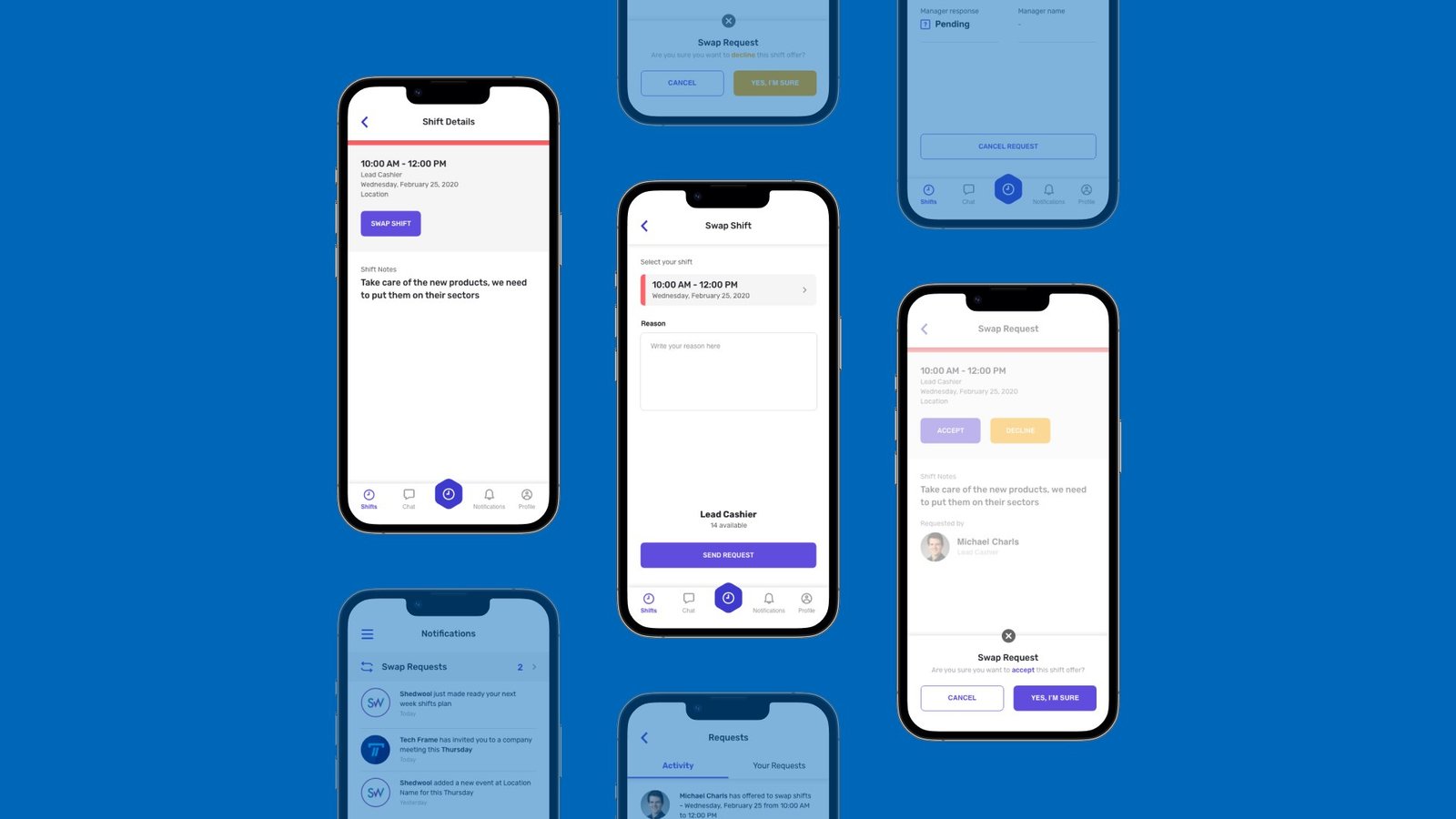
Swap flow on mobile: request, colleague accepts, manager approves.
1. Start where the shift is. On the web week view, a shift opens its details — members, notes and a Swap shift button. On mobile, the same button sits on the shift details.
2. Ask with a reason. The associate picks the shift, writes a reason, sees how many colleagues are available and sends the request.
3. A colleague accepts. The colleague gets the request and confirms they'll take the shift.
4. The manager responds. The request shows as pending until the manager answers, and the associate can still cancel it. Swap requests also show as a counter on both dashboards.
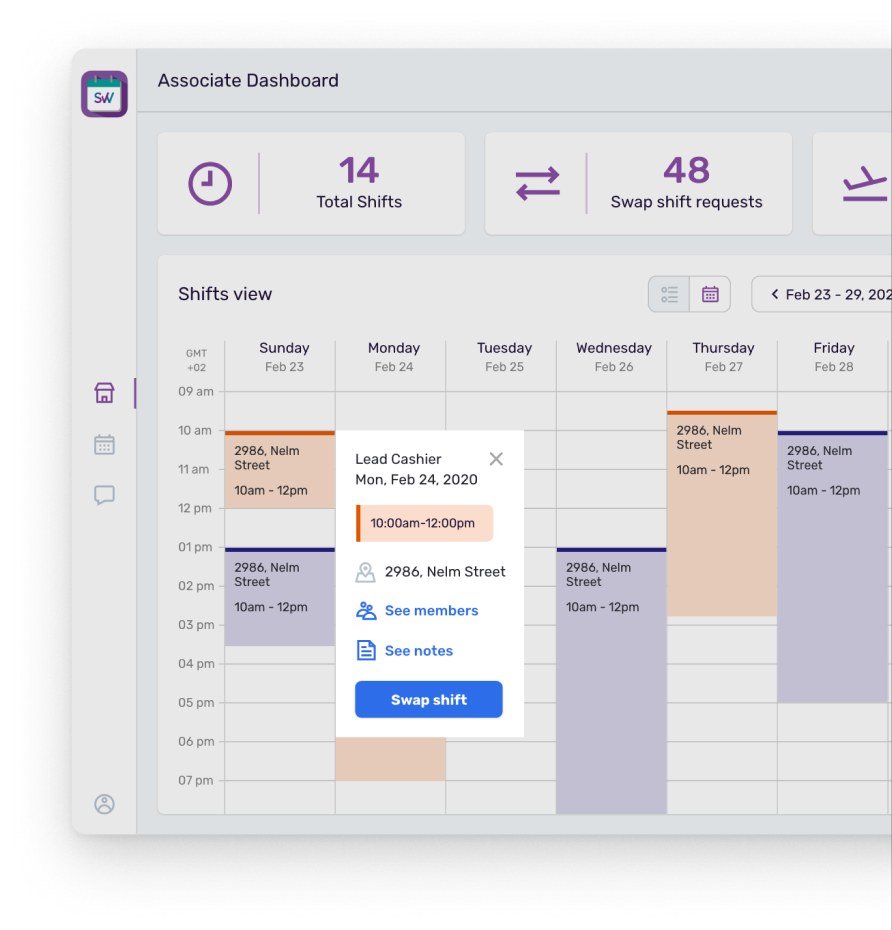
Week view: swap is one tap from the shift.
Signal: [VERIFY: S33 reports about 50% fewer support tickets on scheduling, swaps and onboarding]
04 — Decision
Setup became a seven-step wizard after launch.
After the first release, setup was the top complaint. Seven steps walk a new business from its first location to a validated template, with progress shown and chat support on every step.
What I decided not to do
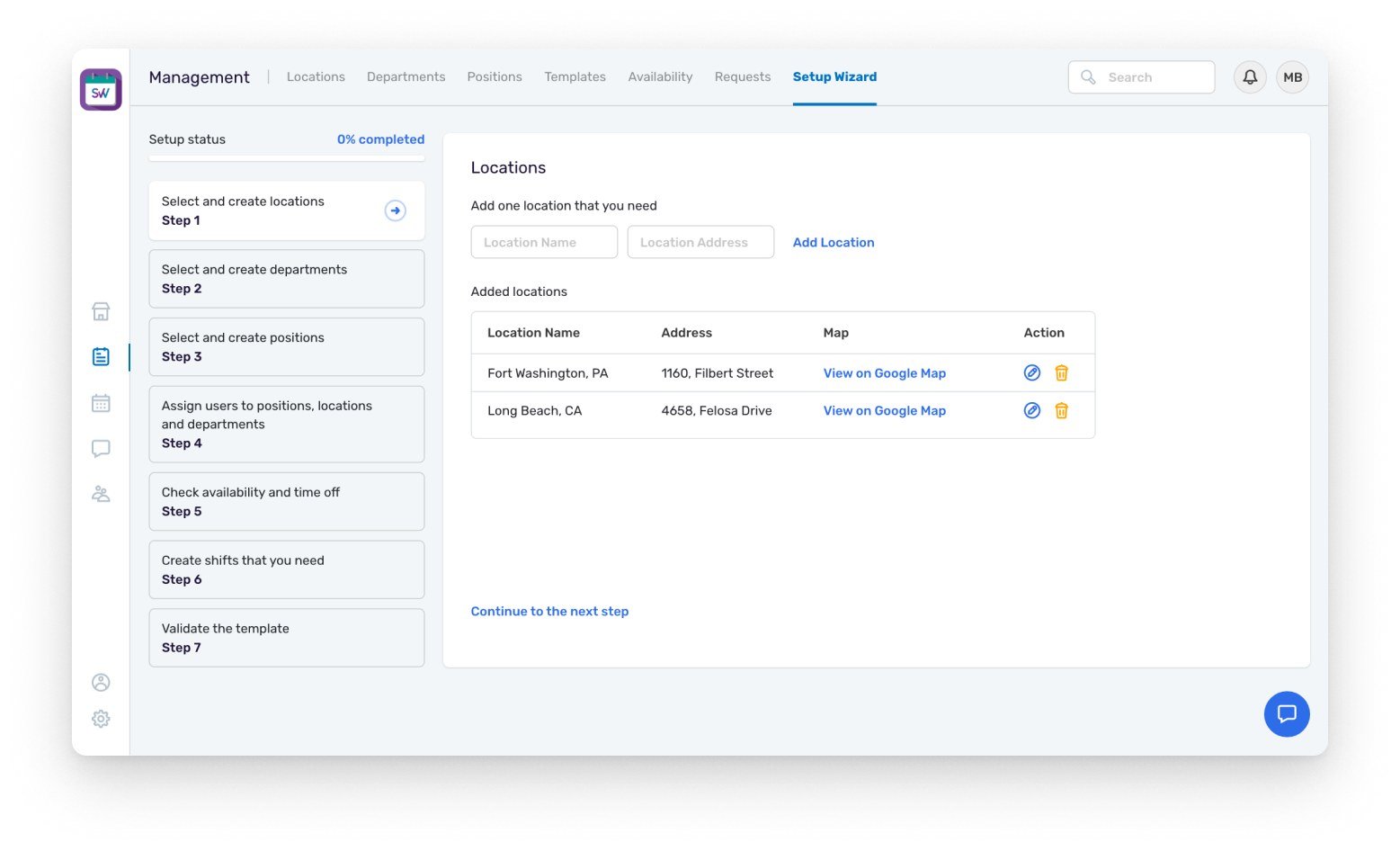
Setup wizard, step 1: locations first, with the whole path visible on the left.
1. The order is the design. Create locations, departments and positions; assign people to them; check availability and time off; create shifts; validate the template. [CONFIRM: a schedule needs these to exist first, in this order]
2. Progress you can see. A setup-status list with a percentage shows done, current and next steps.
3. One job per step. A short form, a table of what's been added, and "Continue to the next step".
4. Not a dead end. The wizard is a tab beside Locations, Departments, Positions, Templates, Availability and Requests — the same objects it creates.
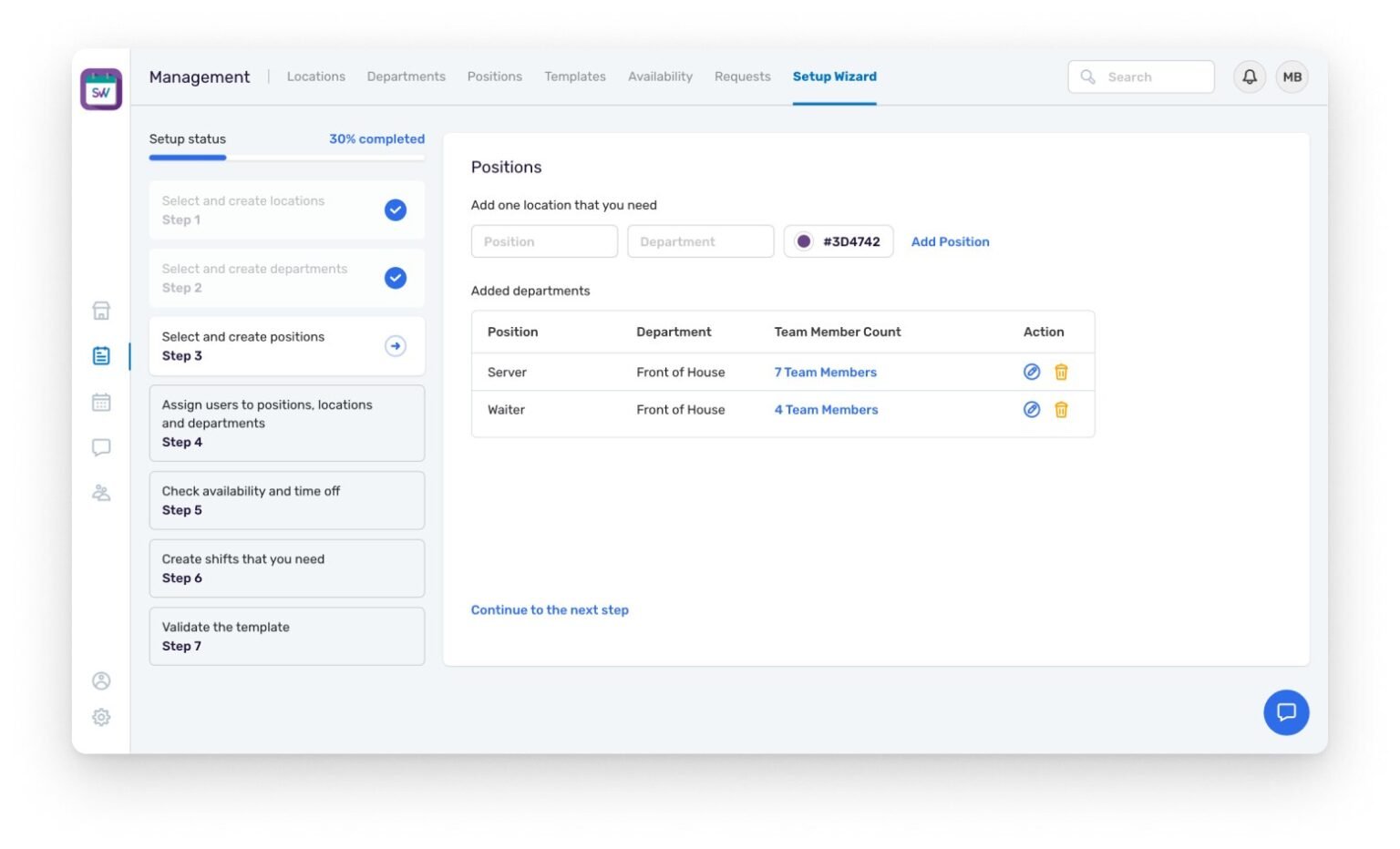
Step 3, positions: 30% done, positions with their department and team size.
Signal: [VERIFY: S33 counts onboarding among the ticket categories that fell by about half]
05 — Decision
The app opens on the associate's week, with messages inside it.
Associates live in the mobile app, not the dashboard. Upcoming shifts come first; shift details, clocking in and out, and team messages are one tap away.
What I decided not to do
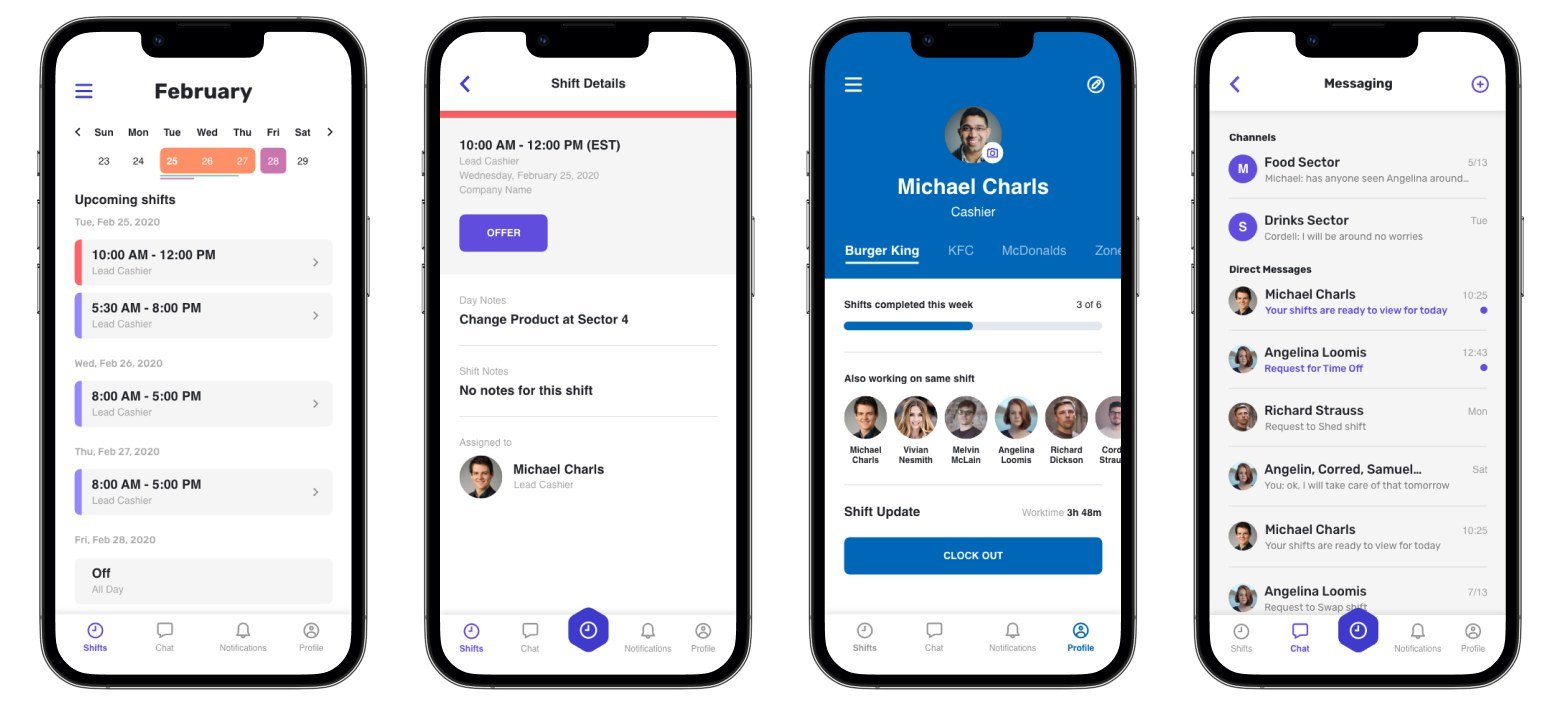
The redesigned app: shifts, shift details, profile and messaging.
1. The week first. A month strip and upcoming shifts listed by day, each with time and role.
2. Shift details in one place. Time, notes, who's assigned, and the button to offer or swap the shift.
3. Clock in and out from the profile. Shifts completed this week, colleagues on the same shift and one button to clock out, with a tab per workplace. [CONFIRM: associates can work for several businesses]
4. Messaging inside the app. Team channels and direct messages, including time-off and swap requests. [CONFIRM: this answered the "no text messages" complaint (S22)]
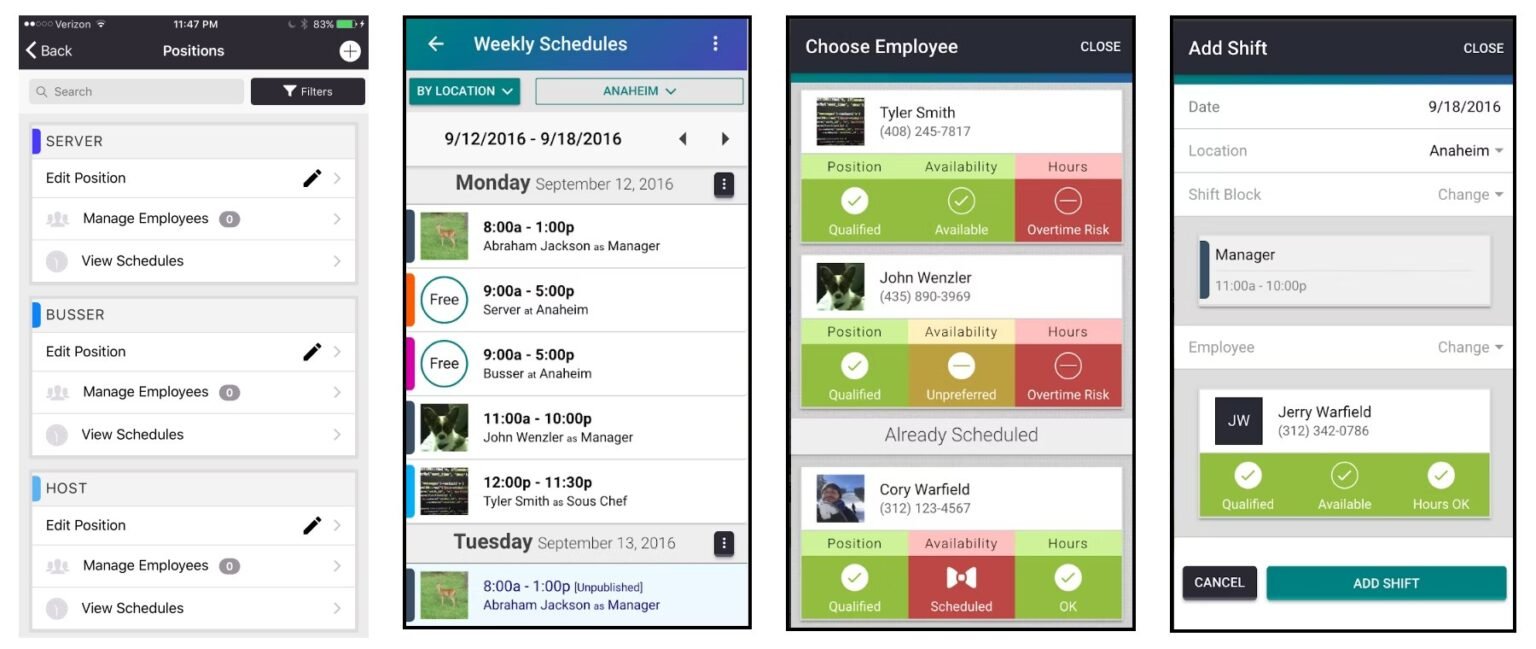
Before: dense lists, many colours.
Signal: [NEED: an app-specific measure — rating, weekly active associates]
06 — Result
Support tickets on scheduling, swaps and onboarding fell by about half.
Also +36% B2B contracts in the US and 82% customer satisfaction. [VERIFY each: source, baseline, time window]
The platform was later acquired by a large enterprise — after the redesign, not because of it.
07 — Looking back
Setup should have been in the first release.
[CONFIRM: the setup problem only surfaced after launch. Testing first-run with a brand-new business would have caught it earlier.]
08 — Experiments
[NEED: what testing taught us, in one line]
[NEED: one or two sentences — how experiments ran on this project, and who ran them]
01 Winner [NEED: surface]
Experiment: [NEED: what changed]
[NEED: primary metric]
[NEED: ±0.0]
Hypothesis
[NEED: If we …, then … will …, because …]
Insights
[NEED: metric ±0.00%]
[NEED: metric ±0.00%]
Learnings
[NEED: what the numbers taught you]
Takeaway / next steps
[NEED: ship, don't ship or iterate — and what you test next]
Test setup · [NEED: split · duration · sample size · significance]

02 Rejected [NEED: surface]
Experiment: [NEED: what changed]
[NEED: primary metric]
[NEED: ±0.0]
Hypothesis
[NEED: If we …, then … will …, because …]
Insights
[NEED: metric ±0.00%]
[NEED: metric ±0.00%]
Learnings
[NEED: what the numbers taught you]
Takeaway / next steps
[NEED: ship, don't ship or iterate — and what you test next]
Test setup · [NEED: split · duration · sample size · significance]
Credits
Design: Ditbardh Uka. Product: [NEED]. Engineering: [NEED].
Next case study
Trust without a long sign-up →
© 2026 Ditbardh Uka · Amsterdam