← Work / Nina.care
Nina.care · [NEED: role title, years, employer or client]
Trust without a long sign-up
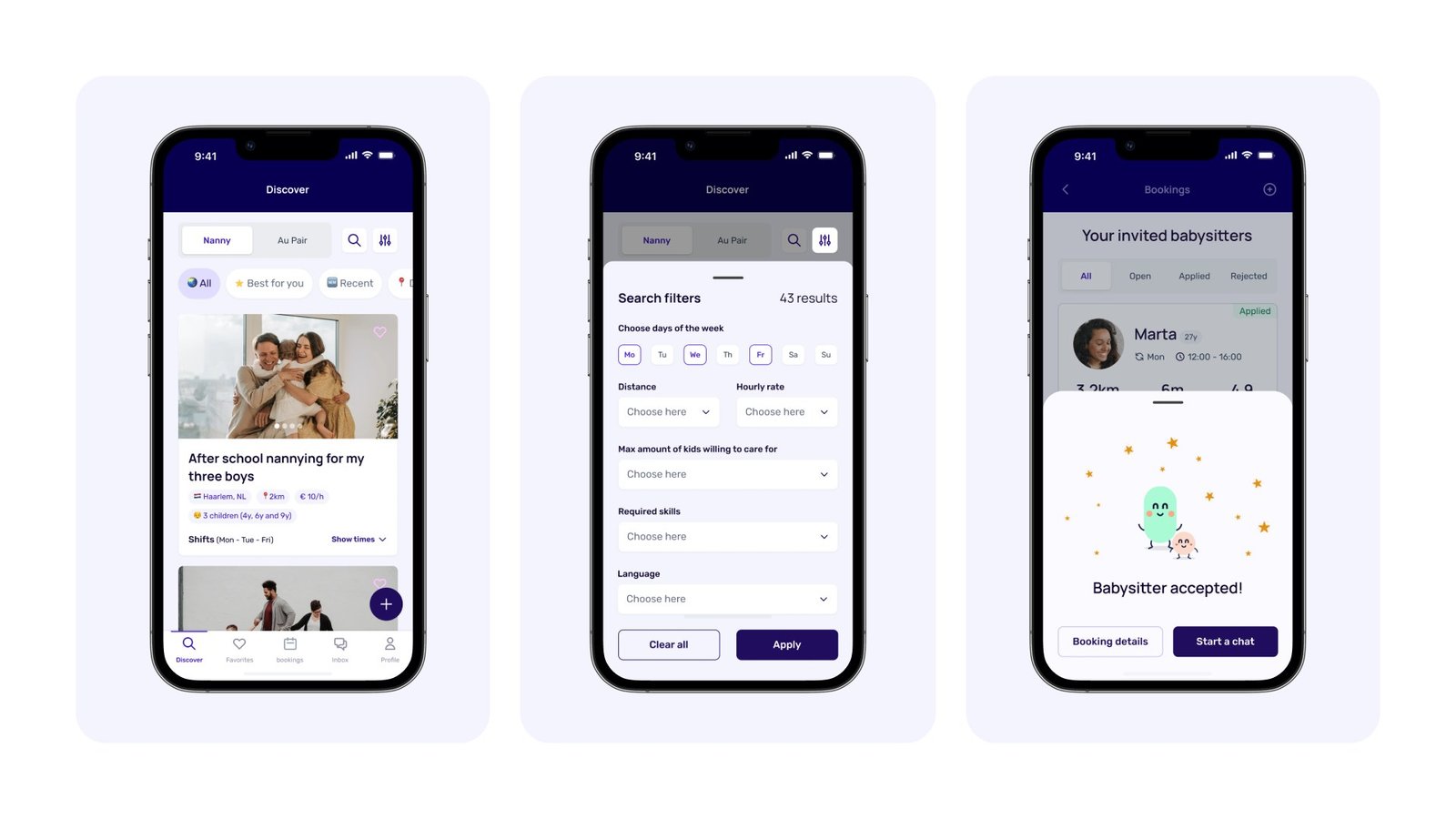
Nina.care matches families with nannies, babysitters and au pairs. I redesigned caregiver onboarding and the family booking flow, where both sides have to trust a stranger before anyone books.
Role
Team
Timeline
Status
+31%
onboarding completion [VERIFY]
89%
found their profile easier to complete [VERIFY]
72%
found booking easier [VERIFY]
01 — Problem
Families need detail. Caregivers need to finish.
Before a family books a stranger, they want experience, references, health and a face. Every one of those is another step for the caregiver. The audit found weak hierarchy, inconsistent patterns and a flow that didn't guide people through.
Before the redesign: a caregiver and a parent
1 · Signing upBabysitting between classes? Let's sign up.Context
2 · So many questionsHealth questions? References? Why all this?Fixed by Decision 03
3 · LaterI've lost count of the steps. I'll finish later.Fixed by Decision 02 · the checklist
4 · A parent needs helpI need someone Monday, Tuesday and Friday.Fixed by Decision 04 · booking by shift
5 · Who is she?No photo, no references. Who is she?Fixed by Decision 02 · complete profiles
6 · No bookingI can't leave my kids with a stranger.Result
Composite story from the audit and research. Panels 1–3: a caregiver. Panels 4–6: a parent. Illustrative. [CONFIRM: matches what research showed]
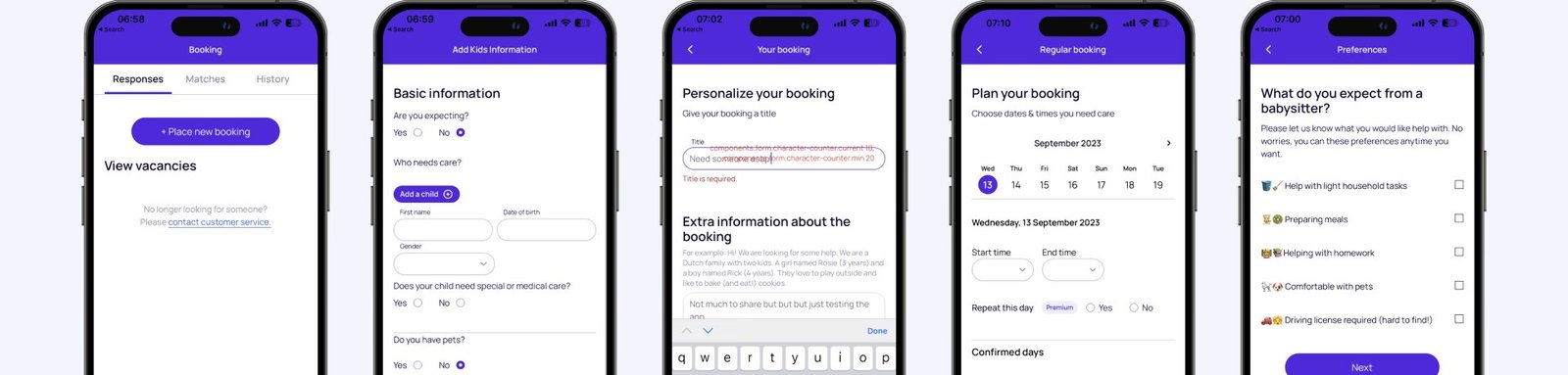
Before: five screens with weak hierarchy and inconsistent patterns.
02 — Decision
Short steps, one theme each.
Onboarding became short steps with one theme each, a checklist to come back to, and the same flow on desktop.
What I decided not to do
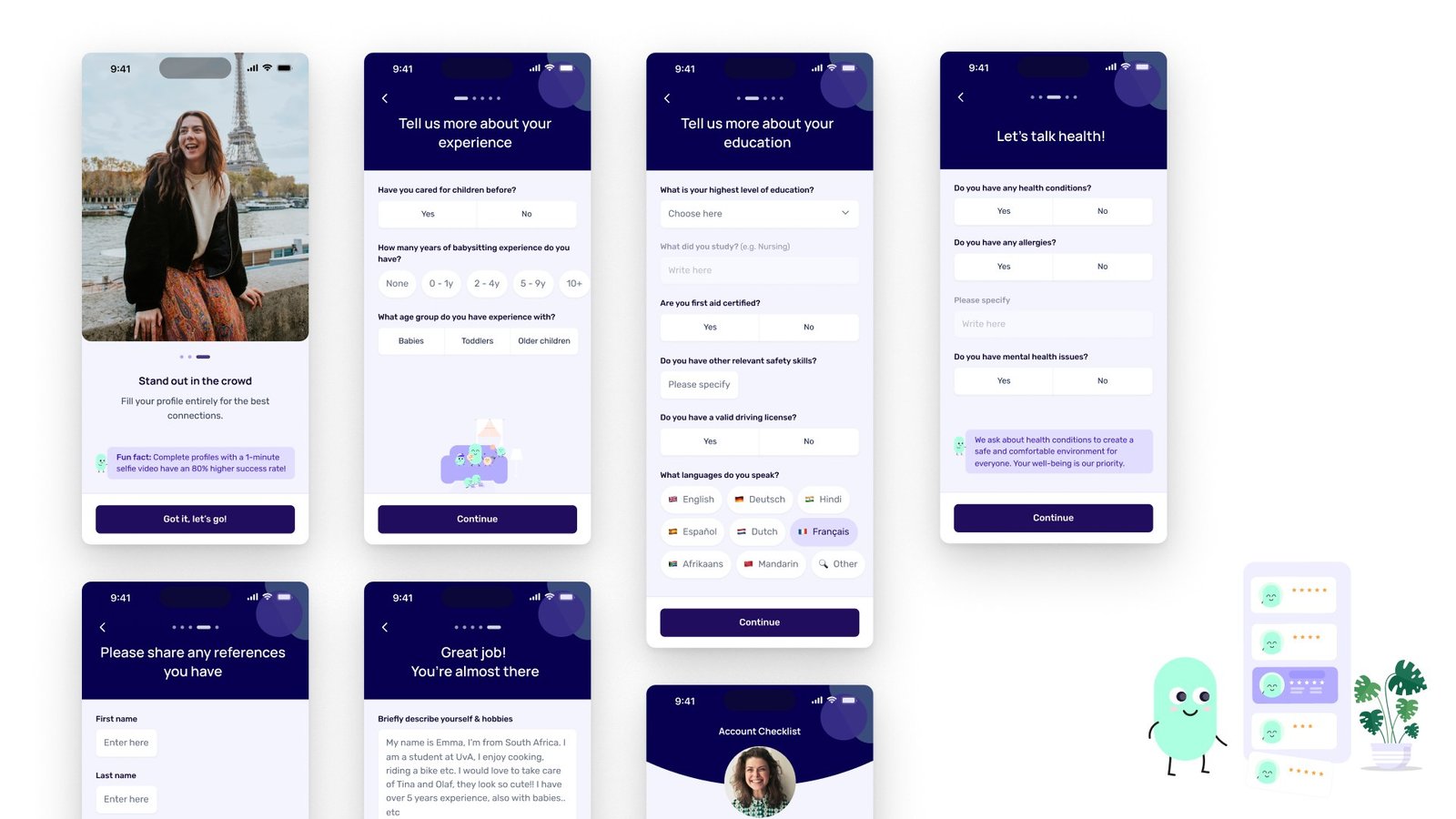
Caregiver onboarding: one theme per step, yes/no wherever possible, and a checklist to come back to.
1. One theme per step. Experience with children and age groups; education, driving licence and first aid; languages; health; references; a short bio with a photo and intro video.
2. Yes/no before free text. Most questions are a toggle; a text field asks for detail where it's needed. [CONFIRM: text fields only appear after a "yes"]
3. A checklist to come back to. "Complete your profile · Tell us about yourself · Preferences — 2 of 3 completed" on the home screen.
4. Same steps on the web. Nationality, country to live and work in, languages and proficiency.
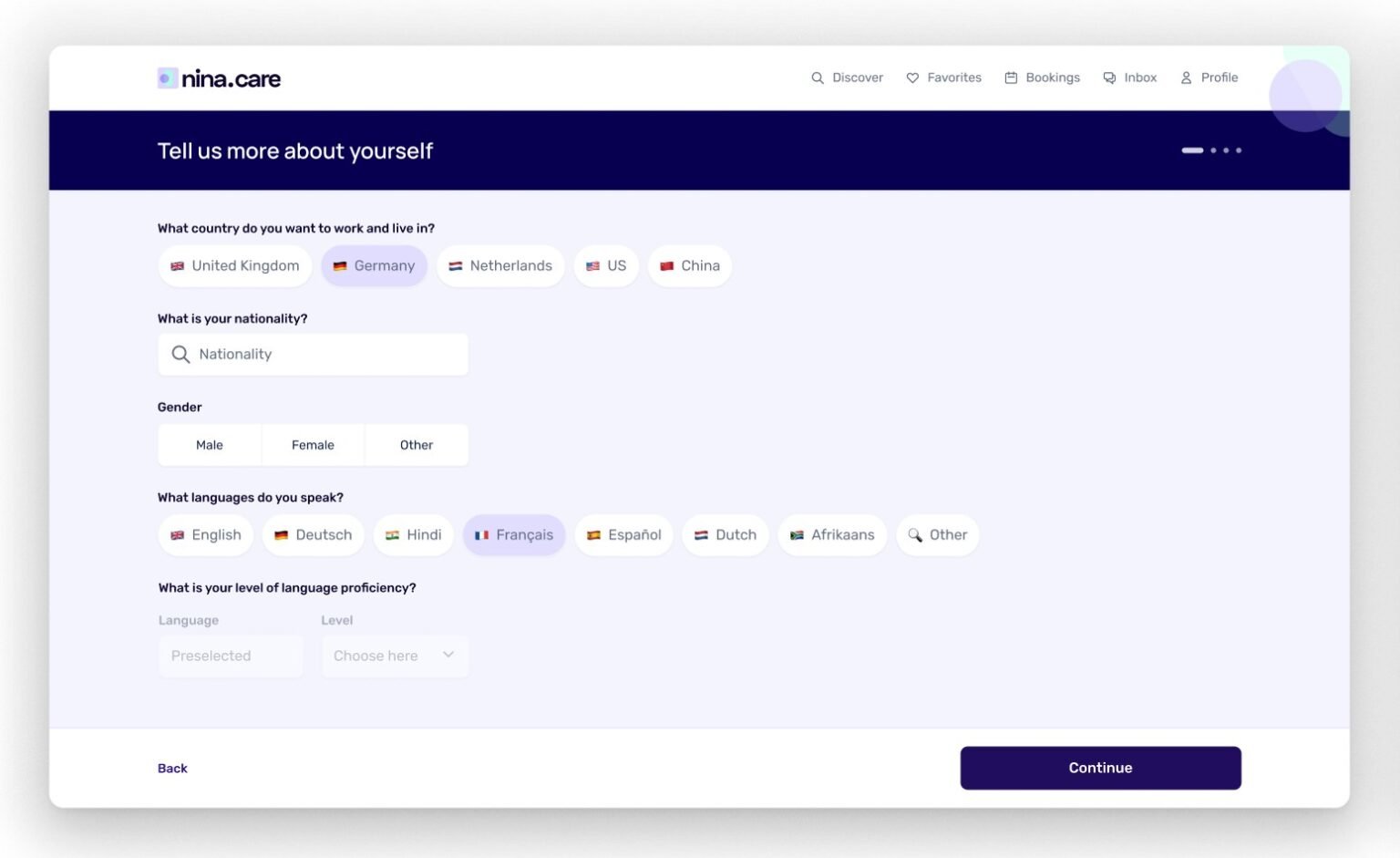
The same steps on the web.
Signal: [VERIFY: +31% onboarding completion; 89% found their profile easier to complete (S42)]
03 — Decision
Sensitive questions explain themselves before they ask.
The health step says why it's there: to keep everyone safe. [CONFIRM: you considered dropping it, and what kept it in]
What I decided not to do
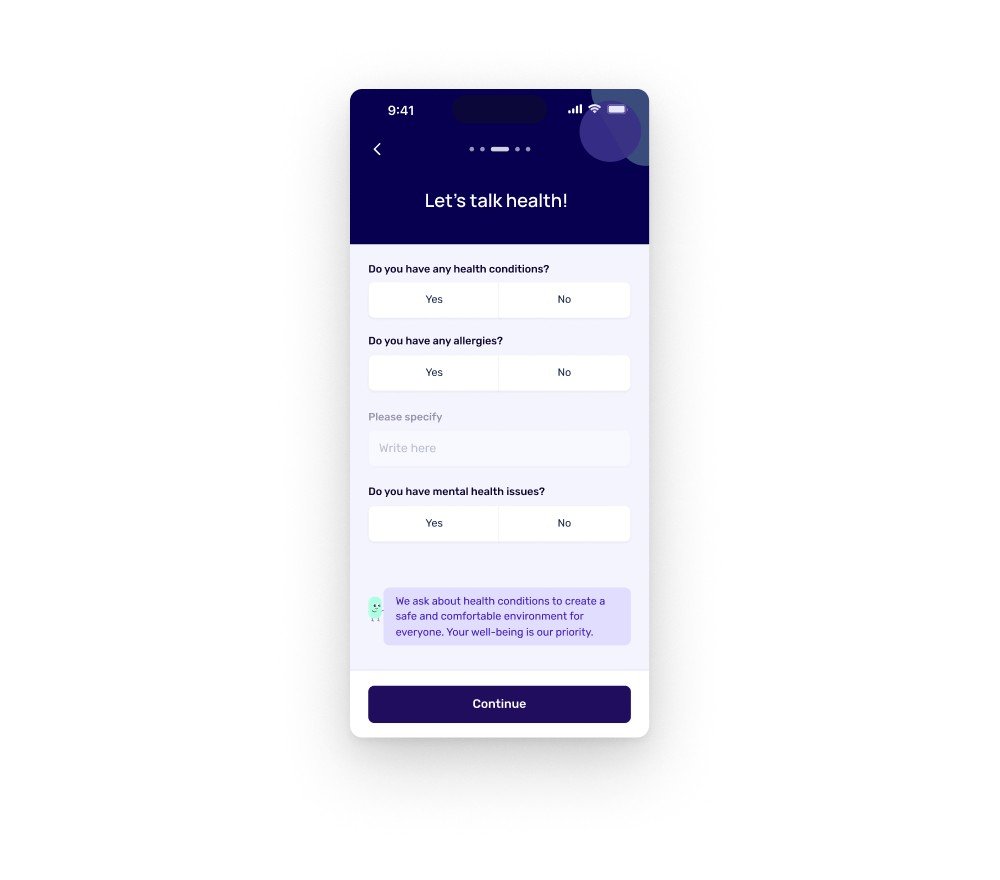
The health step: the reason comes before the question.
04 — Decision
Families book by shift, and a "no" comes with a reason.
Families post a request, invite caregivers and approve them shift by shift. Declining asks for a reason, which the caregiver sees. [CONFIRM: why — keeping caregivers on the platform after a "no"]
What I decided not to do
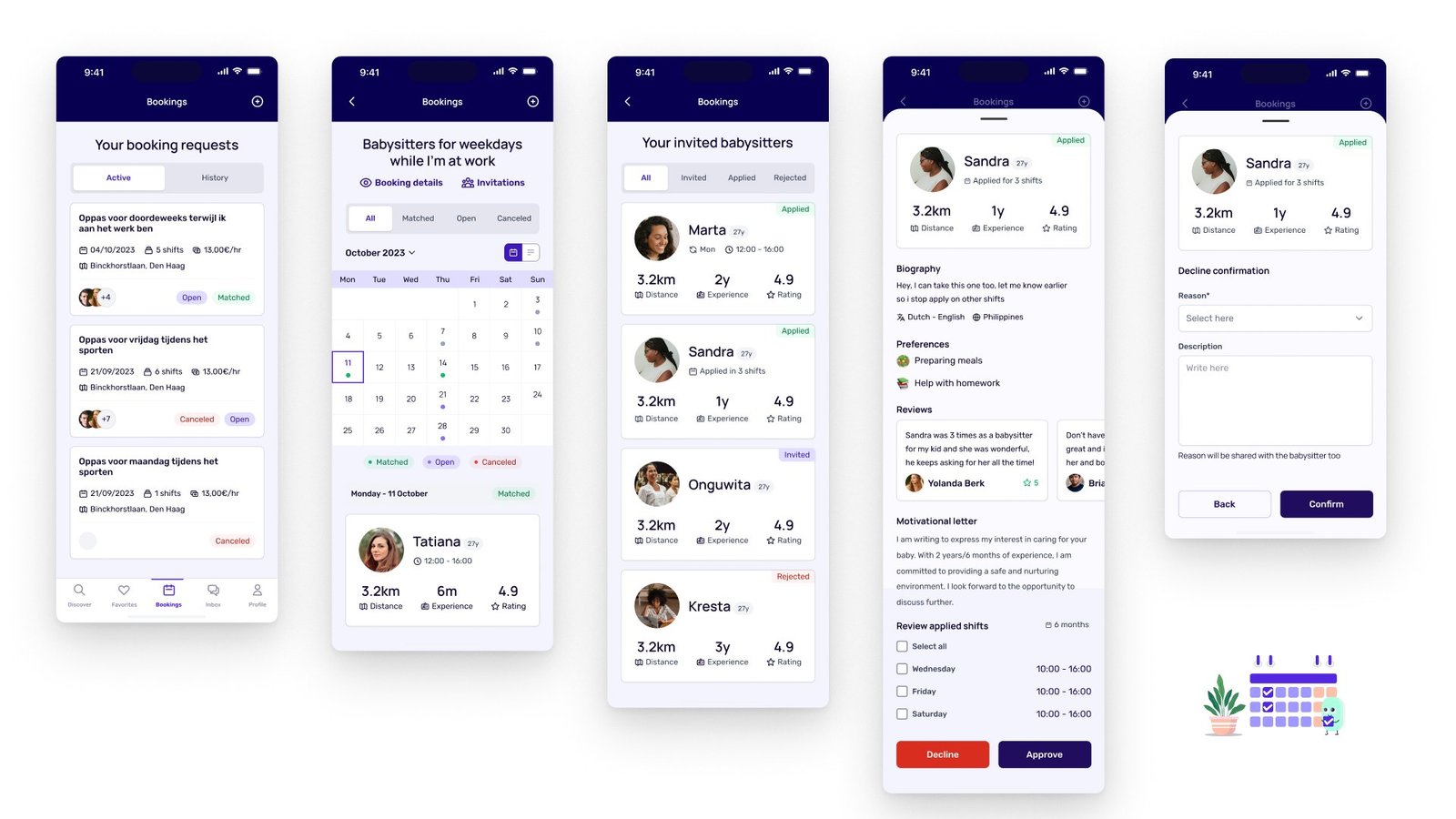
Booking and decline: approve or decline each shift; a decline carries a reason.
1. Requests with a status. A family's booking requests show as Open, Matched or Canceled, with shifts, rate and location.
2. A calendar per request. Each shift is marked matched, open or canceled.
3. Review a caregiver per shift. Profile, reviews and a motivational letter, then approve or decline the specific shifts they applied for.
4. Find work that fits. Discover shows requests as cards with area, rate, children and shifts, filtered by days, distance, rate, number of kids, skills and language. [CONFIRM: this is the caregiver view]
Signal: [VERIFY: 87% found search easier and 72% found booking easier (S42)]
05 — Result
Onboarding completion rose 31%.
89% found it easier to complete their profile, 87% to search, 72% to book. [VERIFY: method, sample size, baseline, time window]
[VERIFY: S40 screens say profiles with a selfie video have an 80% higher success rate. Real data or placeholder copy?]
06 — Looking back
[NEED: one thing you'd do differently]
One honest line.
07 — Experiments
[NEED: what testing taught us, in one line]
[NEED: one or two sentences — how experiments ran on this project, and who ran them]
01 Winner [NEED: surface]
Experiment: [NEED: what changed]
[NEED: primary metric]
[NEED: ±0.0]
Hypothesis
[NEED: If we …, then … will …, because …]
Insights
[NEED: metric ±0.00%]
[NEED: metric ±0.00%]
Learnings
[NEED: what the numbers taught you]
Takeaway / next steps
[NEED: ship, don't ship or iterate — and what you test next]
Test setup · [NEED: split · duration · sample size · significance]

02 Rejected [NEED: surface]
Experiment: [NEED: what changed]
[NEED: primary metric]
[NEED: ±0.0]
Hypothesis
[NEED: If we …, then … will …, because …]
Insights
[NEED: metric ±0.00%]
[NEED: metric ±0.00%]
Learnings
[NEED: what the numbers taught you]
Takeaway / next steps
[NEED: ship, don't ship or iterate — and what you test next]
Test setup · [NEED: split · duration · sample size · significance]
Credits
Design: Ditbardh Uka. Product: [NEED]. Engineering: [NEED].
Next case study
One platform for 6 sites and 5 apps →
© 2026 Ditbardh Uka · Amsterdam